


If you are a UI designer, you know how challenging and time-consuming it can be to create high-quality and engaging user interfaces. You have to deal with complex requirements, tedious tasks, and endless iterations. You also have to keep up with the latest trends and best practices in the field.
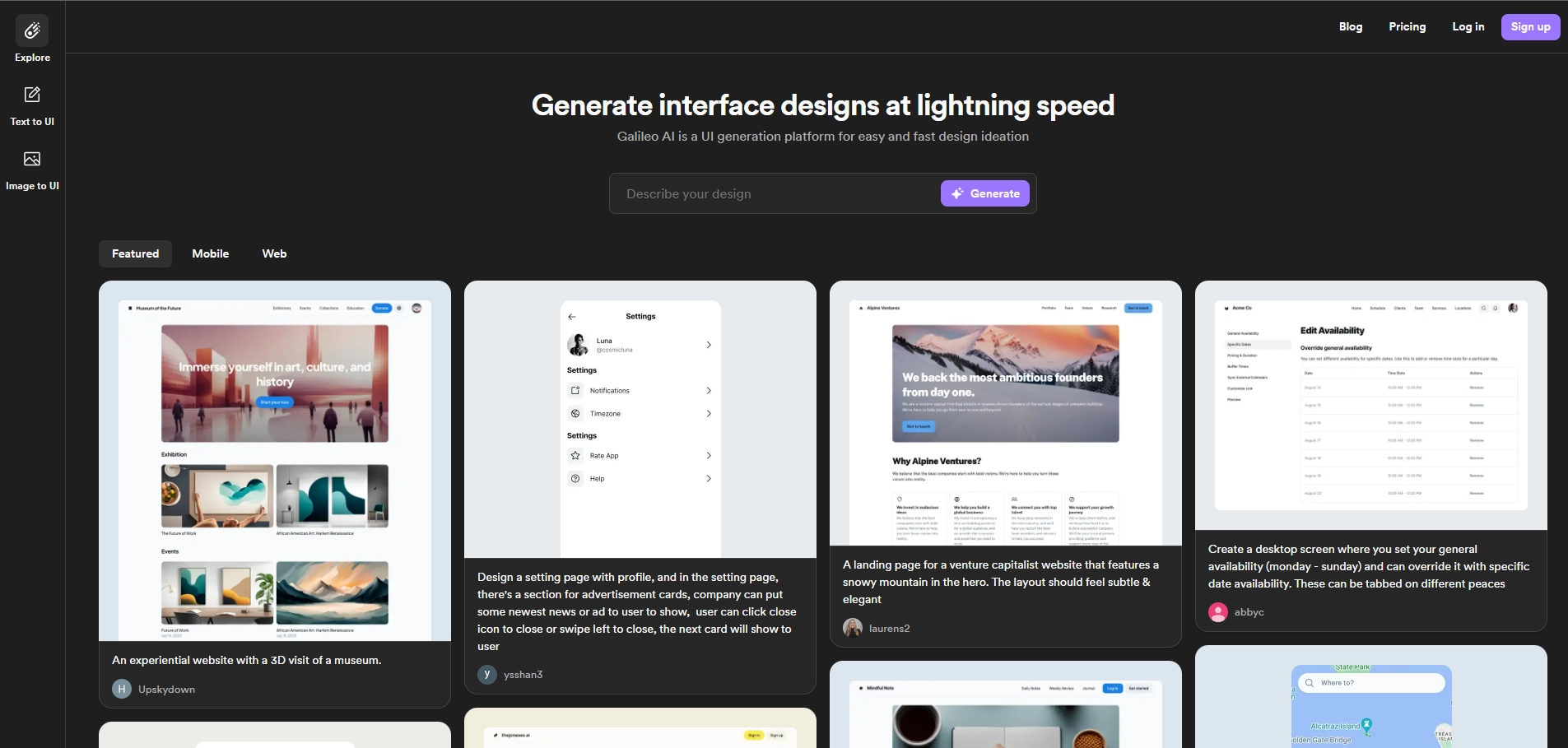
Galileo AI: A Revolutionary Tool for UI Design
what if there was a way to design faster and better with the help of AI?
That's the vision behind Galileo AI, a software product that uses generative AI to create stunning UI designs from natural language prompts. Galileo AI is the first of its kind, and it aims to revolutionize the way UI design is done in the age of generative AI.
How does Galileo AI work?
Galileo AI is powered by state-of-the-art AI models that have been trained on thousands of outstanding UI designs. The AI learns from these examples and builds the UI that meets your needs in lightning speed.
All you have to do is type a simple text description of what you want to design, and Galileo AI will generate a high-fidelity UI design for you. You can also edit the design in Figma, a popular design tool.
For example, if you type "A Profile page for a book-reading app featuring Dan Brown and a list of his books.", Galileo AI will create something like this:
[Image of a profile page for a book-reading app featuring Dan Brown and a list of his books]
Galileo AI can handle complex and diverse UI scenarios, such as landing pages, dashboards, settings pages, e-commerce pages, and more. It can also populate your designs with carefully curated AI-generated illustrations and images to match your vision and style. Moreover, it can generate full product copy for your designs by leveraging large language models that understand the complex context.
What are the benefits of Galileo AI?
Galileo AI has many benefits for UI designers and anyone who wants to create beautiful and functional user interfaces.
Some of the benefits are:
- Speed: You can generate a complex UI in a flash, saving you hours of work and frustration.
- Creativity: You can explore different design possibilities and get inspired by the AI's suggestions.
- Quality: You can rely on the AI's expertise and knowledge to create high-quality and consistent UI designs.
- Impact: You can spend less time on tedious tasks and more time on landing bigger impact: designing creative solutions for your users.
How can I get access to Galileo AI?
Galileo AI is currently in beta testing and is accepting requests for early access. If you are interested in trying out this amazing product, you can sign up on their website: https://www.usegalileo.ai/
You can also follow them on Twitter (@Galileo_AI) and LinkedIn (Galileo AI) for updates and news.
Galileo AI is a game-changer for UI design, and it is paving the way for a new era of generative AI. Don't miss this opportunity to join the next generation of design powered by AI!
Key Platforms
Core Service Areas:

Automated Design Generation
Real-Time Collaboration
Trend Insights
Customizable Templates
User Feedback Integration
Design Consistency Checker
Pros
- It saves time and effort. Galileo AI can generate complex UI designs in a flash, based on thousands of outstanding designs it has learned from. Users can avoid tedious tasks such as creating repetitive UI patterns and making small visual tweaks, and focus on bigger impact solutions.
- It enhances creativity. Galileo AI can produce designs that users may not have thought of, or that are hard to express in words. Users can explore different possibilities and styles, and refine their vision and taste.
- It provides end-to-end solutions. Galileo AI can not only generate UI components, but also populate them with curated AI-generated illustrations and images, and fill the product copy accurately. Users can get a complete picture of how their product will look and feel, without having to switch between different tools or sources.
- It integrates with Figma. Galileo AI can export its designs to Figma, a popular design tool, where users can edit them further or collaborate with others. Users can leverage the power of both tools to create stunning products.
Cons
- It may not be reliable or consistent. Galileo AI is still in its early stages, and may not always generate designs that match the user's expectations or needs. Users may encounter errors, bugs, or glitches, or get designs that are irrelevant, inappropriate, or low-quality.
- It may not be original or unique. Galileo AI generates designs based on existing ones, and may not be able to create something truly novel or innovative. Users may run the risk of plagiarism, or producing designs that are similar to others.
- It may not be suitable for complex or specific scenarios. Galileo AI may not be able to handle complex or specific design requirements, such as accessibility, localization, branding, or user feedback. Users may need to supplement Galileo AI with other tools or methods to ensure their products meet the standards and expectations of their target audience.
Frequently Asked Questions About Galileo
01
What is Galileo and how does it assist UI designers?
Galileo is an AI tool designed specifically for UI designers to streamline the process of creating high-quality user interfaces. It helps automate tedious tasks, manage complex requirements, and provides insights into the latest design trends and best practices.
02
Can Galileo help me keep up with design trends?
Yes, Galileo continuously analyzes design trends and best practices, providing users with recommendations and insights that help them stay updated and enhance their design work.
03
Is there a learning curve associated with using Galileo?
Galileo is designed to be user-friendly, with a straightforward interface that minimizes the learning curve. Most users find it easy to integrate into their existing design workflow.
04
What types of tasks can Galileo automate for UI designers?
Galileo can automate various tasks such as generating design layouts, suggesting color palettes, creating reusable components, and ensuring design consistency across projects.
05
Is Galileo suitable for both beginners and experienced UI designers?
Yes, Galileo is suitable for designers at all levels. Beginners can benefit from its guidance and suggestions, while experienced designers can use it to enhance their workflows and efficiency.
Promote Galileo
Get Galileo in front of thousands of buyers actively searching for AI tools. Feature your listing on the homepage and category pages, or add the verified badge to your site.
Copy Embed Code

Share on

Related AI Tools
Explore related AI tools for diverse applications and enhanced productivity
Unlock the best AI Tools for you!
Login or Approve this tool to continue exploring features and analytics.

