
OpenArt AI is a creative tool that turns ideas into artwork using artificial intelligence. With its AI Art Generator, you can create images from text prompts, sketches, or even modify existing images, making art creation accessible and fun.
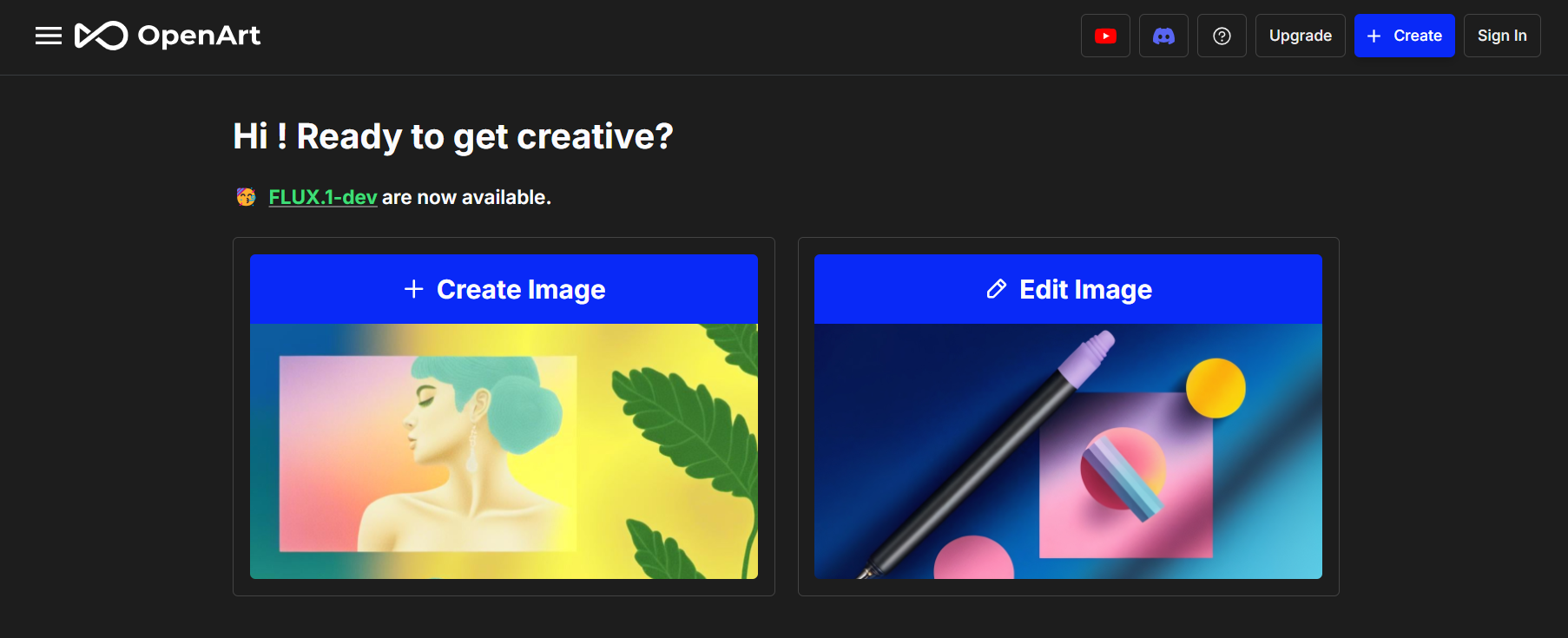
About OpenArt AI
OpenArt AI is an AI tool designed to help users create and explore digital art. It offers a range of options for generating art, from converting text to images to transforming sketches into highly detailed artwork. With over 100 models and styles, OpenArt AI is flexible and caters to both beginners and professionals. You can also fine-tune models to match your artistic vision, experiment with styles, and even upscale images for higher resolution.
What Can You Do With OpenArt AI?
With OpenArt AI, you can unleash your creativity in numerous ways:
- Text to Image: Describe your idea, and OpenArt AI will turn it into an image, capturing various styles like anime, photorealistic, and abstract art.
- Image Modification: Alter existing images or create new ones by providing a sketch or using its inpainting and outpainting features.
- Personalized Model Training: Train models that align with your unique artistic style, offering greater control over your creative outputs.
- Upscaling & Enhancements: Use features like face and anime enhancements and upscale images to 2x or 4x their original size, perfect for high-resolution needs.
Key Features of OpenArt AI
OpenArt AI stands out for its robust feature set:
- Diverse Art Styles: Choose from styles like photorealism, digital art, anime, and more to give your creations a unique touch.
- Prompt-Based Generation: Input prompts to direct the AI, whether you want a serene landscape or a vibrant character.
- Image Upscaling: Increase the resolution of your images with advanced upscaling tools, ideal for prints or detailed projects.
- Sketch to Image Conversion: Upload a sketch and watch it come to life with realistic detailing, suitable for design or concept visualization.
- Community Support: Access a rich community of artists for feedback and inspiration, with regular contests and collaborative projects.
OpenArt AI Pricing
OpenArt AI offers four plans:
- Free Plan: Includes 40 trial credits, 4 parallel generations, and private art creations.
- Starter Plan ($7/month, billed annually): Offers 5,000 credits monthly, 8 parallel generations, and 100 bulk credits for up to 20 images per generation.
- Hobbyist Plan ($13/month, billed annually): Provides 15,000 credits, 16 parallel generations, and 500 bulk credits with 100 images per generation.
- Pro Plan ($28/month, billed annually): Grants unlimited credits, 32 parallel generations, and 5,000 bulk credits for 500 images per generation, with faster generation speeds.
Benefits of Using OpenArt AI
Using OpenArt AI offers several benefits:
- Accessible Creativity: Anyone can create art, regardless of skill level. OpenArt AI makes it easy for beginners to produce professional-looking art.
- Time Efficiency: Generate art in seconds, helping you to visualize concepts quickly, which is useful for design projects and creative brainstorming.
- Cost-Effective: The tool offers free options and allows you to create images without the need for expensive software.
- Inspiration and Learning: The platform encourages experimentation, helping users explore different art styles and techniques without formal training.
Tips and Best Practices for OpenArt AI
- Craft Detailed Prompts: For better results, be specific about the elements you want in your artwork, like colors, lighting, and style.
- Experiment with Styles: Don’t be afraid to try different models and styles to find what best suits your vision.
- Utilize Upscaling for Clarity: Use the upscaling feature to ensure your final images are sharp and detailed, especially for larger prints.
FAQs
- What is OpenArt AI?
OpenArt AI is an AI tool that helps users create digital art through text prompts, sketches, and image modifications. - Can I use OpenArt AI for free?
Yes, OpenArt AI offers a free plan with basic features, and you can upgrade for more advanced options. - What types of art can I create with OpenArt AI?
You can create various types, including anime, photorealism, digital paintings, and abstract art. - How do I start using OpenArt AI?
Simply sign up, choose your desired generation type, and start creating with prompts or images. - Is OpenArt AI suitable for professional artists?
Absolutely! OpenArt AI provides advanced features like model fine-tuning and upscaling, which professionals can use to create high-quality art.
Key Platforms
Core Service Areas:

Text-to-Art Generation
Image Modification
Sketch to Art
User-Friendly Interface
Creative Prompt Suggestions
High-Quality Outputs
Frequently Asked Questions About OpenArt
01
What types of input can I use to create artwork with OpenArt?
You can create artwork using text prompts, sketches, or by modifying existing images.
02
Is there a limit to the number of images I can generate with OpenArt?
Currently, there are no strict limits on the number of images you can generate, but performance may vary based on server load.
03
Can I edit or modify the images generated by OpenArt?
Yes, OpenArt allows you to modify existing images to create new and unique artwork.
04
Is OpenArt suitable for beginners with no artistic skills?
Absolutely! OpenArt is designed to be user-friendly, making art creation accessible and enjoyable for everyone, regardless of skill level.
05
What kind of artwork can I create with OpenArt?
You can create a wide variety of artwork, including illustrations, abstract art, and more, depending on your input and creativity.
Promote OpenArt
Get OpenArt in front of thousands of buyers actively searching for AI tools. Feature your listing on the homepage and category pages, or add the verified badge to your site.
Copy Embed Code

Share on

Related AI Tools
Explore related AI tools for diverse applications and enhanced productivity

Unlock the best AI Tools for you!
Login or Approve this tool to continue exploring features and analytics.

