

QuickVid AI is a tool that helps you make short videos easily. It's perfect for people who share content online, like social media users, digital marketers, and companies. QuickVid AI uses smart technology to turn long videos into short, exciting ones that people will want to watch.
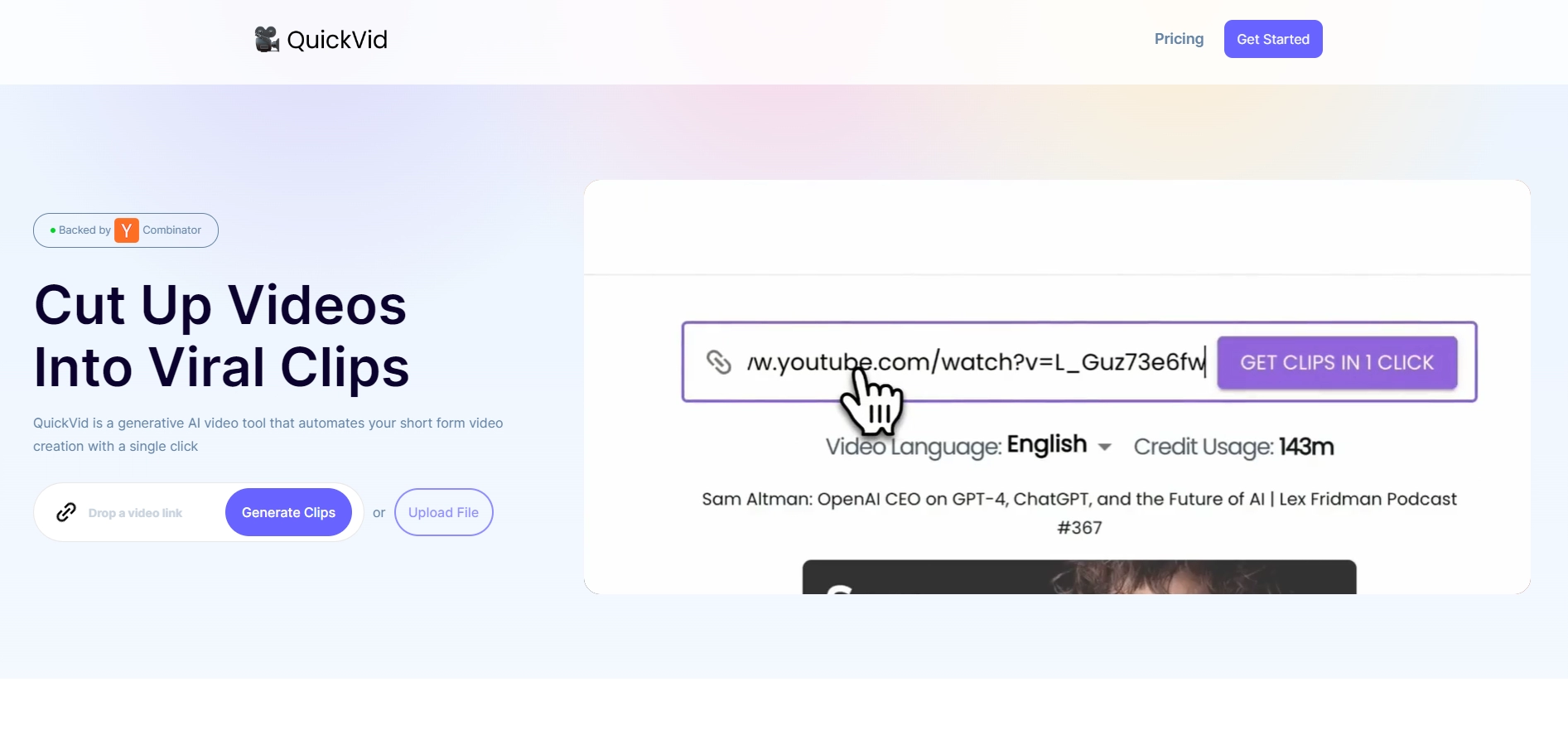
QuickVid AI Features
- Easy Subtitles: Puts words on your video so everyone can understand.
- Hit Predictor: Tells you if your video might become very popular.
- Best Moments Finder: Finds the most interesting parts of your video.
- Different Styles: Lets you change how your video looks to keep it fun.
- Who's Talking?: Makes sure viewers can see who is speaking in the video.
- Title & Description Helper: Gives you ideas for what to call your video and what to say about it.
How to Use QuickVid AI?
- Make a QuickVid AI account.
- Pick a plan: Copilot if you want to be involved, or Autopilot if you want it all done for you.
- Put your long video into QuickVid AI.
- Watch as QuickVid AI makes it into short clips.
- Check the clips and change them if you need to (only in Copilot Plan).
- Share your video on social media.
QuickVid AI Pricing
- Copilot Plan: Costs $20.00 a month. You can make and change short videos. You get 200 minutes to make videos, high-quality up to 1080p, automatic changes to fit the screen, subtitles, and it works in more than 10 languages.
- Autopilot Plan: Costs $200.00 a month. It's for people who are very busy and want everything done for them. You get everything in the Copilot Plan plus automatic video making, editing, sharing, weekly summaries, and special support.
Key Platforms
Core Service Areas:

Smart Video Editing
User-Friendly Interface
Social Media Optimization
Automated Highlights
Customization Options
Fast Processing Speed
Frequently Asked Questions About QuickVid.Ai
01
What types of videos can I create with QuickVid.AI?
With QuickVid.AI, you can create short, engaging videos from long-form content, making it ideal for social media posts, marketing campaigns, and promotional content.
02
Do I need any prior video editing experience to use QuickVid.AI?
No, QuickVid.AI is designed for users of all skill levels. Its user-friendly interface allows anyone to create professional-looking videos without prior editing experience.
03
How does QuickVid.AI transform long videos into short clips?
QuickVid.AI utilizes advanced AI technology to analyze your long videos and identify key moments, which it then compiles into short, captivating clips that maintain the essence of the original content.
04
Can I customize the videos created with QuickVid.AI?
Yes, QuickVid.AI allows you to customize your videos with text overlays, music, and other elements to suit your brand voice and style.
05
Is there a limit to the length of videos I can upload to QuickVid.AI?
While there may be specific guidelines regarding video length, QuickVid.AI is optimized to handle various video lengths, allowing you to upload longer content for transformation.
Promote QuickVid.Ai
Get QuickVid.Ai in front of thousands of buyers actively searching for AI tools. Feature your listing on the homepage and category pages, or add the verified badge to your site.
Copy Embed Code

Share on

Related AI Tools
Explore related AI tools for diverse applications and enhanced productivity

Unlock the best AI Tools for you!
Login or Approve this tool to continue exploring features and analytics.

