

Stylized.ai is a virtual product photography studio that helps e-commerce sellers create professional-looking product photos without the need for a professional photographer or expensive equipment. The platform uses artificial intelligence (AI) to remove backgrounds, relight products, and add realistic shadows and textures. This allows sellers to create high-quality product photos in minutes, even if they don't have any prior photography experience.
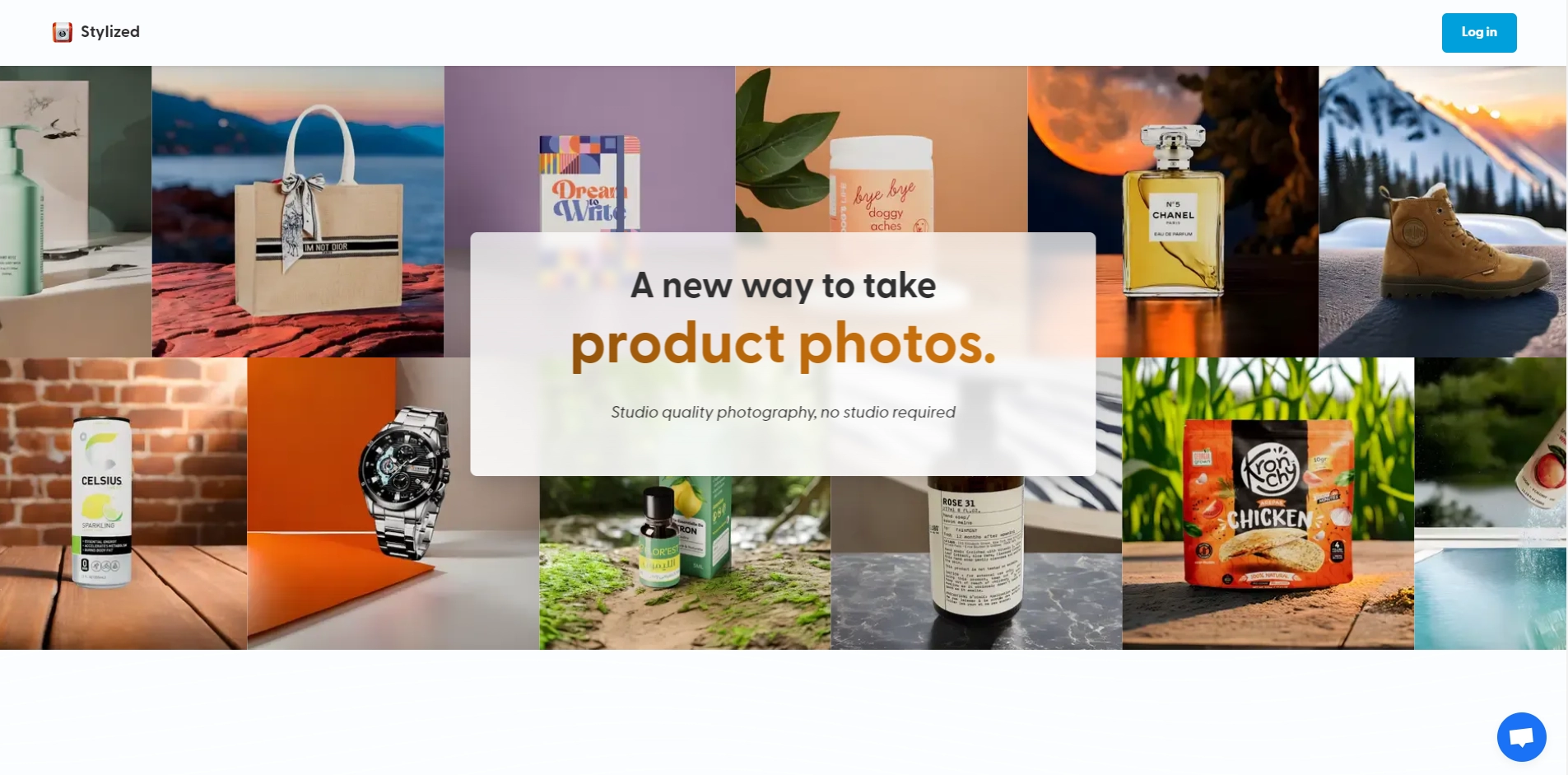
Stylized.ai is easy to use. Simply upload your product photos to the platform, and Stylized.ai will automatically remove the background and relight your product. You can then adjust the lighting, shadows, and textures to your liking. Once you're happy with the results, you can download your high-quality product photos.
Stylized.ai is a great way for e-commerce sellers to improve the look and feel of their product listings. By using Stylized.ai, sellers can create professional-looking product photos that will help them stand out from the competition and increase sales.
Create professional-looking product photos in minutes.
No need for a professional photographer or expensive equipment.
Easy to use platform with a drag-and-drop interface.
Affordable pricing plans to fit any budget.
Free trial so you can try before you buy.
Key Platforms
Core Service Areas:

Background Removal
Intelligent Relighting
Realistic Shadows
Texture Enhancement
User-Friendly Interface
Quick Editing Process
Pros
- Easy to use: Just upload a photo of your product and let Stylized do the rest.
- Affordable: Choose from free or paid plans depending on your needs and budget.
- High-quality: Get realistic and stunning product photos with 3D materials and lighting effects.
- Fast: Create and export your product photos in seconds with AI-powered technology.
- Flexible: Customize your product photos with different backgrounds, colors and materials.
Cons
- Limited options: Stylized only works for certain types of products, such as furniture, decor and accessories.
- Internet-dependent: You need a stable internet connection to use Stylized online.
- Privacy concerns: You have to upload your product photos to Stylized's servers, which may pose some risks for your data security.
Frequently Asked Questions About Stylized
01
What types of products can I use Stylized for?
Stylized is designed for a wide range of products including clothing, electronics, accessories, and more. If you can photograph it, you can enhance it with Stylized.
02
Do I need any special photography skills to use Stylized?
No, Stylized is user-friendly and requires no prior photography experience. Our AI technology takes care of the complex aspects of product photography for you.
03
How quickly can I create product photos using Stylized?
You can create high-quality product photos in just minutes, making it an efficient solution for e-commerce sellers looking to enhance their product listings.
04
Is there a limit to the number of photos I can create?
Stylized offers various pricing plans, each with its own limits on photo creation. Check our pricing page for more details on what each plan includes.
05
Can I customize the backgrounds or settings in my product photos?
Yes, Stylized allows you to customize backgrounds, add textures, and relight products to achieve the look you desire for your product photos.
Promote Stylized
Get Stylized in front of thousands of buyers actively searching for AI tools. Feature your listing on the homepage and category pages, or add the verified badge to your site.
Copy Embed Code

Share on

Related AI Tools
Explore related AI tools for diverse applications and enhanced productivity

Unlock the best AI Tools for you!
Login or Approve this tool to continue exploring features and analytics.

