

UniConverter AI Image Enhancer helps improve photo quality with advanced AI features. It enhances, restores, and upscales images to deliver professional-grade results. Whether you want to fix blurry pictures or restore old photos, this AI tool is the perfect choice for all your image enhancement needs.
What is UniConverter AI Image Enhancer?
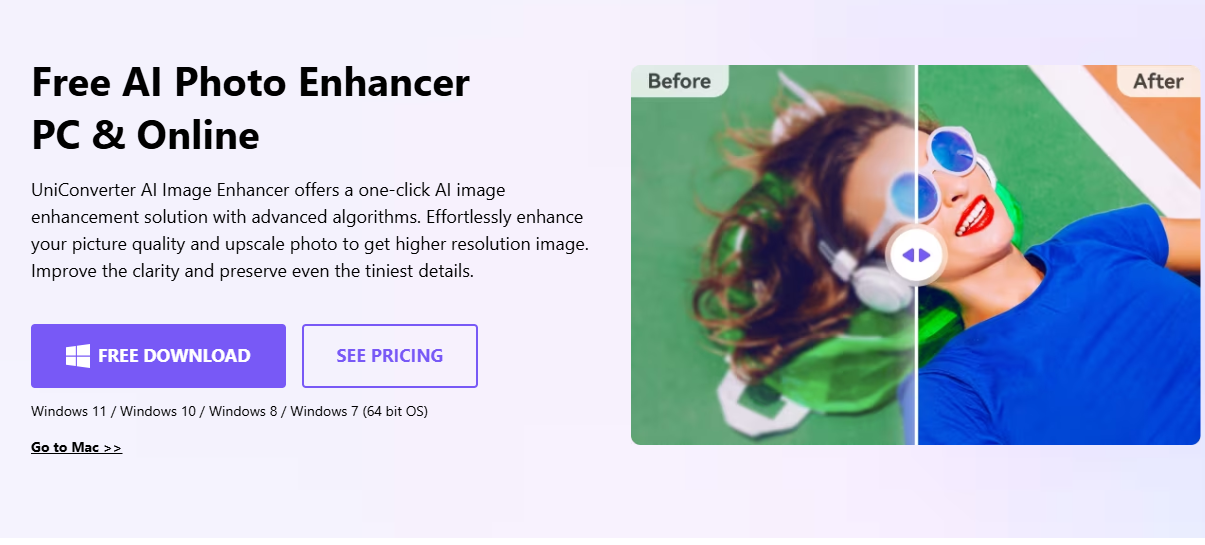
UniConverter AI Image Enhancer is a smart AI tool designed to improve images effortlessly. With features like Auto Enhancer, Face Enhancer, and Old Photo Restorer, it provides an all-in-one solution for enhancing picture quality. The tool works by analyzing and correcting imperfections, restoring lost details, and optimizing the resolution to make photos look their best. Whether you're a photographer, designer, or casual user, this tool ensures professional results with minimal effort.
What Can You Do With UniConverter AI Image Enhancer?
UniConverter AI Image Enhancer offers a wide range of capabilities, including:
- Enhancing Image Quality: Automatically improve sharpness, color, and overall visual appeal.
- Restoring Old Photos: Bring life back to faded, scratched, or damaged images.
- Upscaling Images: Increase resolution without losing detail, making photos clear and suitable for larger prints.
- Colorizing Vintage Photos: Add natural colors to black-and-white images for a modern, vibrant look.
- Improving Portraits: Enhance facial details for sharper, more polished pictures.
Whether for personal use or professional projects, this tool provides reliable solutions to make your images stand out.
Key Features of UniConverter AI Image Enhancer
- Auto Enhancer: Automatically adjusts brightness, contrast, and sharpness for optimal image quality.
- Face Enhancer: Sharpen and clarify facial details in portraits for a professional touch.
- Color Correction: Fine-tune colors for vibrant or natural-looking photos.
- Old Photo Colorizer: Add life to black-and-white or sepia-toned photos with realistic colors.
- Old Photo Restorer: Repair damage like scratches, fading, and stains in aged pictures.
- Image Upscaler: Enhance resolution for better clarity in enlarged images.
- Batch Processing: Edit multiple photos simultaneously, saving time for large projects.
- Wide Format Support: Compatible with formats like JPG, PNG, and BMP for flexibility.
These features ensure an all-encompassing solution for enhancing images with minimal effort.
Benefits of Using UniConverter AI Image Enhancer
- Easy to Use: Its intuitive interface makes it accessible for everyone, regardless of skill level.
- Saves Time: The batch processing feature allows you to edit several images at once, streamlining workflows.
- Professional Results: Delivers high-quality enhancements to meet the standards of professional photographers and designers.
- Versatile: Handles various image formats and offers multiple tools to suit different needs.
- Preserves Memories: Restores and colorizes old photos, helping you cherish timeless memories in better quality.
UniConverter AI Image Enhancer Pricing
UniConverter AI Image Enhancer offers flexible pricing plans to suit different needs. Here are the available options:
Monthly Plan: $9.99/month
- Includes 1-month access to features.
- Supports 4K/8K conversion, over 10,000+ download sites, batch processing, and priority customer support.
- Includes 600 bonus credits for AI tools.
Yearly Plan: $29.99/year
- Provides 1-year access to features.
- Offers the same benefits as the monthly plan, including batch compression, cropping, and watermarking tools, along with 600 bonus AI credits.
Perpetual Plan (Best Value): $39.99 (One-time fee)
- Lifetime access to features.
- Includes all the benefits of the monthly and yearly plans, with an upgraded 1000 bonus credits for AI tools.
These plans make it easy to choose an option that fits your budget and requirements, whether you're looking for short-term or lifetime access.
Tips and Best Practices for UniConverter AI Image Enhancer
- Start with High-Quality Images: For best results, ensure your photos are as clear as possible before enhancement.
- Experiment with Features: Try out tools like Auto Enhancer and Color Correction to find the best fit for your needs.
- Batch Process Similar Images: Use batch processing for photos requiring the same type of enhancement to save time.
- Use the Right Format: Work with supported formats like JPG or PNG to avoid compatibility issues.
- Preview Before Saving: Always preview your edits to ensure they meet your expectations.
FAQs about UniConverter AI Image Enhancer
- Can UniConverter AI Image Enhancer fix blurry photos?
Yes, the tool can sharpen and clarify blurry images, making them look more professional. - Can I add color to black-and-white photos with this AI tool?
Absolutely! The Old Photo Colorizer feature adds realistic colors to vintage black-and-white photos. - Does UniConverter AI Image Enhancer support batch processing?
Yes, you can enhance multiple photos simultaneously using its batch processing feature. - What image formats are supported by UniConverter AI Image Enhancer?
The tool supports popular formats like JPG, PNG, and BMP, ensuring compatibility with most image types. - Is UniConverter AI Image Enhancer beginner-friendly?
Yes, it’s designed with a user-friendly interface, making it accessible for beginners and professionals alike.
Key Platforms
Core Service Areas:

Blurry Image Fix
Old Photo Restoration
AI Upscaling
Color Enhancement
Batch Processing
User-Friendly Interface
Frequently Asked Questions About UniConverter AI Image Enhancer
01
What types of images can I enhance using UniConverter AI Image Enhancer?
You can enhance a variety of images, including blurry pictures, low-resolution images, and old photos that need restoration. The tool is designed to improve the quality of any image you upload.
02
How does the AI technology work in UniConverter AI Image Enhancer?
The AI technology analyzes your images to intelligently enhance, restore, and upscale them. It uses advanced algorithms to identify and correct issues such as blurriness, noise, and low resolution.
03
Is there a limit to the number of images I can enhance at once?
There is no strict limit on the number of images you can enhance at once, but performance may vary depending on the size and complexity of the images. It's recommended to enhance images in batches for optimal results.
04
What formats of images does the UniConverter AI Image Enhancer support?
The tool supports various image formats, including JPEG, PNG, BMP, and TIFF, allowing you to enhance your images regardless of their original format.
05
Can I try UniConverter AI Image Enhancer for free?
Yes, UniConverter AI Image Enhancer typically offers a free trial or limited features for users to test the tool before committing to a purchase. Check the website for specific details on the free trial options available.
Promote UniConverter AI Image Enhancer
Get UniConverter AI Image Enhancer in front of thousands of buyers actively searching for AI tools. Feature your listing on the homepage and category pages, or add the verified badge to your site.
Copy Embed Code

Share on

Related AI Tools
Explore related AI tools for diverse applications and enhanced productivity

Unlock the best AI Tools for you!
Login or Approve this tool to continue exploring features and analytics.

