

VDraw - Free AI Carousel Post Generator for Social Media
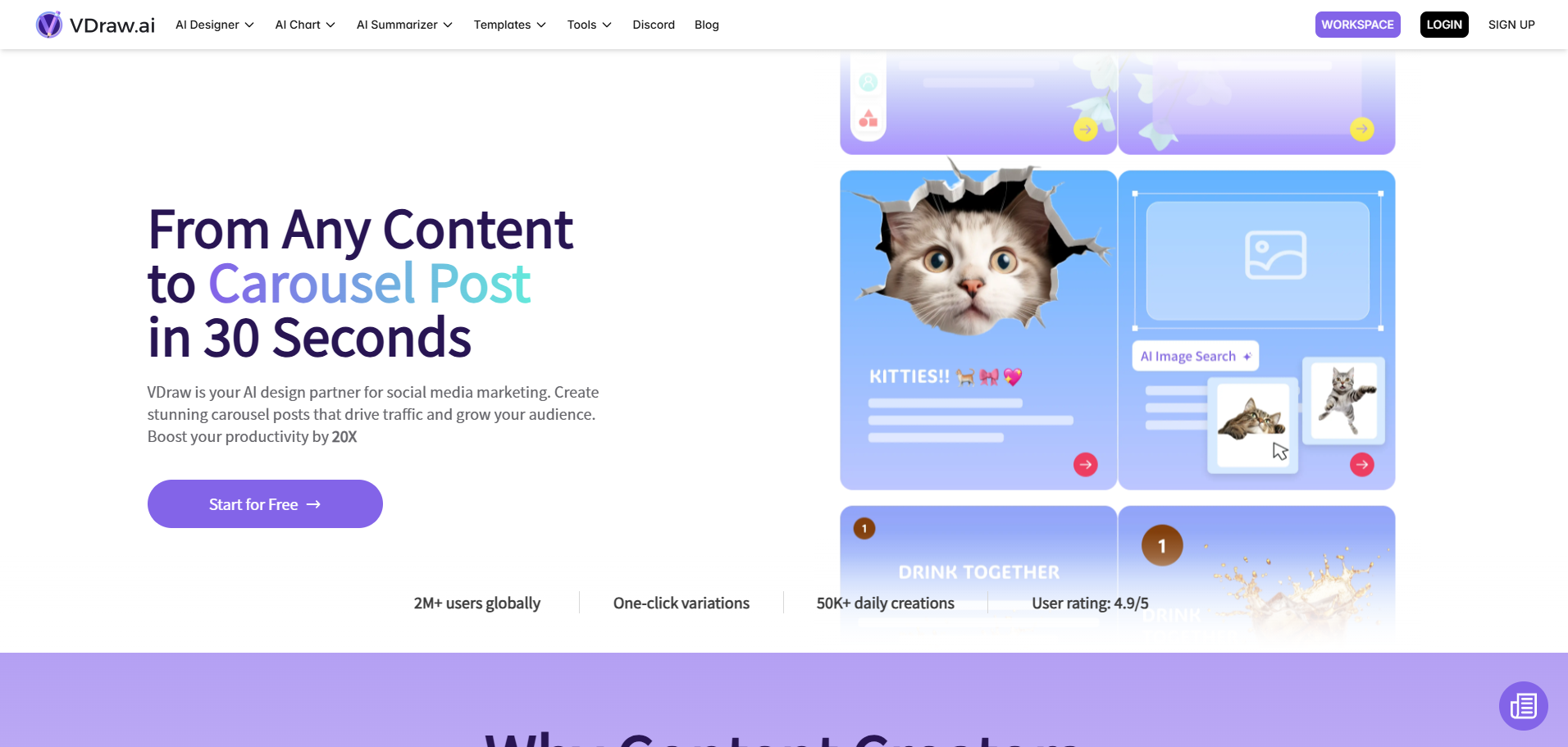
Generate social media carousel posts with AI in seconds. Perfect for Instagram, LinkedIn & TikTok. No design skills needed.
What is the use of VDraw?
VDraw is an AI tool designed to help social media content creators by turning text, videos, or PDFs into visually engaging carousel posts for platforms like Instagram, LinkedIn, and more, with just a few clicks.
What is VDraw?
VDraw is a powerful AI tool that simplifies the process of creating carousel posts for social media. It allows users to transform any content-be it text, video links, or PDF files-into professional-looking carousel slides. With over 1000 templates available, VDraw helps users save time and effort in creating visually appealing social media posts. The tool uses AI to extract key insights from the input content, which are then formatted into a carousel post in just seconds. VDraw also provides features like customization options, branding elements, and export tools for a hassle-free sharing experience.
What Can You Do With VDraw?
VDraw empowers users to effortlessly create engaging and informative carousel posts by simply pasting text or uploading content like videos and PDFs. Whether you're a content creator, marketer, or business owner, you can make your posts visually attractive without needing any design skills. Additionally, VDraw offers advanced editing tools to customize colors, fonts, and backgrounds to match your brand identity. It also supports easy export and sharing, making it perfect for social media platforms such as Instagram, Facebook, and LinkedIn.
Key Features of VDraw
- Instant Carousel Creation: Paste content from articles, YouTube videos, or PDFs, and VDraw instantly turns it into a carousel post.
- 1000+ Templates: Choose from a wide variety of professionally designed templates suitable for various niches and topics.
- Customizable Design: Personalize your carousel posts by adjusting fonts, colors, and backgrounds.
- AI-Powered Text Enhancement: Improve your content with AI-driven text editing for clearer and more engaging posts.
- Cross-Platform Sharing: Export your carousel posts as PNG, PowerPoint, or other formats and share them on social media platforms like Instagram, LinkedIn, and Facebook.
VDraw Pricing
VDraw offers a free plan for users to get started with basic carousel creation. For advanced features, customization, and more templates, they offer premium pricing options. Details about the premium plans can be found directly on their website.
Tips and Best Practices for VDraw
- Choose the Right Template: Pick templates that align with your brand’s aesthetic for a more consistent look across posts.
- Edit Content for Clarity: Make sure to refine the text using the AI-powered editing features to ensure your message is clear.
- Optimize for Social Media: Adjust the design elements to fit each platform’s requirements (e.g., Instagram vs. LinkedIn).
- Use Analytics: Pay attention to how your carousel posts perform to tweak your strategy and create even more engaging content in the future.
FAQs
1. What is VDraw AI tool used for?
VDraw is an AI tool that helps content creators turn text, videos, and PDFs into visually engaging carousel posts for social media.
2. Do I need design skills to use VDraw?
No, VDraw makes it easy to create professional-looking carousel posts without any design skills.
3. Can I use VDraw for multiple social media platforms?
Yes, VDraw supports sharing carousel posts on platforms like Instagram, LinkedIn, Facebook, and more.
4. What types of content can I convert into a carousel post with VDraw?
You can convert text, YouTube links, articles, and PDFs into carousel posts using VDraw.
5. Is there a free version of VDraw?
Yes, VDraw offers a free plan for basic carousel creation, with premium features available for users looking for advanced options.
Key Platforms
Core Service Areas:

AI-Powered Design
Customizable Templates
Multi-Format Support
User-Friendly Interface
Instant Preview
Free Access
Pros
- User-Friendly Interface: VDraw's intuitive design allows users, regardless of their design skills, to create professional-quality visuals with ease.
- Rapid Content Transformation: The AI tool quickly converts various content types (text, videos, PDFs) into visually appealing carousel posts, saving time for creators.
- Extensive Template Library: Offers over 1,000 customizable templates, providing a diverse range of design options for different content themes and styles.
- Multi-Format Export Options: Users can export their creations in formats like PNG, PDF, and video, making it easy to share across multiple platforms.
- AI-Powered Enhancements: The AI improves and refines content, ensuring that the final output is engaging and high-quality.
- Free Access with Optional Premium Features: A free plan is available for users to explore the tool, with the option to upgrade for additional features and templates.
Cons
- Limited Advanced Customization: Although VDraw provides a variety of templates, highly intricate design modifications may be somewhat limited.
- Focus Primarily on Visual Content: VDraw excels at visual content creation but lacks extensive features for other content marketing aspects like analytics or scheduling.
- Internet Dependency: Being a cloud-based AI tool, VDraw requires a stable internet connection, which could be a limitation in areas with poor connectivity.
- Potential Learning Curve for New Users: Users new to AI tools may experience a brief learning curve to fully take advantage of VDraw's capabilities.
Frequently Asked Questions About VDraw
01
What is VDraw?
VDraw is a free AI-powered tool designed to generate engaging carousel posts for social media platforms, helping users enhance their online presence.
02
How does VDraw generate carousel posts?
VDraw uses advanced AI algorithms to analyze user input and automatically create visually appealing carousel post designs tailored to your content needs.
03
Is VDraw really free to use?
Yes, VDraw offers a free version that allows users to generate carousel posts without any costs. There may be premium features available for a fee.
04
Which social media platforms can I use VDraw for?
VDraw is designed for use on popular social media platforms such as Instagram, Facebook, and LinkedIn, among others.
05
Do I need any design skills to use VDraw?
No, VDraw is user-friendly and requires no prior design skills. The AI handles the creative aspects, allowing anyone to produce professional-looking posts effortlessly.
Promote VDraw
Get VDraw in front of thousands of buyers actively searching for AI tools. Feature your listing on the homepage and category pages, or add the verified badge to your site.
Copy Embed Code

Share on

Related AI Tools
Explore related AI tools for diverse applications and enhanced productivity
Unlock the best AI Tools for you!
Login or Approve this tool to continue exploring features and analytics.

