


Get a 20% discount by using the code “FMAI20”.
AiPPT is an AI-powered tool that quickly turns your documents into professional PowerPoint or Google Slides. It saves time by organizing content for you, allowing easy editing and template changes.
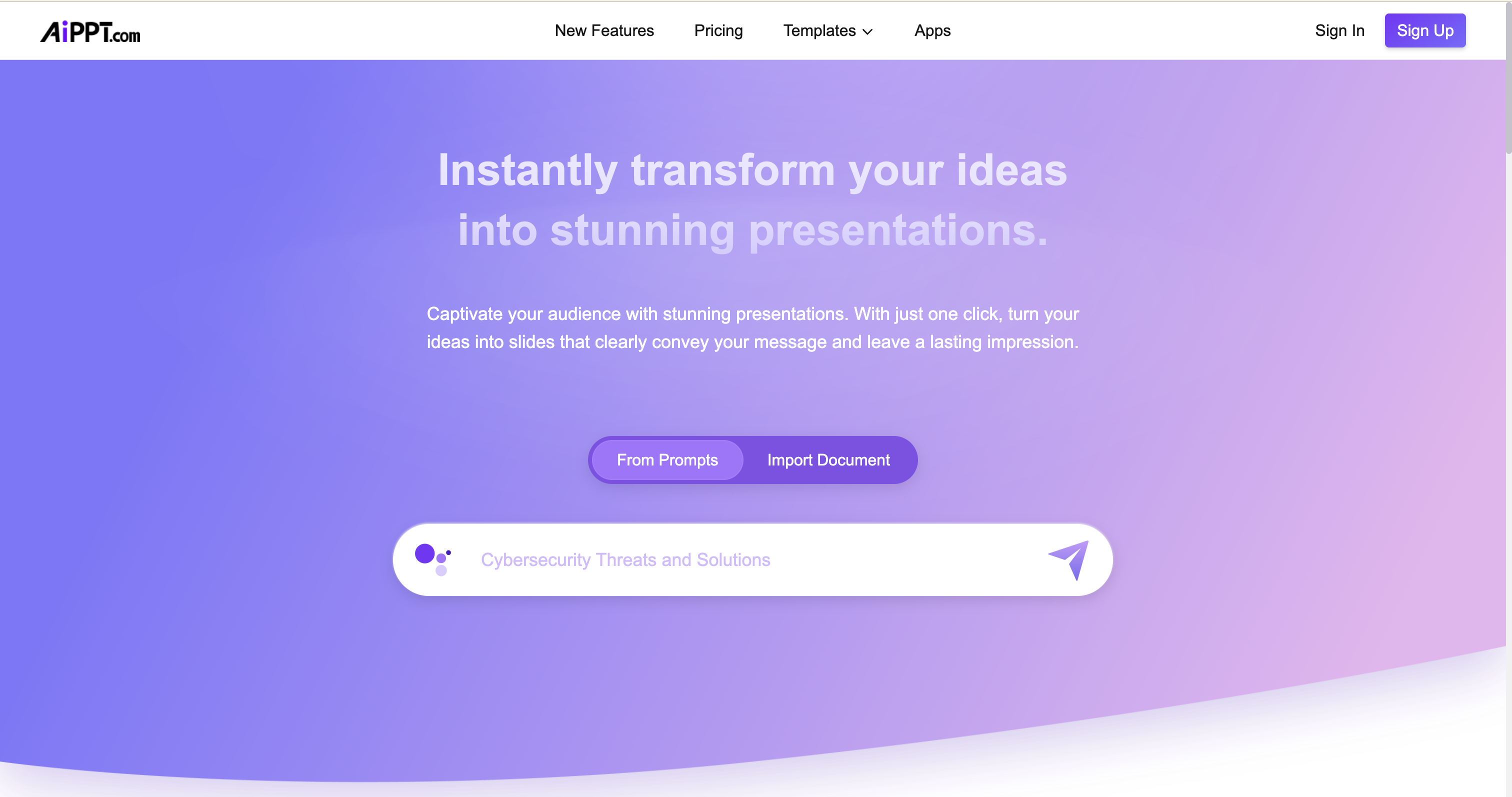
What is use of AiPPT?
AiPPT helps you turn simple text, documents or ideas into full slide-presentations quickly. It boosts productivity by cutting down the time and effort usually needed to build presentations by hand.
What is AiPPT?
AiPPT is an AI tool that creates professional-looking slides like PowerPoint presentations from your text, documents, or ideas. You don’t need design skills: the AI arranges content, chooses layouts, and builds a presentation for you. It offers many ready-to-use templates to suit different kinds of work: business reports, school projects, talks, and more.
What Can You Do With AiPPT?
With AiPPT, you can turn a plain text description, a Word/PDF document or even simple notes into a full slide deck. The AI can draft an outline, design the slides, add visuals or layout, and assemble a ready-to-use presentation. You can then edit, customize, and export slides for example to PPT, PDF, or image formats to share or present as needed.
This saves hours compared to manually writing, formatting, and designing slides. Because of this, AiPPT can help students, professionals, educators or creators anyone who needs a clean, structured presentation quickly.
Key Features of AiPPT
- Automatic slide generation: From simple text, documents, or webpages, AiPPT generates full slide decks in seconds.
- Huge template library: Access over 200,000 templates, covering different themes like business, education, technology, reports, etc.
- Support for multiple input formats: You can import content from PDF, Word, text, or even webpages/URLs to generate slides.
- One-click creation: With minimal effort, the AI builds the slide deck for you.
- Flexible export options: Once created, you can export slides as PPT, PDF, or images.
- Customisation & editing: You can change templates, adjust styles, layouts, and edit content or design as per your need.
- Scalable usage: From occasional simple presentations to larger, more complex slide decks, the tool supports variable scales based on your plan.
Benefits of Using AiPPT
It dramatically increases productivity by saving the time you’d spend designing and formatting slides manually.
Even without design experience, you can get professional-quality presentations great for school, business, client works or teaching.
It simplifies the whole process: from idea or document to ready-to-use slides making presentation creation easy and accessible.
Because of templates and customization, your presentations can look polished and appealing, helping you make better impressions.
It helps reduce stress and workload especially when you have tight deadlines or many presentations to make in short time.
AiPPT pricing
AiPPT offers several plans:
| Plan Type | What you get / Usage limits |
|---|---|
| Free | Limited use: a small number of AI generations (6 per month), small slide decks (max 10 slides), basic templates and exports. |
| Plus (Monthly) | More frequent AI generations (up to 20/day), more slides per deck (up to ~20 slides), more image credits, better export options. |
| Pro (Monthly or higher) | Highest generation rate (e.g. 40/day), up to 50 slides per deck, unlimited editing and full access to premium features. |
Tips and Best Practices for AiPPT
Start with a clear outline or main points giving the AI a structured input helps produce more organized slides.
Use simple, clear language in your source text or documents so the presentation content stays easy to read and understand.
After AI generates slides, review and tweak adjust text formatting, slide order, visuals to match your style or audience.
For long or complex presentations, break content into smaller chunks before feeding to AiPPT this helps maintain clarity and avoid overstuffed slides.
Make use of templates and customise them to reflect your branding or style for consistency.
FAQs about AiPPT
1. What is AiPPT?
AiPPT is an AI tool that transforms text, documents, or ideas into full slide-presentations quickly, without needing design skills.
2. Can I try AiPPT for free?
Yes, there is a free plan that gives limited AI generations (e.g. a few presentations per month), enough to test the tool or create simple slide decks.
3. What input formats does AiPPT support?
AiPPT supports input as plain text, Word or PDF documents, and even webpage URLs letting you convert a variety of content types into slides.
4. Can I edit or customize the presentation after AI generates it?
Yes, you can edit slide content, change templates, adjust layout or export format, giving you full control over the final presentation.
5. What are the limits for slide decks using AiPPT?
It depends on the plan free plan limits slide decks (e.g. around 10 slides), while premium plans allow larger decks (20–50 slides or more).
6. Is AiPPT useful for students, teachers, or business people?
Absolutely, AiPPT works for school projects, lessons, reports, business pitches, marketing decks, workshops and more.
Key Platforms
Core Service Areas:

Document Conversion
Content Organization
Template Customization
Time Efficiency
User-Friendly Interface
Seamless Editing
Pros
- Saves a lot of time and boosts productivity: AiPPT can automatically turn text, documents or notes into a polished presentation, which greatly reduces the time compared to starting from scratch.
- Easy to use, even for beginners: You don’t need to know design or slide-making tools: the AI handles layout, formatting, and structure.
- Wide template library and flexible input options: It supports imports from documents (PDF, Word, etc.), or text inputs, and offers many templates suitable for different purposes (business reports, school projects, pitches, etc.)
- Good for quick, standard presentations: For straightforward slide decks (reports, lectures, basic pitches), AiPPT delivers good results with minimal effort.
- Accessible across user types: Students, teachers, professionals or anyone needing a presentation can benefit, regardless of design skill or technical background.
Cons
- Limited creative/design control: For users wanting very custom or unique slide design, AiPPT’s templates and automatic generation may feel restrictive and sometimes too “template-like.”
- AI may miss nuance or context for complex topics: If the subject matter is complicated or nuanced, automatic conversion may result in oversimplified slides, needing manual refinement.
- Free plan has limitations: Most likely a small number of slides, limited generations per month/day, or watermarked output unless you upgrade.
- Dependency on internet and external service: Since it’s AI-powered and cloud-based, you need a reliable connection; offline use may not be possible.
- May reduce user’s own design skills over time: Relying too much on automation can limit learning or practicing manual slide design and content structuring.
Frequently Asked Questions About AiPPT
01
What types of documents can AiPPT convert into presentations?
AiPPT can convert various types of documents, including Word files, PDFs, and text files, into professional PowerPoint or Google Slides presentations.
02
How does AiPPT organize content for presentations?
AiPPT uses advanced AI algorithms to analyze your document's structure and content, automatically organizing it into slide-friendly formats for easy editing and presentation.
03
Can I customize the templates used in AiPPT presentations?
Yes, AiPPT allows users to easily change templates and customize the design of their presentations to match their branding or personal preferences.
04
Is there a limit to the size or length of documents I can upload to AiPPT?
While there is no strict limit on document size, larger documents may take longer to process. It's best to keep files within a reasonable length for optimal performance.
05
Is AiPPT compatible with both PowerPoint and Google Slides?
Yes, AiPPT can create presentations in both PowerPoint and Google Slides formats, giving you the flexibility to choose your preferred platform.
Promote AiPPT
Get AiPPT in front of thousands of buyers actively searching for AI tools. Feature your listing on the homepage and category pages, or add the verified badge to your site.
Copy Embed Code

Share on

Related AI Tools
Explore related AI tools for diverse applications and enhanced productivity
Unlock the best AI Tools for you!
Login or Approve this tool to continue exploring features and analytics.

