

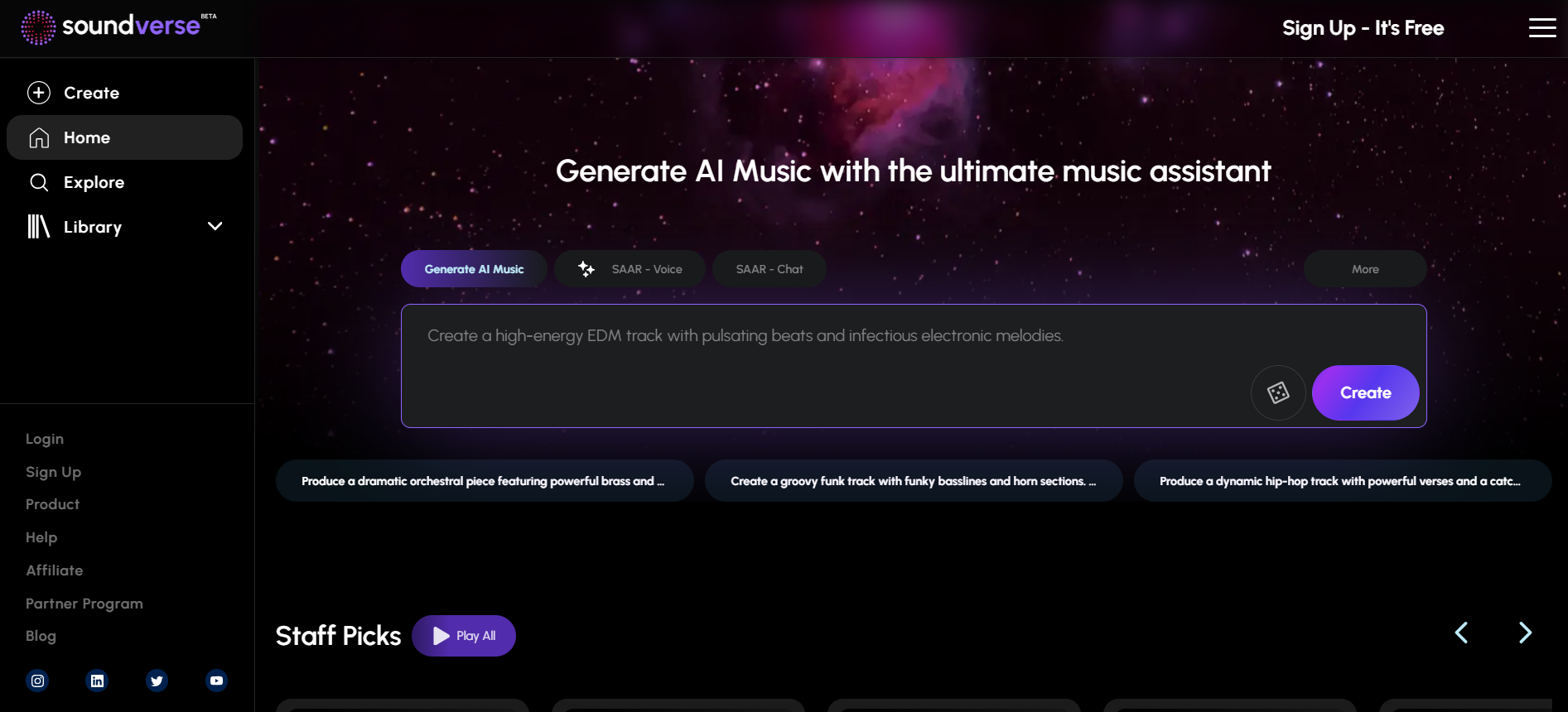
Soundverse AI is an intuitive AI tool that allows users to generate music easily by describing their desired style, genre, or mood using voice or text commands.
What is Soundverse AI?
Soundverse AI is a music creation platform powered by generative AI designed for musicians, content creators, and hobbyists. It enables users to create high-quality music through its unique conversational interface, where they can either speak or type prompts to guide the AI in generating music. Soundverse offers a range of tools to enhance the creation process, including AI Magic Tools for generating melodies, lyrics, and even extending tracks. Whether you are a beginner or a professional, Soundverse provides a user-friendly platform that democratizes music creation, allowing anyone to compose music effortlessly.
What Can You Do With Soundverse AI?
With Soundverse AI, you can:
- Generate music in various genres and styles simply by providing prompts.
- Create and refine lyrics with AI assistance.
- Separate stems from a mix for remixing or further editing.
- Auto-complete songs using AI, based on your initial ideas.
- Extend existing tracks with new sections.
- Interact with SAAR, an AI voice assistant, to discuss music theory, composition, and more.
Key Features of Soundverse AI
- SAAR (AI Voice Assistant): Users can interact with the AI through voice commands to generate music, compose lyrics, or seek guidance on music theory and composition techniques.
- Text to Music: Simply type a prompt, and Soundverse will transform it into a complete music track.
- AI Magic Tools: Includes features such as lyrics generation, stem separation, and auto-complete for seamless music creation.
- Studio: A robust editor that allows users to arrange and refine their music with ease.
- Collaboration Tools: Work on projects with other music creators in real-time, allowing for dynamic teamwork.
Benefits of Using Soundverse AI
- User-Friendly: You don't need musical expertise to use Soundverse AI. Its conversational design makes it accessible to everyone.
- Creative Freedom: Focus on your creativity while the AI handles the technical aspects of music creation.
- Efficiency: Quickly generate music, lyrics, or compositions without the need for complex software.
- Versatility: Soundverse supports multiple genres and styles, catering to various creative needs.
- Collaboration and Feedback: Share your creations with the community, receive feedback, and collaborate on projects.
Soundverse AI Pricing
Soundverse AI offers different subscription tiers to cater to various user needs:
- Free Plan: Limited features and access to AI Magic Tools.
- Creator Plan: Starting at $9.99 per month, it includes 4,000 tokens, 50 creations per day, and unlimited exports.
- Pro Plan: Priced at $24.99 per month (billed annually), offering 10,000 tokens, 100 creations per day, priority renders, and full access to all AI Magic Tools.
- Enterprise Plan: Custom pricing for businesses and high-volume creators, with advanced licenses and unlimited project capabilities.
FAQs about Soundverse AI
- What is Soundverse AI?
Soundverse AI is a platform that allows users to create music using AI tools and voice or text commands. It’s perfect for both beginners and experienced musicians. - Can I use Soundverse AI for free?
Yes, Soundverse AI offers a free plan with limited features, allowing users to explore basic music creation options before upgrading to paid plans for more advanced features. - Do I need musical knowledge to use Soundverse AI?
No, Soundverse AI is designed to be user-friendly and accessible for everyone, regardless of musical background. - What devices can I use Soundverse AI on?
Soundverse AI is available on both mobile and desktop platforms, so you can create music wherever you are. - Can I edit the music after it’s generated?
Yes, Soundverse includes an editor where you can arrange and modify your music to match your vision more closely.
Key Platforms
Core Service Areas:

Voice Command Generation
Text Input Flexibility
Diverse Genre Selection
Mood-Based Creation
User-Friendly Interface
Instant Playback Preview
Frequently Asked Questions About Soundverse AI
01
What types of music can I create with Soundverse AI?
With Soundverse AI, you can generate a wide variety of music styles, including genres like pop, rock, jazz, classical, and more. You can also specify the mood or atmosphere you want the music to convey.
02
Do I need any musical background to use Soundverse AI?
No, you don't need any musical background to use Soundverse AI. The tool is designed to be intuitive and user-friendly, allowing anyone to create music by simply describing their desired style or mood.
03
Can I use voice commands to generate music?
Yes, Soundverse AI allows you to use voice commands to describe your desired music style, genre, or mood, making the music creation process even more convenient.
04
Is there a limit to how much music I can generate?
There are no strict limits on how much music you can generate with Soundverse AI, but usage may vary depending on your subscription plan. Check the details of your plan for specific guidelines.
05
Can I download the music I create with Soundverse AI?
Yes, you can download the music you create with Soundverse AI, allowing you to use your generated tracks for personal projects, content creation, or other applications.
Promote Soundverse AI
Get Soundverse AI in front of thousands of buyers actively searching for AI tools. Feature your listing on the homepage and category pages, or add the verified badge to your site.
Copy Embed Code

Share on

Related AI Tools
Explore related AI tools for diverse applications and enhanced productivity

Unlock the best AI Tools for you!
Login or Approve this tool to continue exploring features and analytics.

