

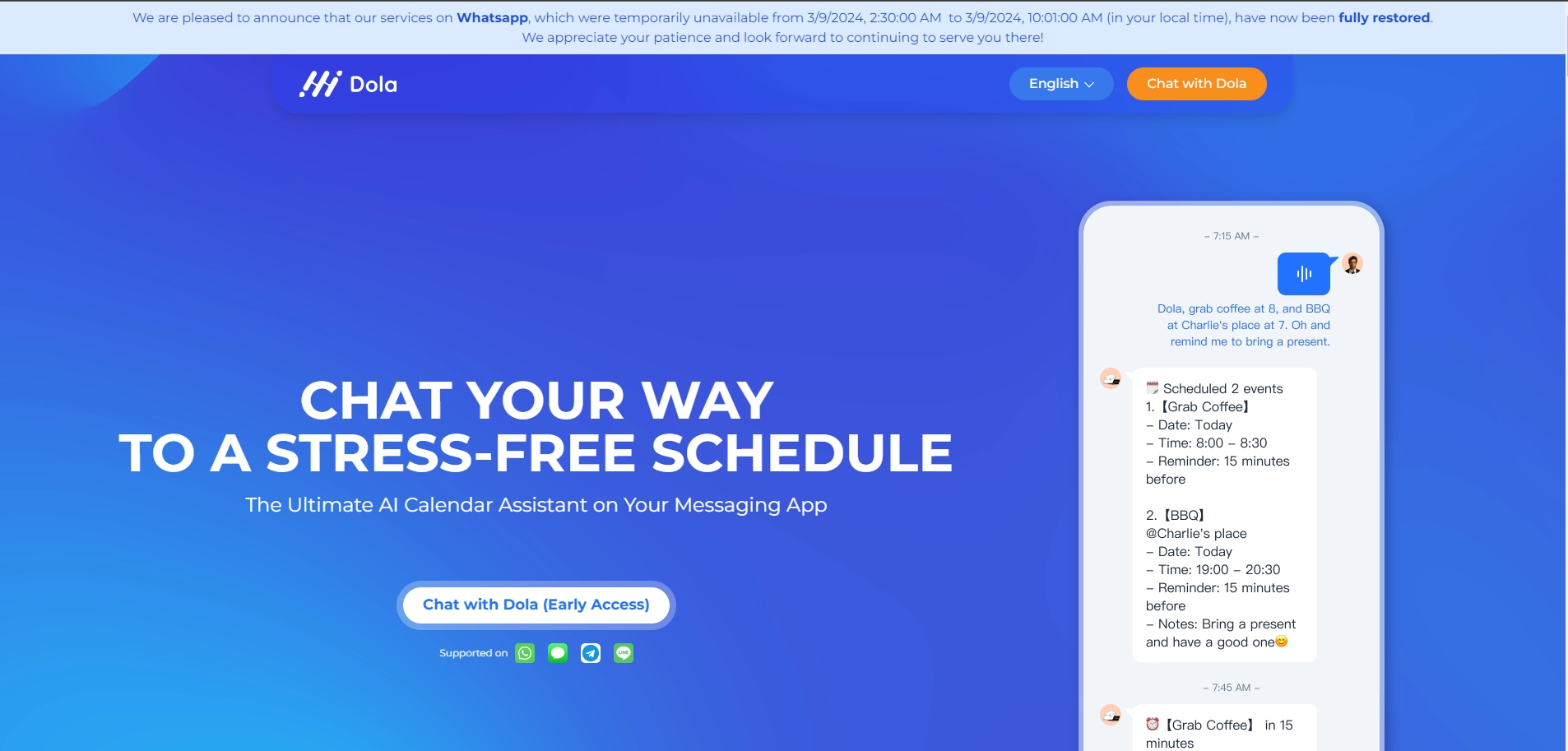
Hidola AI is designed to streamline calendar management by using natural language inputs like text, voice, and images to create and manage events efficiently.
What is Hidola AI?
Hidola AI, also known as Dola, is an AI-powered calendar assistant that helps users manage their personal and group schedules with ease. By allowing users to add events through simple text messages, voice commands, or even images, Hidola AI takes the hassle out of traditional calendar management. The AI tool syncs seamlessly with popular calendar apps like Google Calendar and Apple Calendar, ensuring all your devices stay updated. Whether you need to schedule a single event or manage a complex series of appointments, Hidola AI simplifies the process by understanding natural language and context, making it a smart and reliable assistant for daily scheduling.
What Can You Do With Hidola AI?
With Hidola AI, you can effortlessly manage your calendar through various input methods. You can add events by texting, sending voice messages, or uploading images related to the event. The AI can handle multiple events at once, adjusting your schedule based on your needs. It also supports complex scheduling, like setting up meetings with different participants or organizing events across multiple days. Additionally, Hidola AI offers daily agenda summaries and weather updates, helping you stay on top of your day with minimal effort.
Key Features of Hidola AI
- Natural Language Processing: Add and manage events using text, voice, or images, making scheduling intuitive and fast.
- Sync with Popular Calendars: Works seamlessly with Google Calendar, Apple Calendar, and CalDAV, ensuring all your devices are up-to-date.
- Complex Scheduling: Handles multiple events in one go, adjusts times based on your preferences, and remembers past conversations for smoother edits.
- Daily Summaries and Weather Updates: Get daily agenda overviews and weather forecasts to help you prepare for your day.
- Cross-Platform Compatibility: No need to download extra apps—Hidola AI works through your existing messaging apps.
Benefits of Using Hidola AI
Hidola AI makes scheduling and calendar management significantly easier by allowing you to use natural language for event creation and adjustments. The AI's ability to understand context reduces the time spent on manually inputting and editing events. By syncing with popular calendar platforms, it ensures your schedule is consistent across all devices. Additionally, the AI's daily agenda and weather updates keep you informed and prepared for the day ahead, all without needing to switch between different apps or screens.
Hidola AI Pricing
Hidola AI is free to use, making it an accessible option for anyone looking to streamline their calendar management without any additional cost.
Tips and Best Practices for Hidola AI
- Leverage Voice Commands: If you're on the go, use voice messages to quickly schedule or adjust events.
- Sync Across Devices: Ensure that your Google Calendar or Apple Calendar is synced with Hidola AI to maintain consistency.
- Use Images for Event Details: Upload relevant images, like event posters or screenshots, to let the AI automatically fill in event details.
FAQs about Hidola AI
- What input methods does Hidola AI support?
Hidola AI supports text, voice messages, and images to add and manage calendar events. - Can Hidola AI sync with my existing calendar?
Yes, Hidola AI can sync with Google Calendar, Apple Calendar, and other popular platforms. - Is Hidola AI compatible with multiple devices?
Absolutely, Hidola AI works across different devices and syncs your calendar in real-time. - Does Hidola AI provide daily agenda summaries?
Yes, Hidola AI offers daily summaries of your schedule to keep you organized. - Can I manage complex schedules with Hidola AI?
Yes, Hidola AI is designed to handle complex scheduling, including multiple events and detailed instructions.
Key Platforms
Core Service Areas:

Natural Language Processing
Image Recognition
Voice Activation
Smart Event Suggestions
Cross-Platform Syncing
Customizable Reminders
Pros
- Supported in messenger apps. Download-free.
- Smart. Powered by GPT-4.
- Dola understands more complicated requests compared with Siri.
- “Usable” AI agent tool - changes on calendar apps are “operated” simply by chatting with Dola.
Cons
- Connect with 1 calendar app only. (Cannot sync on both Google calendar and IOS calendar at the same time)
- Group chat assistant mode supported only on Telegram & Line.
Frequently Asked Questions About Dola AI
01
What types of inputs can I use with Dola AI?
Dola AI accepts natural language inputs, including text, voice commands, and images, allowing you to create and manage events effortlessly.
02
Is Dola AI compatible with my existing calendar apps?
Yes, Dola AI integrates seamlessly with popular calendar applications such as Google Calendar, Outlook, and Apple Calendar.
03
Can I use Dola AI for scheduling meetings with multiple participants?
Absolutely! Dola AI can help you schedule meetings with multiple participants, taking into account their availability and preferences.
04
Is there a mobile app available for Dola AI?
Yes, Dola AI offers a mobile app for both iOS and Android, allowing you to manage your calendar on the go.
05
How does Dola AI ensure my data privacy?
Dola AI prioritizes user privacy by implementing strong encryption and not sharing your data with third parties without your consent.
Promote Dola AI
Get Dola AI in front of thousands of buyers actively searching for AI tools. Feature your listing on the homepage and category pages, or add the verified badge to your site.
Copy Embed Code

Share on

Related AI Tools
Explore related AI tools for diverse applications and enhanced productivity

Unlock the best AI Tools for you!
Login or Approve this tool to continue exploring features and analytics.

