

Moon VR Home Skybox AI allow Oculus Quest users to generate, preview, and one-click download to effortlessly customize your Quest Home Skybox (v54+).
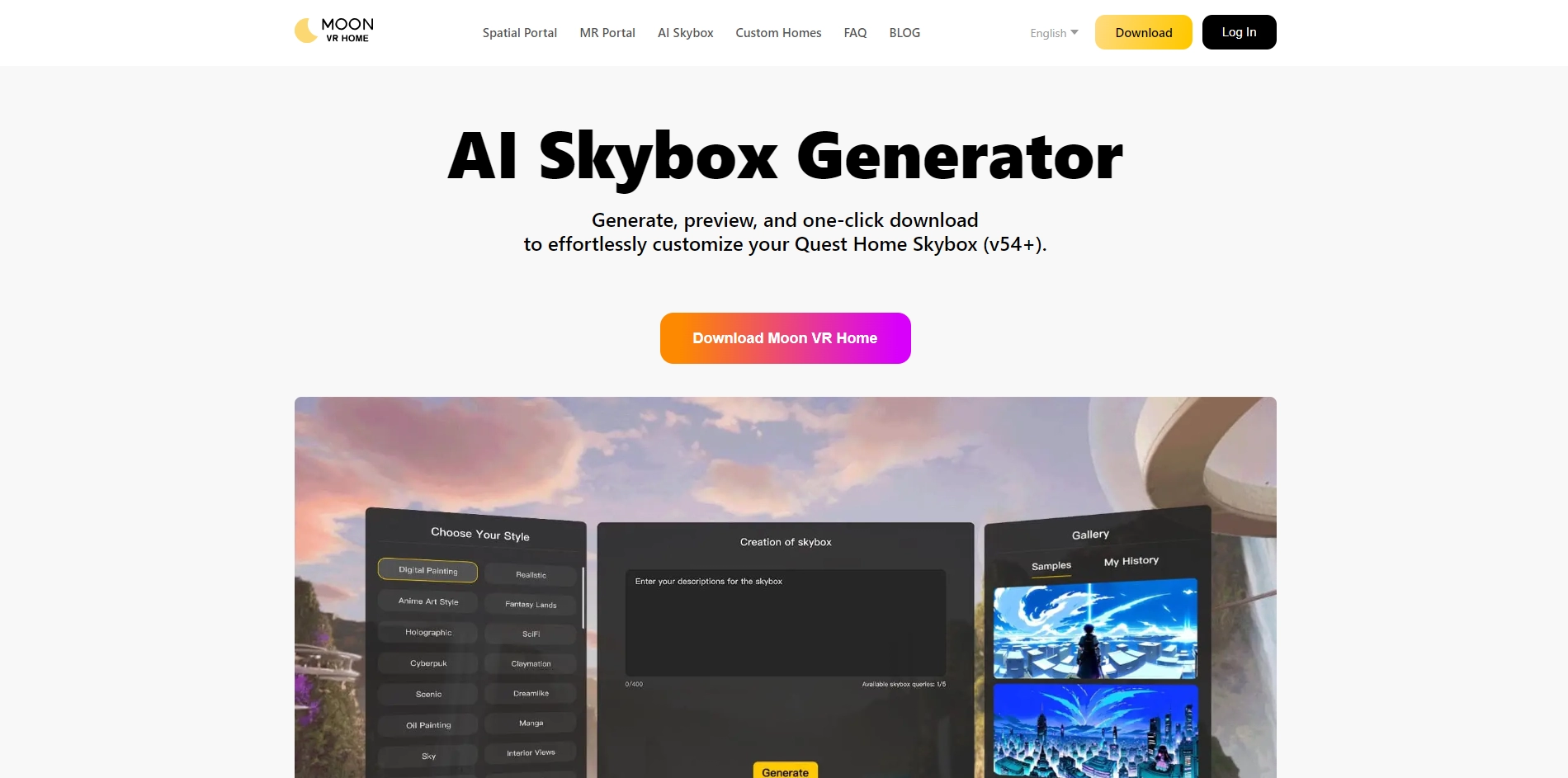
Moon VR Home Skybox-AI is an AI skybox generator officially approved by Blockade Labs. Generate free skybox images with AI and easily make it your VR home. Many quest users have the need to customize their skyboxes, and obviously the official ones available to users nowadays are not able to meet the customization needs of these people, so our product can help users generate their own unique skyboxes with their favorite keywords
Key Platforms
Core Service Areas:

Instant Skybox Creation
Seamless Previewing
One-Click Download
User-Friendly Interface
Diverse Design Options
Compatibility Assurance
Pros
- Free
- Seamless use of basic wavenumber functions
- Use fine-tuned model (provided by Blockade) for 360 images/skybox to generate better results
- Multiple preset styles available
- Real-time 360 degree preview of generated images in VR and save them locally
- (Subsequent new features) can browse, favorite, save community users' works, copy prompt words
Cons
- Still in the early stage, the function is more basic, there are many new features in development
- Interaction within VR can be further optimized
- The generation cost is high, and there is a limit to the number of times the user can generate
Frequently Asked Questions About Moon VR Home Skybox AI
01
What is Moon VR Home Skybox AI?
Moon VR Home Skybox AI is a tool designed for Oculus Quest users that allows them to generate, preview, and download customized skyboxes for their Quest Home.
02
How do I use the Skybox AI tool?
To use the Skybox AI tool, simply visit the website, select your desired customization options, preview the skybox, and then click on the download button to save it directly to your Oculus Quest.
03
Is there a specific version of Oculus Quest required to use Skybox AI?
Yes, the Moon VR Home Skybox AI is designed for Oculus Quest users on version 54 or higher.
04
Can I customize my skybox using my own images?
Currently, Moon VR Home Skybox AI provides predefined options for customization. Users can generate new designs but cannot upload personal images directly.
05
What are the benefits of using Moon VR Home Skybox AI?
The benefits include effortless customization of your VR environment, ease of use with one-click downloads, and the ability to preview designs before applying them to your Quest Home.
Promote Moon VR Home Skybox AI
Get Moon VR Home Skybox AI in front of thousands of buyers actively searching for AI tools. Feature your listing on the homepage and category pages, or add the verified badge to your site.
Copy Embed Code

Share on

Related AI Tools
Explore related AI tools for diverse applications and enhanced productivity

Unlock the best AI Tools for you!
Login or Approve this tool to continue exploring features and analytics.

