


PXZ AI All In One is a powerful AI tool that helps users create videos, images, and creative content from simple prompts. Its built-in Video Generator makes it easy to turn ideas into engaging visuals quickly, even for beginners, all from one simple dashboard.
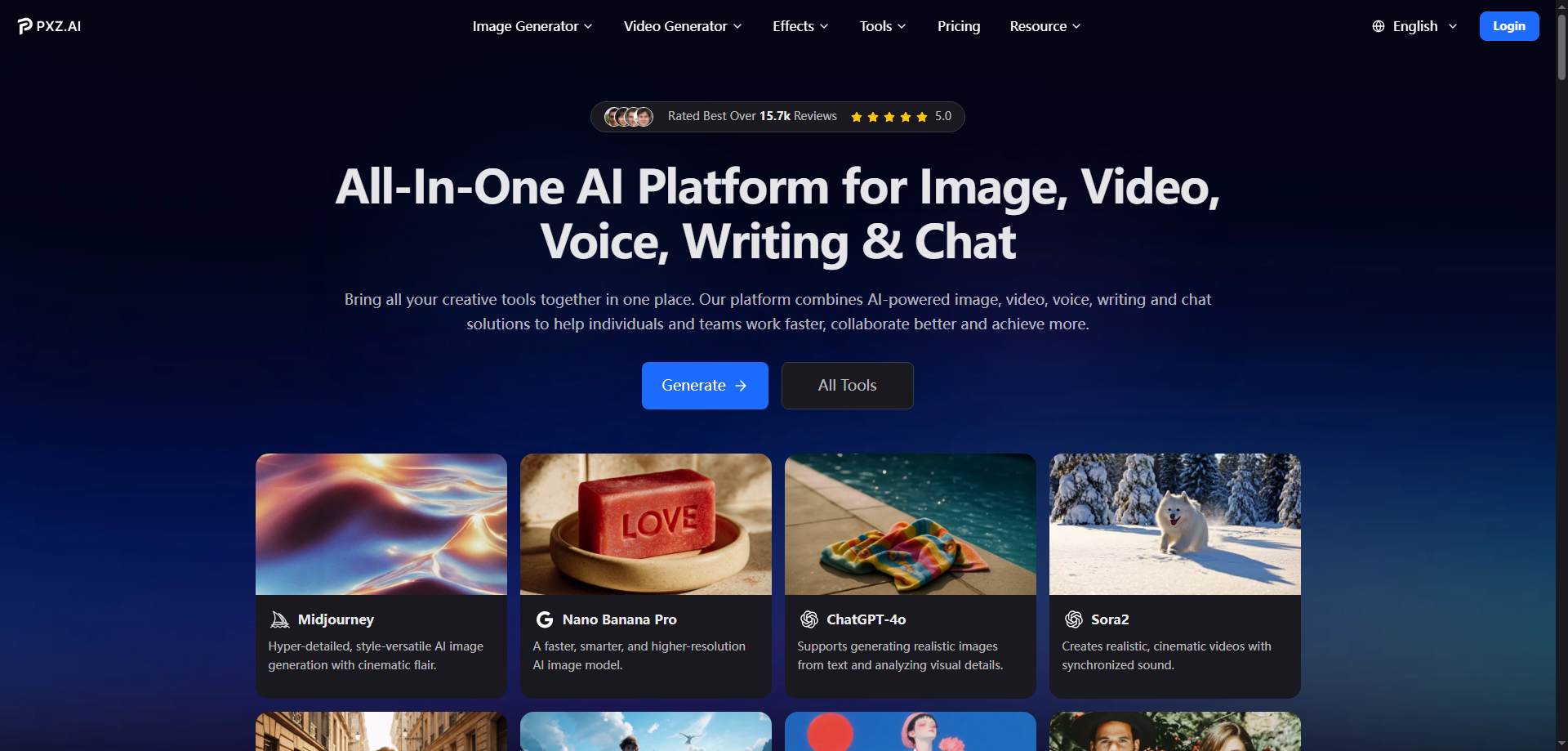
What is use of PXZ AI All In One?
PXZ AI All In One is a simple, unified AI tool where you can quickly make creative visuals like videos and images without switching apps. It helps creators generate high-quality content fast using its built-in Video Generator and more.
What is PXZ AI All In One?
PXZ AI All In One is an AI platform designed for creative content. It brings together many generation tools in one space so you can make pictures, animations, voice clips, text content, and importantly, videos. The Video Generator lets you turn words, images, or clips into new videos with effects and styles, making it easy even for beginners to produce attractive visuals quickly.
What Can You Do With PXZ AI All In One?
With PXZ AI All In One, you can:
Create new videos using the Video Generator from text, images, or existing clips.
Turn still images into short motion videos or transformations with movement.
Generate stylized clips with different visual themes and effects.
Produce supporting visuals and voices to make content richer.
This means marketers, learners, and hobby creators can make branded content, social posts, ads, or simple storytelling videos without complex editing software.
Key Features
Video Generator: Easily produces videos from prompts, images, or source clips with styles and motion.
Image Creation & Editing: Generate images from text or improve your pictures with effects.
AI Voice & Audio: Add voiceovers or sounds to your videos or content.
Templates & Effects Library: Ready-to-use styles to enhance videos and graphics.
High-Quality Exports: Options to download 720P or 1080P videos (depending on plan).
Multi-Tool Suite: Over 100 creative tools in one place for unified workflows.
Benefits
Using PXZ AI All In One makes creative work easier because you do not jump between separate apps. The Video Generator helps you quickly turn simple ideas into polished visuals. The unified dashboard saves time, the output quality is good for social media, and you can make more content faster with fewer steps. Even beginners can start creating without technical steps.
pricing
PXZ AI All In One has tiered plans based on how much you use the platform. Basic plans start with limited credits for images and videos per month, while higher plans give more Video Generator use, faster processing, and watermark-free exports. More credits and better resolution options are available with mid and pro plans.
Tips and Best Practices
Plan your video concept first: Before using the Video Generator, jot down what you want the final video to show.
Use clear prompts: When inputting text for your video generation, simple and descriptive prompts give better results.
Choose correct resolution: Pick 1080P if you want higher quality for social sharing.
Mix visuals and text: Combine images with text prompts to guide the AI for more accurate outputs.
Manage credits wisely: Video generation uses credits, so plan larger projects in advance if you are on limited plans.
FAQs
Q1: What is PXZ AI All In One?
PXZ AI All In One is an AI tool platform that lets you create images, voices, and Video Generator outputs in one place.
Q2: Can I use the PXZ AI All In One Video Generator for social media content?
Yes, the Video Generator can make social video clips suitable for platforms like Instagram or ads.
Q3: Do I need design skills to use PXZ AI All In One?
No, it is made for all levels, so complete beginners can start with simple prompts.
Q4: Are there limits to the PXZ AI All In One Video Generator?
Limits depend on the plan you choose; larger plans allow more videos and higher resolutions.
Q5: Can I export videos without watermarks using PXZ AI All In One?
Yes, watermark-free exports are possible on certain paid plans.
Key Platforms
Core Service Areas:

Video Generation
Image Creation
User-Friendly Dashboard
Multi-Content Formats
Prompt-Based Creation
Quick Output
Pros
- Unified Creative Suite — PXZ AI All In One combines many creative functions like image generation, voice creation, and Video Generator into one platform, reducing the need to switch tools.
- Wide Variety of Features — It supports text-to-image, image-to-video, video to stylized video, AI voice, and more within the same workspace.
- User-Friendly Interface — The platform is designed to be easy to use for beginners and non-technical users.
- Fast Cloud-Powered Performance — Most generation tasks, including the Video Generator, process quickly thanks to optimized cloud computing.
- Commercial Use Friendly — Paid plans often include rights for commercial use, so creators can publish or sell their work without extra licensing worries.
- Flexible Outputs — Video and image outputs can be downloaded in common formats and resolutions up to HD or above depending on subscription plan.
Cons
- Advanced Features Require Paid Plans — Some tools, especially full-quality Video Generator outputs and watermark-free exports, are locked behind subscription tiers.
- Learning Curve for New Users — With many generation options, beginners might feel overwhelmed at first.
- Browser-Only Platform — PXZ AI All In One works only through the web (no dedicated desktop or mobile app), so you need a stable online connection.
- Output Quality Can Vary — Like many AI creative tools, video and visual quality sometimes depends on prompt clarity and complexity.
- Some Trust Concerns Reported — External safety review sites show mixed trust signals, so some users recommend verifying the platform before purchase.
Frequently Asked Questions About PXZ AI All In One
01
What types of content can I create with PXZ AI All In One?
With PXZ AI All In One, you can create videos, images, and various creative content using simple prompts.
02
Do I need any technical skills to use PXZ AI All In One?
No, PXZ AI All In One is designed for users of all skill levels, making it easy for beginners to create engaging visuals from a simple dashboard.
03
How does the built-in Video Generator work?
The built-in Video Generator allows you to input your ideas or prompts, and it automatically generates videos based on your specifications, streamlining the creative process.
04
Can I use PXZ AI All In One for commercial purposes?
Yes, you can use the content created with PXZ AI All In One for commercial purposes, but it's best to review the specific licensing terms on the website.
05
Is there a trial version of PXZ AI All In One available?
Yes, PXZ AI All In One typically offers a trial version, allowing you to explore its features before committing to a subscription.
Promote PXZ AI All In One
Get PXZ AI All In One in front of thousands of buyers actively searching for AI tools. Feature your listing on the homepage and category pages, or add the verified badge to your site.
Copy Embed Code

Share on

Related AI Tools
Explore related AI tools for diverse applications and enhanced productivity
Unlock the best AI Tools for you!
Login or Approve this tool to continue exploring features and analytics.

