

If you have old and blurry face photos that you want to preserve and enhance, you might be interested in restorePhotos.io. This is a free online tool that uses artificial intelligence (AI) to restore your photos in seconds. You can see the difference between the original and the restored photo side by side and download the result to your device. You can also learn how the tool is built and what technologies it uses.
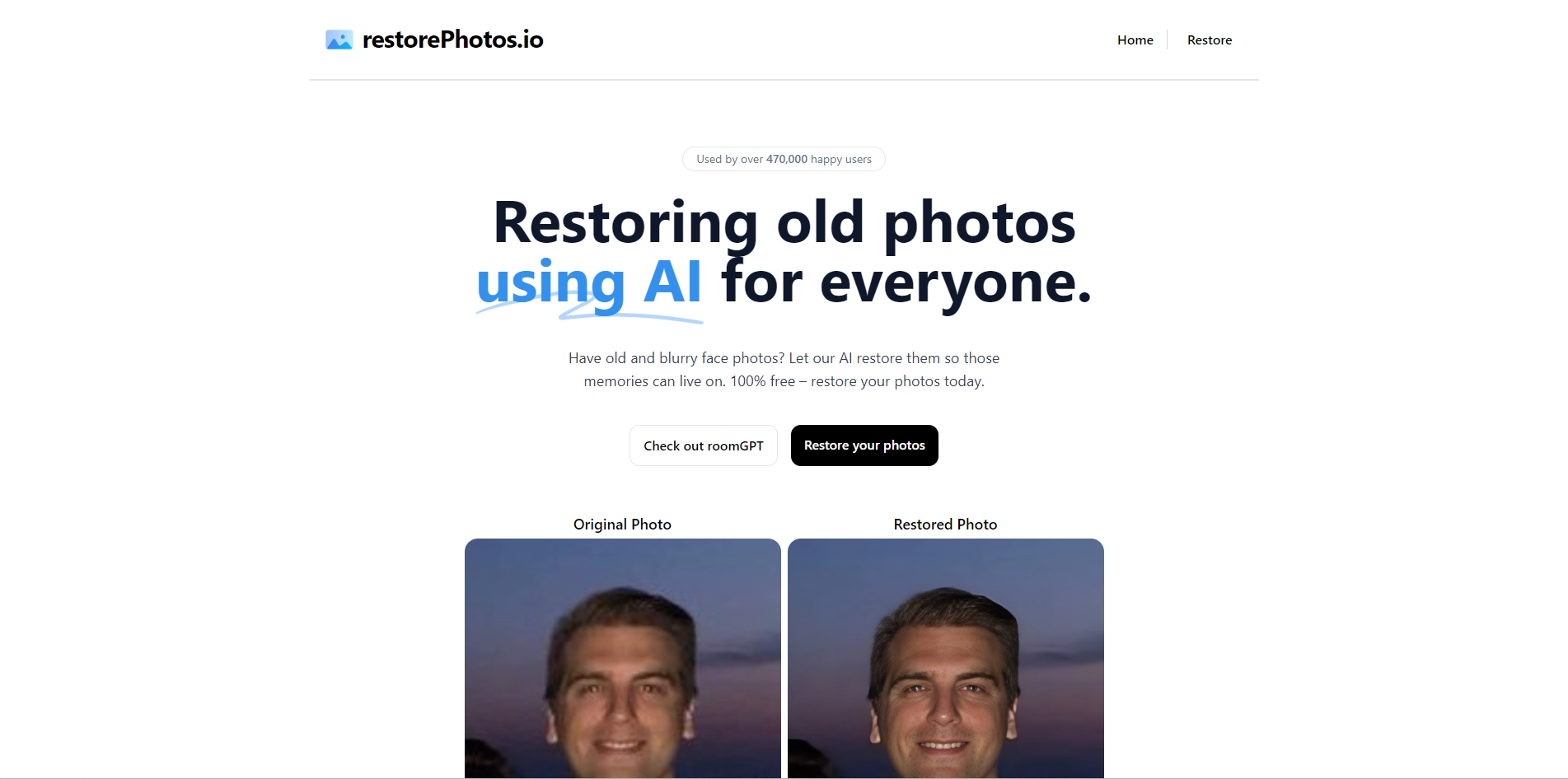
RestorePhotos.io is a popular and easy-to-use service that has restored over 647,000 images so far. Many users have shared their positive feedback and examples of their restored photos on the website and social media. You can sign in with Google to create a free account and restore up to 5 photos per day. If you have more photos to restore, you can upgrade to a premium plan for unlimited access.
RestorePhotos.io is a great way to bring new life to your old memories. Whether you want to restore photos of your family, friends, or yourself, you can do it with just a few clicks. Try it today and see the magic of AI photo restoration for yourself.
Key Platforms
Core Service Areas:

AI Enhancement
Side-by-Side Comparison
Instant Download
User-Friendly Interface
Free to Use
Technology Insights
Pros
- It uses AI to restore old and blurry face photos for free.
- It has a simple and user-friendly interface that allows you to compare the original and restored photos side by side.
- It has positive reviews from over 300,000 users who are impressed by the quality and speed of the service.
Cons
- It only works for face photos, not other types of photos.
- It limits you to 5 photos per day unless you sign in with Google.
Frequently Asked Questions About RestorePhotos
01
What types of photos can I restore using RestorePhotos?
You can restore old and blurry face photos using RestorePhotos. The tool is specifically designed to enhance images where faces are the primary focus.
02
Is RestorePhotos free to use?
Yes, RestorePhotos is a free online tool that allows you to restore your photos without any cost.
03
How does the AI technology in RestorePhotos work?
RestorePhotos utilizes advanced artificial intelligence algorithms to analyze and enhance your images, improving clarity and detail in the restored photos.
04
Can I see a side-by-side comparison of the original and restored photos?
Yes, RestorePhotos provides a side-by-side comparison feature so you can easily see the improvements made by the tool.
05
How do I download the restored photo?
After the restoration process is complete, you can easily download the restored photo directly to your device with a simple click.
Promote RestorePhotos
Get RestorePhotos in front of thousands of buyers actively searching for AI tools. Feature your listing on the homepage and category pages, or add the verified badge to your site.
Copy Embed Code

Share on

Related AI Tools
Explore related AI tools for diverse applications and enhanced productivity

Unlock the best AI Tools for you!
Login or Approve this tool to continue exploring features and analytics.

