


Get 28% off your first month of the Pro plan by using the code ‘NCSE745G’
FineVoice is a versatile and expressive AI voice generator designed for creators. With just intuitive text prompts, you can generate high-quality, royalty-free, realistic voices in seconds, supporting 154 languages and over 1,500 AI voices. Using just a 30-second audio clip, you can clone any voice within one minute. FineVoice also allows you to easily add sound effects, design personalized voices, enhance or change voices, and create unique background music, delivering an immersive and exclusive audio experience for videos, podcasts, educational content, and more.
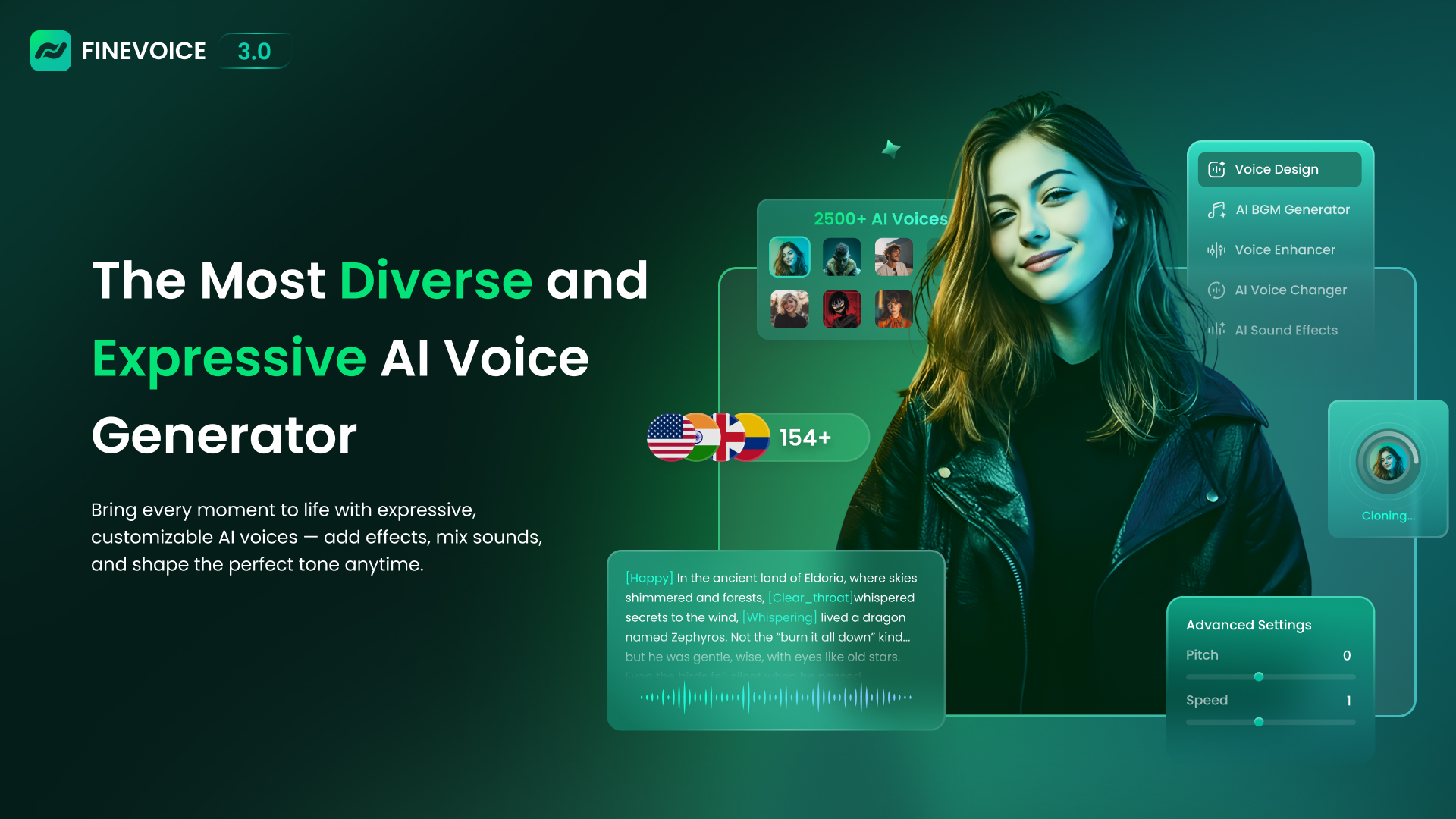
What is use of FineVoice?
FineVoice is used to turn text into natural-sounding voices, clone voices, create sound effects, and generate background music. It helps creators make clear, emotional, and royalty-free audio for videos, stories, and learning content.
What is FineVoice?
FineVoice is a powerful AI tool that helps users create realistic and expressive audio content. It works as an advanced Text To Speech solution that can turn written words into human-like voices with emotions. FineVoice also allows users to clone voices using a short audio sample, making it useful for personalized content.
With FineVoice 3.0, users can design unique voices, add emotional depth, and generate sound effects or background music from text prompts. The AI tool is made for creators who want full control over voice tone, mood, speed, and style without complex steps.
What Can You Do With FineVoice?
FineVoice allows you to create many types of audio content from one platform. You can convert scripts into expressive Text To Speech voices for videos, podcasts, and presentations. You can also clone a voice in about one minute using a short audio clip, which is helpful for branding or character voices.
The AI tool lets you generate sound effects for scenes and create background music that matches the mood of your content. FineVoice helps creators save time by handling voice generation, sound design, and music creation in one workflow.
Key Features of FineVoice
FineVoice comes with a wide range of audio creation features designed for easy use and high quality.
- Voice Design: Create custom AI voices using text prompts. Adjust pitch, tone, speed, and style easily.
- Voice Cloning: Clone any voice in one minute using a short audio sample. Supports many languages and accents.
- Text To Speech with Emotion Tags: Convert text into emotional and realistic voices using built-in emotion controls.
- AI Sound Effect Generator: Generate sound effects from text or video descriptions for different scenes.
- Background Music Generator: Create royalty-free music by choosing mood, genre, and instruments.
- All-in-One Audio Creation: Voice generation, sound effects, and music creation in one AI tool.
Benefits of Using FineVoice
FineVoice makes audio creation simple and fast, even for beginners. You do not need special skills to use this AI tool. The voices sound natural, clear, and expressive, which helps keep listeners engaged.
Using FineVoice saves time because you can create voices, sound effects, and music in one place. The Text To Speech feature helps turn written ideas into audio quickly. It is also useful for creators who want consistent voice quality across different projects.
FineVoice Pricing
FineVoice offers both free and paid pricing options. The free version allows users to test basic features, while paid plans unlock advanced voice cloning, higher usage limits, and premium audio features. Pricing is flexible and suitable for individual creators as well as professional users.
Tips and Best Practices for FineVoice
- Use emotion tags in Text To Speech to make voices sound more natural
- Keep scripts clear and simple for better voice output
- Test different voice styles to match your content tone
- Use voice cloning carefully for consistent branding
- Combine background music with voice output for better engagement
FAQs about FineVoice
1. What is FineVoice AI used for?
FineVoice AI is used for Text To Speech, voice cloning, sound effects, and background music creation.
2. Is FineVoice good for Text To Speech content?
Yes, FineVoice offers expressive and emotional Text To Speech voices suitable for videos and storytelling.
3. Can FineVoice clone my voice?
Yes, FineVoice can clone a voice using a short audio sample in about one minute.
4. Is FineVoice beginner-friendly?
Yes, FineVoice is easy to use and does not require technical skills.
5. Does FineVoice provide royalty-free audio?
Yes, FineVoice generates royalty-free voices, sound effects, and music.
Key Platforms
Core Service Areas:

Realistic Voice Generation
Voice Cloning
Sound Effects Integration
Personalized Voice Design
Voice Enhancement Tools
Background Music Creation
Pros
- High-quality and expressive AI voices
- Fast voice cloning with minimal input
- Strong Text To Speech performance
- Sound effects and music generation included
- Easy to use for beginners
Cons
- Advanced features require a paid plan
- Free version has usage limits
- Internet connection is required to use the AI tool
- Some voices may need fine-tuning to sound perfect for long content
- Limited customization options in lower pricing plans
Frequently Asked Questions About FineVoice
01
What languages does FineVoice support for voice generation?
FineVoice supports 154 languages, allowing you to generate voices in a wide variety of languages for your projects.
02
How long does it take to clone a voice using FineVoice?
You can clone any voice within one minute using just a 30-second audio clip.
03
Can I create custom sound effects or background music with FineVoice?
Yes, FineVoice allows you to add sound effects and create unique background music to enhance your audio projects.
04
Is FineVoice suitable for creating content for videos and podcasts?
Absolutely! FineVoice is designed for creators and is perfect for generating high-quality audio for videos, podcasts, educational content, and more.
05
How many AI voices are available in FineVoice?
FineVoice offers over 1,500 AI voices, providing a diverse selection for various creative needs.
Featured AI Tools
Promote FineVoice
Get FineVoice in front of thousands of buyers actively searching for AI tools. Feature your listing on the homepage and category pages, or add the verified badge to your site.
Copy Embed Code

Share on

Related AI Tools
Explore related AI tools for diverse applications and enhanced productivity
Unlock the best AI Tools for you!
Login or Approve this tool to continue exploring features and analytics.

