

If you are looking for a way to generate subtitles for your videos, you might want to check out https://freesubtitles.ai/. This is a website that uses artificial intelligence to create accurate and natural subtitles in over 60 languages.
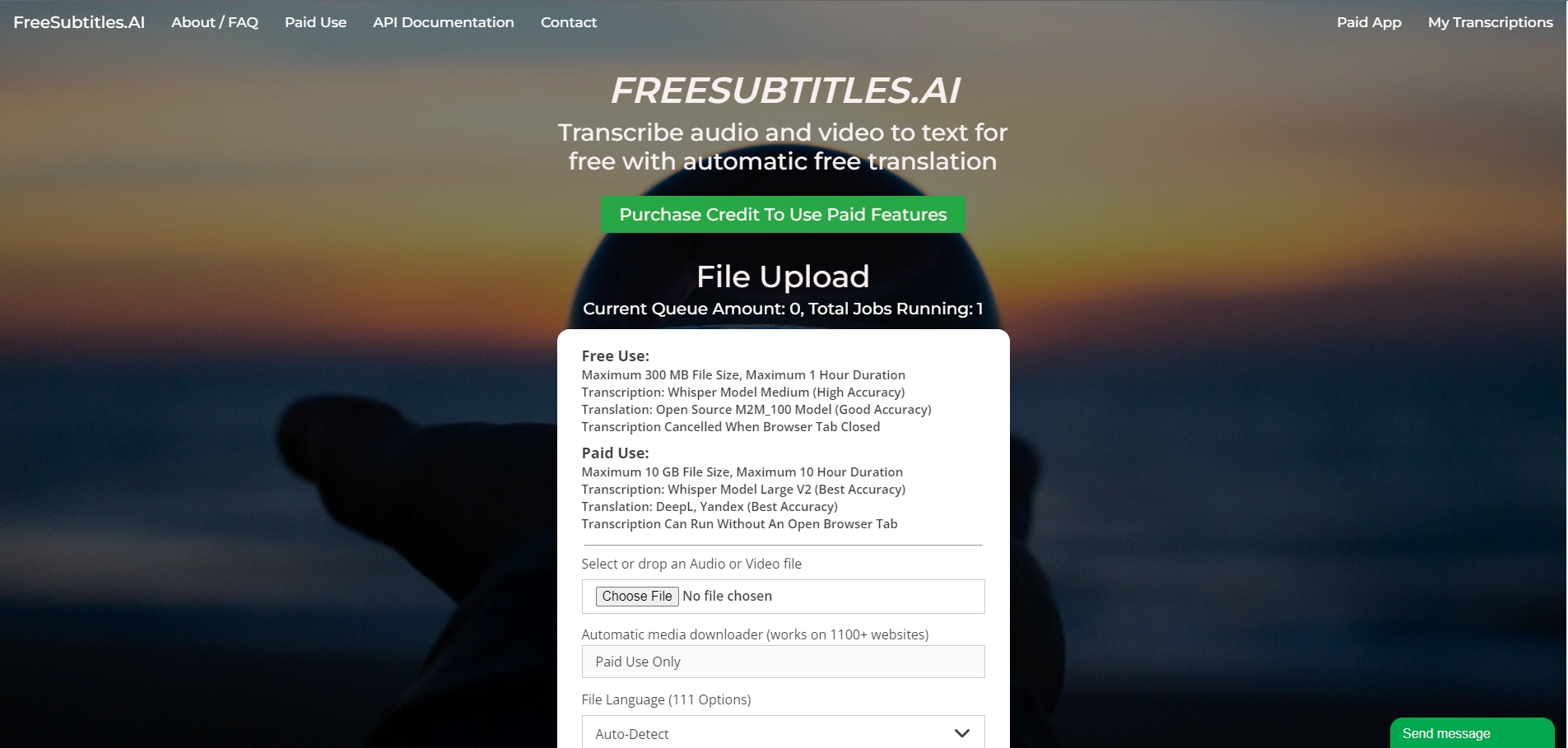
You can upload your video file or paste a YouTube link, and the website will automatically transcribe the audio and sync it with the video. You can also edit the subtitles, change the font and color, and download them in various formats. The best part is that the service is completely free and does not require any registration or watermark.
https://freesubtitles.ai/ is not only useful for adding subtitles to your videos, but also for improving your SEO, accessibility, and engagement. Subtitles can help you reach a wider audience, especially those who are deaf or hard of hearing, or who speak a different language. Subtitles can also boost your video ranking on search engines, as they provide more keywords and context for your content. Moreover, subtitles can increase your video retention and watch time, as they make your videos more understandable and enjoyable.
If you want to learn more about https://freesubtitles.ai/ and how it works, you can visit their website and try it out for yourself. You will be amazed by how easy and fast it is to generate subtitles with artificial intelligence. Whether you are a content creator, a marketer, a teacher, or a student, https://freesubtitles.ai/ can help you enhance your videos with subtitles.
Key Platforms
Core Service Areas:

Multilingual Support
AI-Powered Accuracy
User-Friendly Interface
Fast Processing Time
Customizable Options
Seamless Integration
Pros
- Transcribe audio and video to text for free
- Support 111 languages for transcription and 102 languages for translation
- Provide different formats of subtitles (.srt, .vtt, .txt)
- Allow automatic media downloader from 100+ websites
Cons
- Limit file size to 300 MB and duration to 30 minutes for free users
- Require paid users to purchase credit at $0.99 per hour
- Delete media files after 30 minutes for free users
Frequently Asked Questions About Free Subtitles AI
01
What languages does Free Subtitles AI support?
Free Subtitles AI supports subtitle generation in over 60 languages, allowing users to create subtitles for a wide range of audiences.
02
How accurate are the subtitles generated by Free Subtitles AI?
The AI technology used in Free Subtitles AI is designed to generate accurate and natural subtitles, though results may vary based on audio quality and clarity.
03
Is there a cost associated with using Free Subtitles AI?
Free Subtitles AI is a free tool, allowing users to generate subtitles without any charges.
04
How do I use Free Subtitles AI to generate subtitles for my video?
To use Free Subtitles AI, simply visit the website, upload your video, and follow the prompts to generate and download your subtitles.
05
Can I edit the subtitles after they are generated?
Yes, after generating the subtitles, you can review and edit them to ensure they meet your needs before finalizing.
Promote Free Subtitles AI
Get Free Subtitles AI in front of thousands of buyers actively searching for AI tools. Feature your listing on the homepage and category pages, or add the verified badge to your site.
Copy Embed Code

Share on

Related AI Tools
Explore related AI tools for diverse applications and enhanced productivity

Unlock the best AI Tools for you!
Login or Approve this tool to continue exploring features and analytics.

