


If you are looking for a smart and versatile AI assistant that can help you with various tasks on the web, you might want to check out Monica. Monica is a Chrome extension that uses ChatGPT API to power its natural language understanding and generation capabilities.
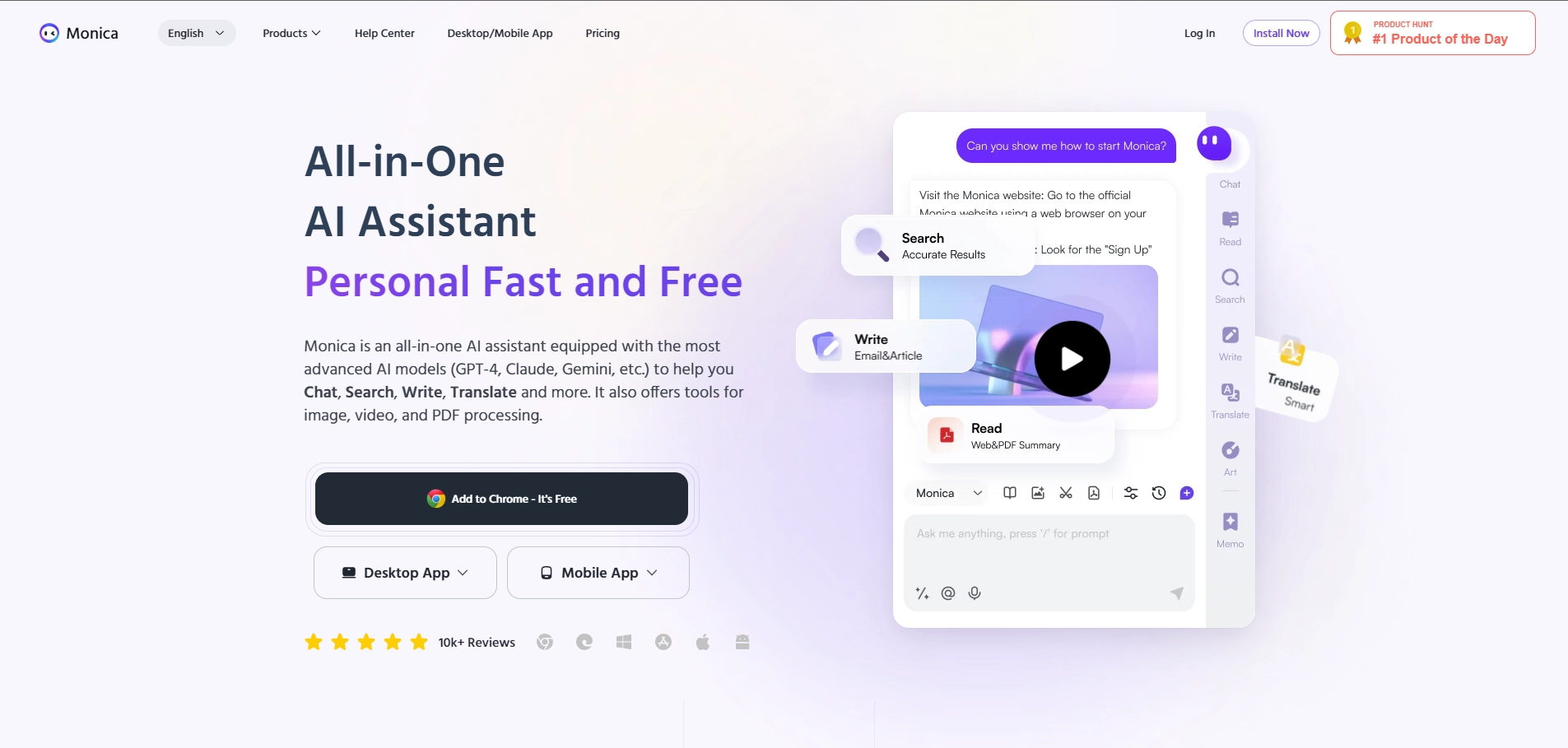
Monica can chat with you about anything, answer your questions, explain concepts, translate languages, summarize texts, rewrite sentences, and more. Monica can also help you write better emails, blog posts, social media captions, headlines, slogans, and other types of copywriting with over 80 templates to choose from. Monica works on all websites and integrates seamlessly with your browser. You can activate Monica by pressing Cmd+M or Ctrl+M and start chatting with her in a pop-up window. You can also select any text on a web page and let Monica perform various actions on it, such as summarizing, explaining, expanding, rewriting, translating, and Q&A. Monica supports 16 languages and can handle complex and contextual queries. Monica is more than just a chatbot or a writing tool. She is your ChatGPT copilot in Chrome that can assist you with any task you need. Whether you want to learn something new, get inspired, or save time and effort, Monica is here to help. You can download Monica for free from the Chrome Web Store and start enjoying her features today.
Key Platforms
Core Service Areas:

Smart Web Interactions
Content Generation
Real-Time Assistance
Task Automation
Multilingual Support
Personalized Recommendations
Pros
- Monica is a ChatGPT powered AI assistant that can help you with various tasks on any website, such as writing, summarizing, explaining, translating, and more .
- Monica supports 16 languages and can handle multilingual conversations.
- Monica has a user-friendly interface and a quick action feature that allows you to customize your commands with placeholders.
- Monica offers over 80 templates for different types of copywriting, such as headlines, slogans, emails, etc.
- Monica has a free plan that lets you use most of the features with some limitations.
Cons
- Monica requires an internet connection and a Chrome browser to work.
- Monica may not always produce accurate or original results, depending on the quality of the ChatGPT API and the input text.
- Monica may not be able to handle complex or specialized queries that require domain knowledge or expertise.
Frequently Asked Questions About Monica
01
What is Monica and how does it work?
Monica is a smart AI assistant that operates as a Chrome extension, leveraging the ChatGPT API to understand and generate natural language responses, helping users with various web tasks.
02
What types of tasks can I use Monica for?
You can use Monica for a range of tasks including drafting emails, generating content, answering questions, and summarizing information while browsing the web.
03
Is Monica free to use?
Monica offers a free version with basic features, and there may be premium plans available for users who need advanced functionalities.
04
How do I install the Monica Chrome extension?
To install the Monica extension, visit the Chrome Web Store, search for 'Monica', and click 'Add to Chrome' to install it to your browser.
05
Can I customize Monica's responses?
Yes, Monica allows users to customize its responses and adjust settings to better suit individual preferences and needs for various tasks.
Promote Monica
Get Monica in front of thousands of buyers actively searching for AI tools. Feature your listing on the homepage and category pages, or add the verified badge to your site.
Copy Embed Code

Share on

Related AI Tools
Explore related AI tools for diverse applications and enhanced productivity
Unlock the best AI Tools for you!
Login or Approve this tool to continue exploring features and analytics.

