

If you are a content creator who wants to improve the audio quality of your videos, you might be interested in Noise Eraser, a high-quality noise reduction app developed by DeepWave AI. Noise Eraser uses artificial intelligence to separate human voice from other sounds and remove unwanted noise. You can use it on your smartphone or on the web, and it only takes one click and a few minutes to get a professional audio effect.
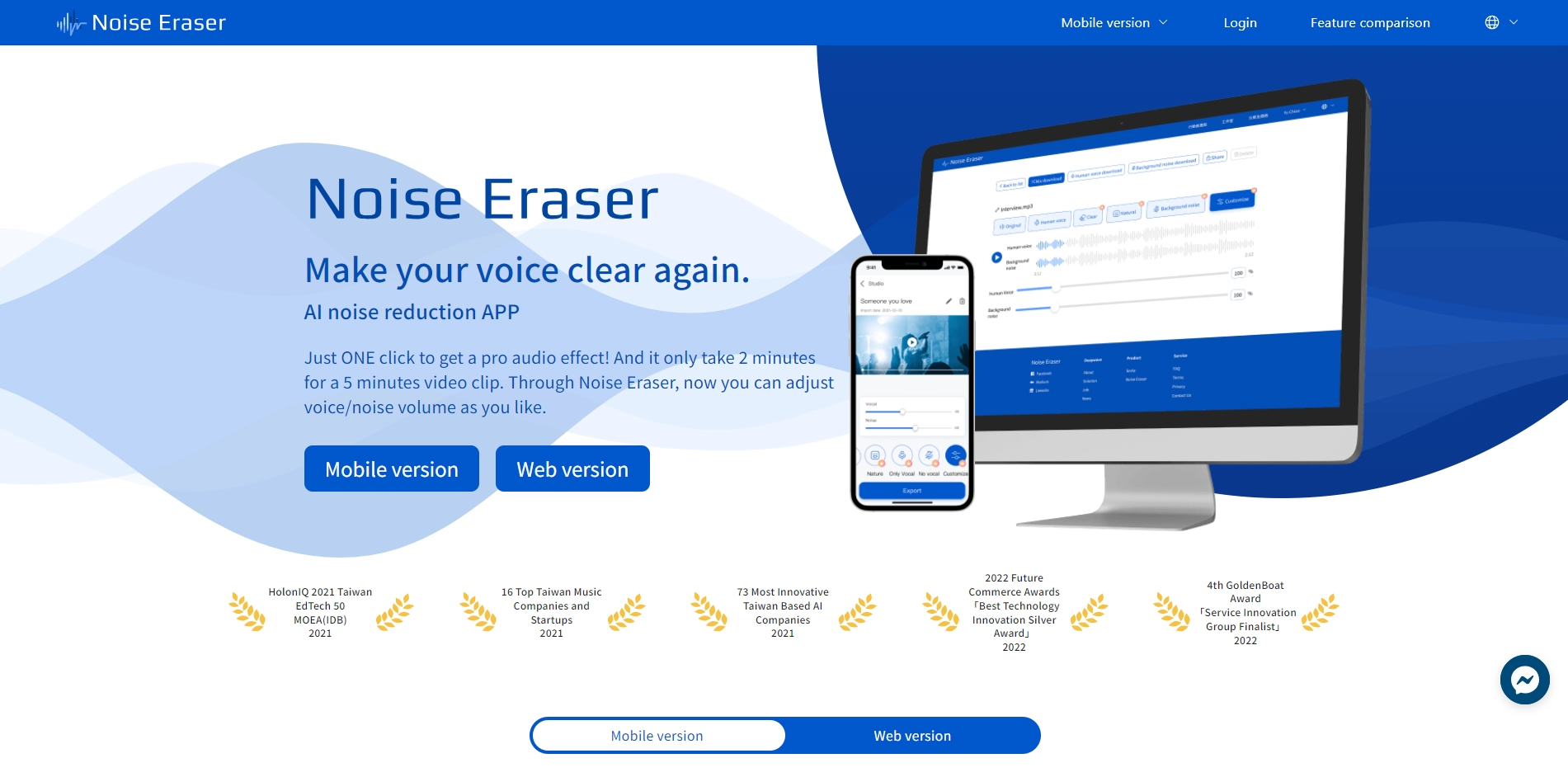
Noise Eraser has been recognized by various awards and media outlets for its innovative technology and service. It has trained its AI model with over 10,000 human voice and noise samples, and it can adapt to different scenarios and environments. You can also adjust the voice/noise ratio manually to suit your preferences. Whether you want to eliminate the sounds of bystanders, rain, tools, or low-frequency ambient noise, Noise Eraser can help you achieve a clear and realistic sound.
Noise Eraser offers a free plan for regular users, as well as a premium plan for advanced features. The premium plan costs TWD 140 per month or TWD 1390 per year, and it allows you to upload longer videos, access more formats, and enjoy faster processing speed. You can download Noise Eraser for free and start using it right away. It is an easy and convenient tool that will save you time and money on audio editing.
Key Platforms
Core Service Areas:

AI-Powered Noise Reduction
One-Click Processing
Cross-Platform Access
User-Friendly Interface
Fast Processing Speed
High-Quality Output
Pros
- Noise Eraser is an AI noise reduction app developed by DeepWave, a Taiwan-based company that specializes in audio processing solutions .
- The app can separate human voice and other sounds from unwanted noise, such as rain, wind, traffic, etc., and adjust the voice/noise ratio as desired .
- The app can process a 5-minute video clip in 2 minutes or less with just one click, and it supports various video
Cons
- The app has received positive reviews from users such as advertising directors, sound mixers, and marketers, who praised its convenience, accuracy, and quality.
- The app offers a free regular plan with limited features, and a premium plan with advanced features for TWD140 per month or TWD1390 per year .
Frequently Asked Questions About Noise Eraser
01
What is Noise Eraser and how does it work?
Noise Eraser is an AI-powered noise reduction app that separates human voice from background sounds to enhance audio quality. It uses advanced algorithms to identify and remove unwanted noise, providing a professional audio effect with just one click.
02
Can I use Noise Eraser on my smartphone?
Yes, Noise Eraser is available for use on both smartphones and the web, allowing you to improve audio quality on various devices.
03
How long does it take to process audio with Noise Eraser?
Processing audio with Noise Eraser takes just a few minutes, making it a quick and efficient solution for content creators.
04
Is there a limit to the audio length I can process with Noise Eraser?
Noise Eraser can handle various audio lengths, but specific limits may depend on the platform or plan you are using. It's recommended to check the app's guidelines for any restrictions.
05
Do I need any technical skills to use Noise Eraser?
No, Noise Eraser is designed for ease of use, requiring no technical skills. With its user-friendly interface, you can achieve high-quality audio with just one click.
Promote Noise Eraser
Get Noise Eraser in front of thousands of buyers actively searching for AI tools. Feature your listing on the homepage and category pages, or add the verified badge to your site.
Copy Embed Code

Share on

Related AI Tools
Explore related AI tools for diverse applications and enhanced productivity
Unlock the best AI Tools for you!
Login or Approve this tool to continue exploring features and analytics.

