
facebookNotion AI: Features, Pricing & Alternatives (2026) | FindMyAITool
Notion AI

Notion AI

General Writing
Freemium
Pricing

Paid plans start from $10/mo

Listing updated February 2025

Notion is a powerful tool that lets you create, organize and share your notes, tasks, projects and more. It is designed to help you manage your personal and professional life in one place.
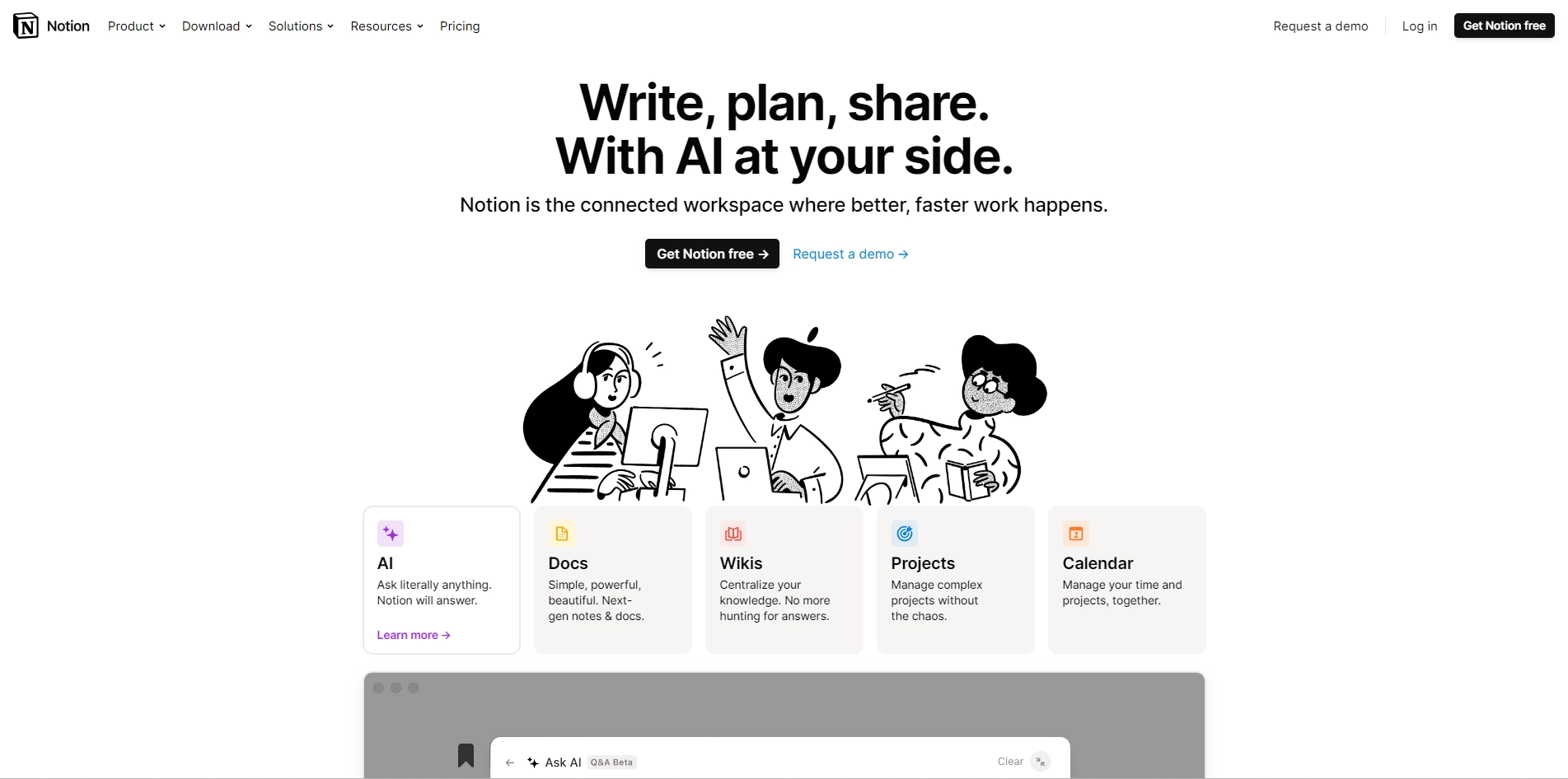
Notion has many features that make it stand out from other note-taking apps. Here are some of them:
 
- You can customize your pages with different blocks, such as text, images, videos, tables, lists, calendars, kanban boards and more. You can also drag and drop blocks to rearrange them easily.
- You can create nested pages within pages, which allows you to create hierarchies and structures for your information. You can also link pages to each other or to external sources.
- You can collaborate with others on your pages, by inviting them to edit, comment or view your content. You can also assign tasks, set deadlines and track progress with built-in tools.
- You can sync your pages across all your devices, such as

Key Platforms

Core Service Areas:

icon

Integrated Workspace

Combine notes, tasks, and projects in a single platform, streamlining your workflow and enhancing productivity.
icon

Collaborative Tools

Share documents and collaborate in real-time with team members, fostering seamless communication and teamwork.
icon

Customizable Templates

Choose from a variety of templates to quickly set up projects, saving time and ensuring consistency.
icon

Task Management

Organize tasks with deadlines, priorities, and reminders, keeping you on track and accountable.
icon

Rich Media Support

Incorporate images, videos, and links into your notes, making information more engaging and accessible.
icon

Powerful Search

Easily find notes, tasks, and documents with advanced search features, ensuring you never lose important information.

Pros

  • It is a connected workspace that allows you to create and manage wikis, docs, and projects in one place.
  • It has powerful building blocks that let you customize and visualize your information in different ways.
  • It has a vibrant community that produces content, teaches courses, and leads events all over the world.
  • It supports multiple languages, including English, Korean, Japanese, French, and German.
  • It offers a free plan for personal use and a demo for teams.

Cons

  • It may have a steep learning curve for some users who are not familiar with its interface and features.
  • It may not integrate well with some other tools or platforms that you use.
  • It may not be suitable for some types of projects that require more specialized or advanced functions.

Frequently Asked Questions About Notion AI

01

What is Notion AI and how can it help me?

Notion AI is an integrated feature within Notion that enhances your productivity by automating tasks, generating content, and providing insights. It helps you organize your notes, manage projects, and streamline your workflow.

02

Can I use Notion AI for team collaboration?

Yes, Notion AI is designed for collaborative work. You can share your notes, tasks, and projects with team members, allowing everyone to contribute and stay updated in real-time.

03

Is my data secure when using Notion AI?

Notion takes data security seriously, employing encryption and secure access controls to protect your information. Regular backups and compliance with privacy regulations further ensure your data's safety.

04

What types of tasks can Notion AI automate?

Notion AI can automate a variety of tasks, including note-taking, task management, content generation, and project tracking, allowing you to focus on more important aspects of your work.

05

Is Notion AI suitable for personal use as well as professional use?

Absolutely! Notion AI is versatile and can be tailored to fit both personal and professional needs, making it a great tool for managing everything from daily tasks to complex projects.

Related tools in General Writing

Compare Notion AI with other General Writing AI tools in the directory, or start with the alternatives below.

See all Notion AI alternatives compared — side-by-side pricing and what each one does.

  • ConchGeneral WritingWriting essays can be a daunting task for many students. You have to research, organize, write, edit, and cite your…
  • WpaibotGeneral WritingIf you are a WordPress user who wants to create engaging content for your site, you might be interested in wpaibot, a…
  • QuasiGeneral WritingQuasi simplifies content creation with AI tools for writing, art, music, and personalized learning. Create, learn, and…
  • LexGeneral WritingBoost your writing with Lex.page AI tool. Generate, edit, and improve content easily with AI-powered features for…
  • WritewithlaikaGeneral WritingIf you are a writer, you know how challenging it can be to come up with new ideas, write engaging dialogue, or polish…
  • Craftly.aiGeneral WritingCraftly.AI: A Review of the Best AI Copywriting Assistant If you are looking for a way to create high-quality content…

Promote Notion AI

Get Notion AI in front of thousands of buyers actively searching for AI tools. Feature your listing on the homepage and category pages, or add the verified badge to your site.

Copy Embed Code

copy

Unlock the best AI Tools for you!

Login or Approve this tool to continue exploring features and analytics.

By proceeding, you agree to our Terms of use and confirm you have read our Privacy and Cookies Statement.
;

Login to unlock the best AI Tools for you!

By proceeding, you agree to our Terms of use and confirm you have read our Privacy and Cookies Statement.

Subscribe
EmailIconLg

Subscribe Newsletter

Subscribe to our AI Tools Newsletter for exclusive insights, cutting-edge innovations, and the latest AI advancements delivered straight to your inbox!
