
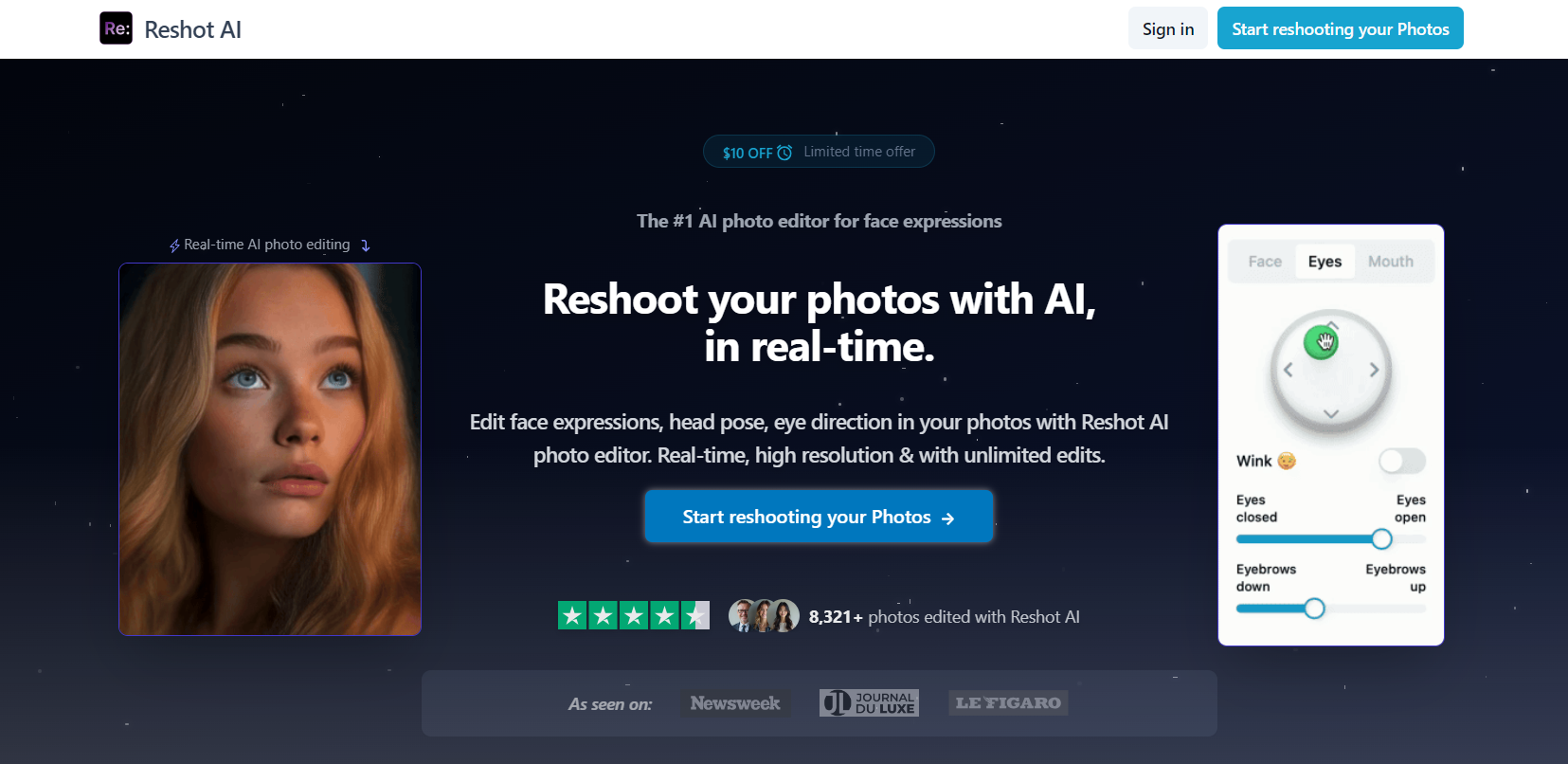
Reshot AI is an AI tool designed for enhancing and editing photos with ease. It serves as both an AI Photo Editor and AI face editor, making it easy to retouch images, refine facial details, and apply advanced effects without needing expert skills.
About Reshot AI
Reshot AI is an advanced AI tool that allows users to transform their images quickly and effortlessly. It's perfect for those looking to improve photo quality, whether they’re enhancing facial features or applying filters for a more professional touch. As an AI face editor, it specializes in retouching and editing facial details, ensuring that users can easily make adjustments like smoothing skin, refining contours, or even applying creative effects. Whether you’re a casual user or someone looking for precise edits, Reshot AI provides an intuitive experience, making photo editing accessible to all.
What Can You Do With Reshot AI?
With Reshot AI, you can enhance your photos in a few simple clicks. Its AI face editor capabilities allow you to perfect facial features, reduce blemishes, adjust lighting, and create polished portraits. The AI Photo Editor provides tools for cropping, color correction, and applying filters, enabling users to make professional-grade changes quickly. Reshot AI also offers various styles and effects, making it versatile for anyone, whether you need subtle retouches or dramatic enhancements.
Key Features of Reshot AI
- AI Face Editor: This feature allows for detailed facial editing, including smoothing skin, refining facial features, and removing imperfections.
- AI Photo Editor: Reshot AI offers a range of photo editing tools like cropping, adjusting brightness, contrast, and saturation, and applying various filters.
- Auto-Enhance: Automatically improves the overall quality of your photos by adjusting lighting, sharpness, and color balance.
- Creative Filters: Reshot AI provides a variety of filters and effects to give your images a unique and polished look.
- Easy-to-Use Interface: The user-friendly design ensures that both beginners and experienced editors can navigate and utilize the features effectively.
Benefits of Using Reshot AI
One of the main benefits of using Reshot AI is its simplicity. The AI face editor feature makes complex facial retouching easy for anyone. Whether you want to remove a blemish or enhance facial details, it’s all done quickly. Additionally, the AI Photo Editor helps transform images into high-quality, professional-looking photos without requiring advanced editing skills. With Reshot AI, you get access to a wide range of filters, adjustments, and effects, giving you creative control while saving time.
Reshot AI Pricing
Reshot AI offers two pricing plans:
- Monthly Plan: Priced at $19 per month (limited time offer, originally $29), this plan includes unlimited photos and unlimited AI editing.
- Yearly Plan: Priced at $9 per month, billed annually at $99 (down from $228). It also includes unlimited photos, unlimited AI editing, and 6+ months free.
FAQs
- What is Reshot AI?
Reshot AI is an AI tool for photo editing, offering features like facial retouching and image enhancement. - How does Reshot AI improve my photos?
Reshot AI uses advanced algorithms to adjust lighting, sharpness, and color balance, making your photos look more polished. - Is Reshot AI easy to use for beginners?
Yes, Reshot AI is designed with a user-friendly interface, making it easy for both beginners and experienced users to edit photos. - What features does Reshot AI offer for face editing?
As an AI face editor, Reshot AI allows you to smooth skin, adjust facial features, and remove imperfections.
Key Platforms
Core Service Areas:

Seamless Photo Retouching
Advanced Face Editing
Creative Effects Library
User-Friendly Interface
Instant Image Preview
One-Click Enhancements
Frequently Asked Questions About Reshot AI
01
What types of photo enhancements can I achieve with Reshot AI?
Reshot AI allows you to retouch images, refine facial details, and apply advanced effects to enhance your photos without needing expert skills.
02
Do I need any prior experience to use Reshot AI?
No prior experience is needed! Reshot AI is designed for users of all skill levels, making it easy to edit and enhance your photos.
03
Can I use Reshot AI for both personal and professional projects?
Yes, Reshot AI is versatile and can be used for both personal and professional photo editing projects.
04
Is there a mobile version of Reshot AI available?
As of now, Reshot AI is primarily available as a web-based tool. Please check the website for any updates regarding mobile compatibility.
05
Are there any subscription fees or costs associated with using Reshot AI?
Reshot AI offers various pricing plans, including free and premium options. Please visit the website for detailed pricing information.
Promote Reshot AI
Get Reshot AI in front of thousands of buyers actively searching for AI tools. Feature your listing on the homepage and category pages, or add the verified badge to your site.
Copy Embed Code

Share on

Related AI Tools
Explore related AI tools for diverse applications and enhanced productivity

Unlock the best AI Tools for you!
Login or Approve this tool to continue exploring features and analytics.

