


Get a discount of 25% by using code top_ai_tools_25
AI-powered video and guide creation tool for your customer education needs.
What is use of Trainn AI?
Trainn AI is an AI tool that helps you create training videos and tutorials quickly. By recording your screen, Trainn AI automatically turns it into a professional video with captions, voiceovers, and smart Video Editing features, making it easier to teach users and explain products.
What is Trainn AI?
Trainn AI is a smart AI tool designed to create product training videos, tutorials, and learning content in a fast and simple way. Instead of spending hours on manual Video Editing, users can record their screen and let Trainn AI automatically convert the recording into a polished training video.
The tool is especially useful for teams that want to explain software, apps, or workflows to customers and employees. Trainn AI automatically adds useful elements like voice narration, zoom effects, spotlights, and captions to make the video easy to understand.
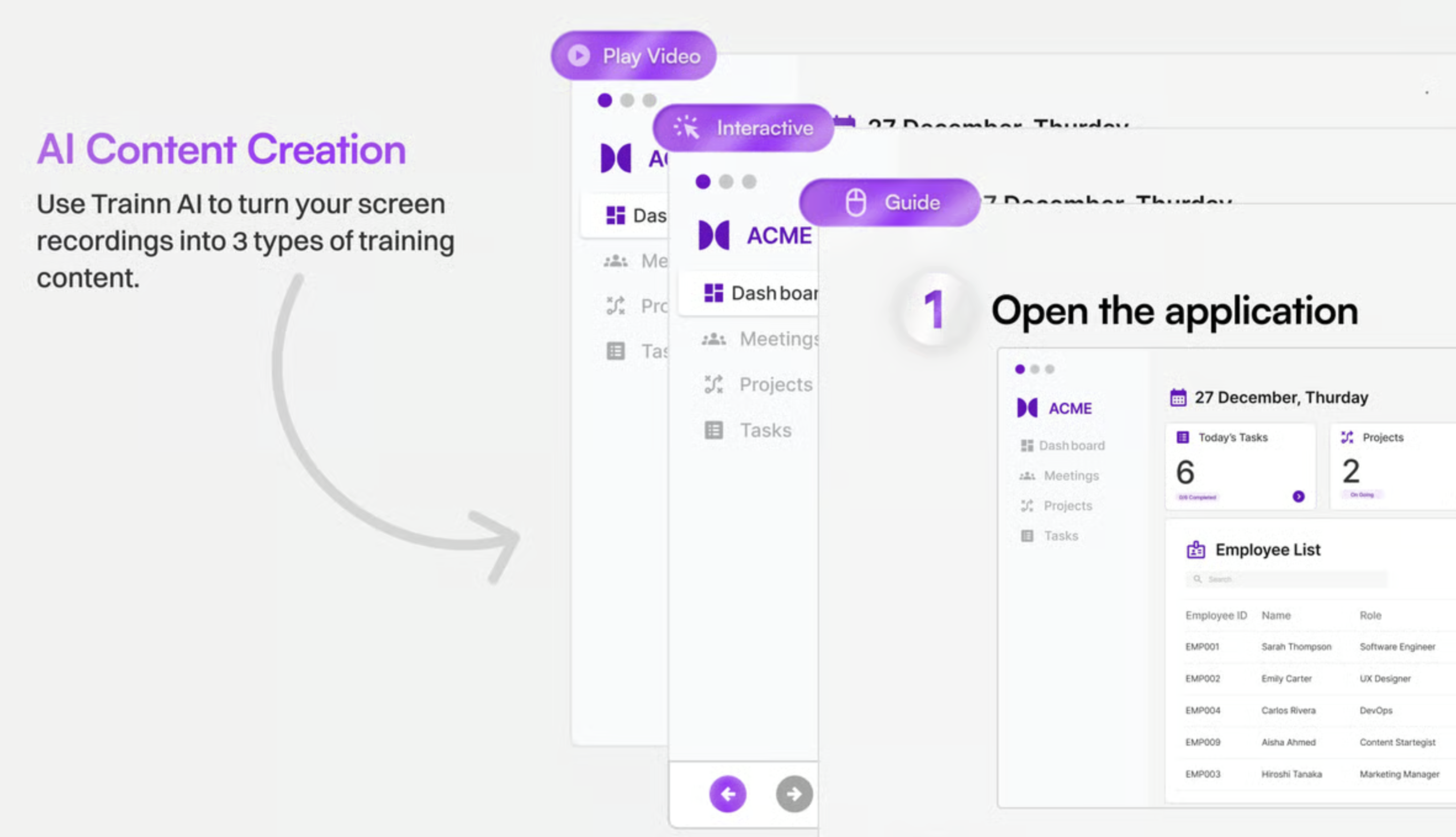
Another powerful feature of Trainn AI is that it can turn recorded videos into step-by-step documentation and visual guides. This helps businesses create knowledge bases, product guides, and tutorials without writing everything manually.
Because Trainn AI focuses on automation and simple Video Editing, even beginners can create professional training content without needing technical editing skills. This makes the tool helpful for onboarding users, explaining features, and improving product education.
What Can You Do With Trainn AI?
Trainn AI allows users to create different types of educational and training content using simple screen recordings and automated Video Editing features.
One common use is customer onboarding. You can record a short demo of your product, and Trainn AI converts it into a clean tutorial video that new users can easily follow.
The AI tool is also useful for product training. Teams can create walkthrough videos that explain features step by step, helping customers or employees understand tools faster.
Another important use is customer support. Instead of writing long support replies, businesses can create short tutorial videos that solve common problems.
Trainn AI can also generate product documentation from recorded videos. It automatically turns a recording into a visual guide with clear steps and screenshots.
Sales teams also use Trainn AI to create product demo videos. With simple Video Editing automation, they can present features clearly to potential customers.
Key Features of Trainn AI
Trainn AI offers several powerful features that make training video creation simple and efficient.
AI-Powered Video Generation
Trainn AI automatically converts screen recordings into polished videos using intelligent Video Editing.
Automatic Guide and Documentation Creation
The AI tool turns recorded workflows into step-by-step written guides and visual documentation.
Smart Zooms and Spotlights
Trainn AI highlights important areas of the screen to help viewers focus on key actions.
AI Voiceovers in Multiple Languages
The tool supports AI voiceovers in more than 30 languages and many accents, making training content accessible to global audiences.
1-Click Translation
Videos and guides can be translated quickly, helping teams share training content worldwide.
Clip-Based Video Timeline
Trainn AI provides a simple timeline that allows users to adjust clips and perform quick Video Editing changes.
Custom Branding
Users can add their own branding elements to training videos and guides.
Captions and Subtitles
Trainn AI automatically adds captions and subtitles, improving accessibility and viewer understanding.
Video Analytics
The AI tool tracks viewer engagement so you can see how people interact with your training videos.
Knowledge Base and Academy Hosting
Trainn AI allows users to organize tutorials into a learning hub or training academy.
Benefits of Using Trainn AI
Trainn AI makes it easier to create training and tutorial content without complicated editing software.
One of the biggest benefits is time savings. Since Trainn AI automates Video Editing tasks like captions, zooms, and voiceovers, videos can be created in minutes instead of hours.
Another benefit is ease of use. Even beginners who have never used editing software can create professional tutorials by simply recording their screen.
Trainn AI also helps improve customer learning. Clear videos and step-by-step guides make it easier for users to understand products quickly.
The tool is also helpful for support teams. Instead of repeating the same instructions, teams can share quick tutorial videos created with Trainn AI.
Finally, Trainn AI helps businesses scale training content. Teams can build a large library of tutorials, documentation, and guides using simple Video Editing automation.
Trainn AI Pricing
Trainn AI offers different pricing plans designed for teams and businesses that want to create training content at scale. Plans typically vary based on features, number of users, video hosting capabilities, and advanced options such as branding, analytics, and knowledge base hosting.
Higher plans provide additional capabilities like advanced analytics, team collaboration features, and larger storage for training videos and documentation.
Tips and Best Practices for Trainn AI
To get the best results from Trainn AI, it is helpful to follow a few simple practices.
First, plan your recording before starting. Think about the steps you want to show so the tutorial stays clear and organized.
Second, keep videos short and focused. Small lessons are easier for viewers to understand and remember.
Third, use captions and voiceovers. Trainn AI provides automatic subtitles and AI narration, which helps viewers follow the tutorial better.
Fourth, review your clips in the timeline. Even though Video Editing is automated, small adjustments can make the tutorial smoother.
Finally, organize videos into categories. Using Trainn AI to build a knowledge base or training academy helps users find tutorials faster.
FAQs about Trainn AI
1. What is Trainn AI used for?
Trainn AI is used to create product tutorials, training videos, and documentation using automated Video Editing from simple screen recordings.
2. Do I need video editing skills to use Trainn AI?
No, Trainn AI automates most Video Editing tasks, so beginners can create professional videos without editing experience.
3. Can Trainn AI create subtitles and voiceovers automatically?
Yes, Trainn AI can generate captions, subtitles, and AI voiceovers in multiple languages.
4. Is Trainn AI useful for customer onboarding?
Yes, Trainn AI is commonly used to create onboarding tutorials that help new users learn products quickly.
5. Can Trainn AI create documentation from videos?
Yes, Trainn AI can automatically convert screen recordings into step-by-step guides and visual documentation.
Key Platforms
Core Service Areas:

AI Video Generation
Interactive Guides
Custom Branding
Analytics Dashboard
Multi-Format Support
Seamless Integration
Pros
- Very easy to create training videos: Trainn AI allows users to simply record their screen and automatically convert it into a professional tutorial with captions, zooms, and AI voiceovers. This reduces the need for manual Video Editing.
- Saves time with automation: The AI tool automatically adds elements like highlights, transcripts, and subtitles, helping teams produce product tutorials much faster than traditional video editing workflows.
- Converts videos into documentation: One strong advantage of Trainn AI is that it can turn recordings into step-by-step guides and documentation, making it useful for product education and knowledge bases.
- Built-in analytics for training content: Trainn AI includes analytics features that track engagement, completion rates, and viewer activity so teams can improve their training materials.
- Good for customer onboarding and product training: The platform helps companies create onboarding tutorials and learning resources that improve product adoption and reduce support requests.
Cons
- Pricing can be expensive for some teams: While Trainn AI offers powerful features, its pricing structure can become costly as advanced tools and LMS capabilities are unlocked only in higher plans.
- Limited integrations on lower plans: Some plans offer very limited integrations with other tools, which may make it harder to connect analytics or CRM systems.
- Feature limitations in entry plans: Basic plans mainly focus on video creation and documentation, while features like knowledge bases and full learning management systems are available only in premium plans.
- Manual work still required in some areas: Some users report that certain reports and training updates must be generated manually instead of automatically.
- Learning curve for advanced training setups: Although creating videos is simple, setting up full academies, knowledge bases, or training programs can require some planning and configuration.
Frequently Asked Questions About Trainn AI
01
What is Trainn AI?
Trainn AI is an AI-powered tool designed for creating videos and guides to enhance customer education and engagement.
02
How does Trainn AI help in customer education?
Trainn AI streamlines the process of creating informative content, allowing businesses to easily generate high-quality videos and guides that effectively educate their customers.
03
Can I customize the content created with Trainn AI?
Yes, Trainn AI allows for customization of videos and guides to ensure that the content aligns with your brand and meets your specific educational needs.
04
Is Trainn AI suitable for all types of businesses?
Absolutely! Trainn AI is designed to be versatile and can be utilized by businesses of all sizes and industries looking to improve their customer education efforts.
05
What kind of support does Trainn AI offer to users?
Trainn AI provides comprehensive support, including tutorials, documentation, and customer service to assist users in maximizing the tool's potential.
Promote Trainn AI
Get Trainn AI in front of thousands of buyers actively searching for AI tools. Feature your listing on the homepage and category pages, or add the verified badge to your site.
Copy Embed Code

Share on

Related AI Tools
Explore related AI tools for diverse applications and enhanced productivity
Unlock the best AI Tools for you!
Login or Approve this tool to continue exploring features and analytics.

