
Have you ever wanted to create beautiful charts and diagrams without spending hours on design and formatting? If so, you might be interested in ChartAI, a web-based tool that lets you generate charts and diagrams from natural language prompts.
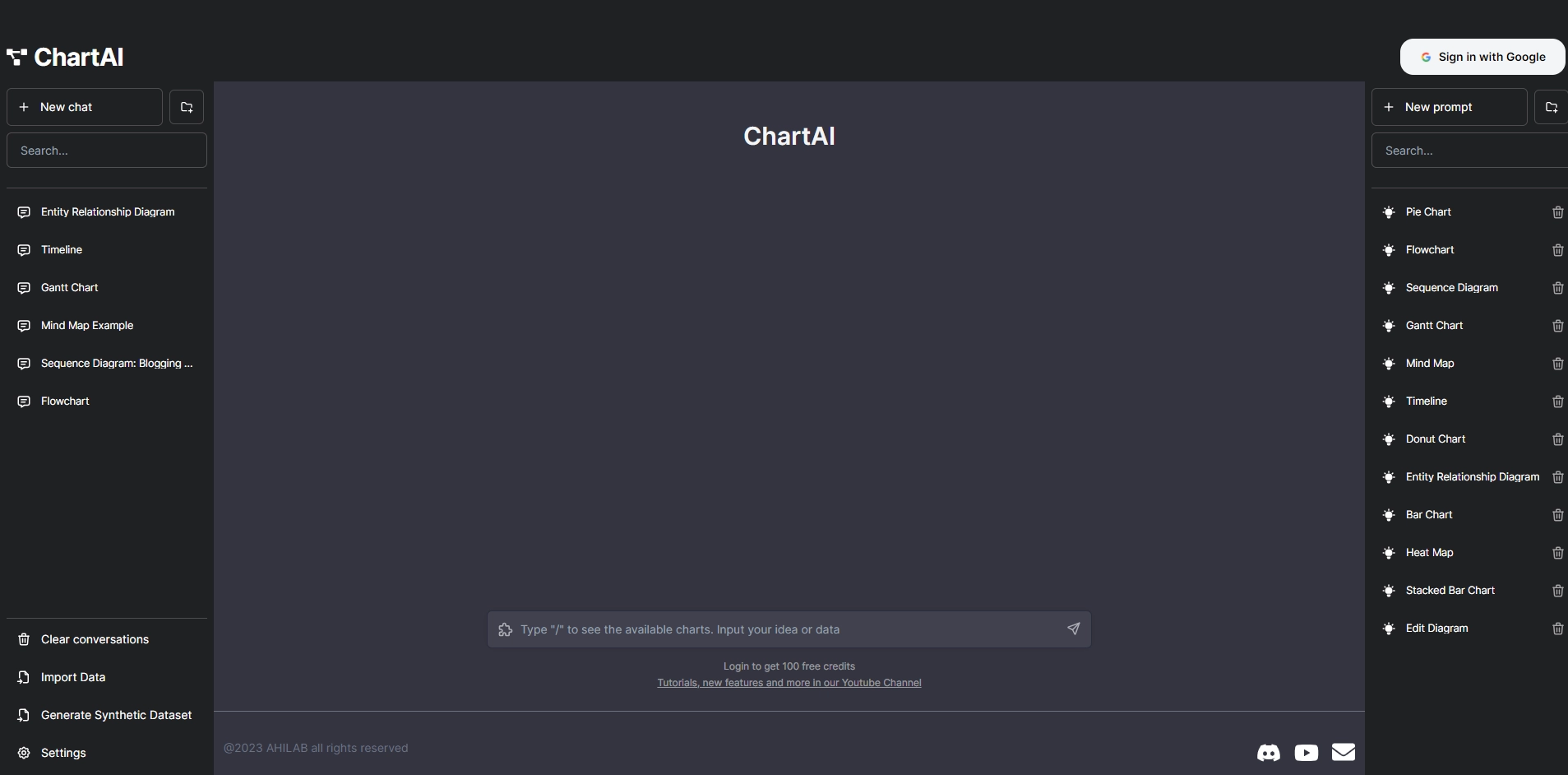
ChartAI is powered by ChatGPT, a state-of-the-art natural language processing model that can understand your queries and produce high-quality visualizations. You can use ChartAI to create various types of charts and diagrams, such as bar charts, pie charts, line charts, scatter plots, flowcharts, mind maps, and more.
To use ChartAI, you simply need to type in a natural language prompt that describes what you want to visualize. For example, you can type "show me the sales of different products in Q3" or "draw a flowchart of the order process". ChartAI will then analyze your prompt and generate a chart or diagram that matches your request. You can also import your own data from CSV files or Google Sheets and use ChartAI to create visualizations based on your data.
ChartAI is easy to use and requires no coding or design skills. You can customize your charts and diagrams by changing the colors, fonts, labels, legends, and other settings. You can also export your charts and diagrams as PNG or SVG files and share them with others. ChartAI is a great tool for anyone who needs to create professional-looking charts and diagrams quickly and easily.
Key Platforms
Core Service Areas:

Natural Language Input
Diverse Chart Types
Customizable Designs
Real-time Collaboration
Instant Export Options
User-friendly Interface
Pros
- It allows you to create charts and diagrams from natural language prompts.
- It uses a powerful GPT-3 model to generate accurate and relevant visualizations.
- It has a simple and intuitive interface that lets you import and export data easily.
Cons
- It requires an internet connection and a Google account to use.
- It has a limited number of free credits per day and charges for additional ones.
- It may not support all types of charts and diagrams or complex queries.
Frequently Asked Questions About ChartAI
01
What types of charts and diagrams can I create with ChartAI?
ChartAI allows you to create a variety of charts and diagrams, including bar charts, line graphs, pie charts, flowcharts, and more, all generated from your natural language prompts.
02
Do I need any design skills to use ChartAI?
No, ChartAI is designed for users of all skill levels. You simply describe what you want in natural language, and the tool generates professional-looking charts and diagrams for you.
03
Can I customize the charts generated by ChartAI?
Yes, ChartAI provides options for customization, allowing you to adjust colors, labels, and other elements to better fit your needs and preferences.
04
Is ChartAI suitable for business presentations?
Absolutely! ChartAI is perfect for business presentations, as it enables you to quickly create visually appealing charts and diagrams that effectively communicate your data and ideas.
05
Is there a free trial available for ChartAI?
Yes, ChartAI offers a free trial that allows you to explore its features and create a limited number of charts and diagrams before deciding on a subscription plan.
Promote ChartAI
Get ChartAI in front of thousands of buyers actively searching for AI tools. Feature your listing on the homepage and category pages, or add the verified badge to your site.
Copy Embed Code

Share on

Related AI Tools
Explore related AI tools for diverse applications and enhanced productivity
Unlock the best AI Tools for you!
Login or Approve this tool to continue exploring features and analytics.

