

facebookGPT Prompter: Features, Pricing & Alternatives (2026) | FindMyAITool
GPT-Prompter

GPT-Prompter

Summarizer
Free

Listing updated February 2025

If you are looking for a way to use the power of GPT-3, GPT-4 and ChatGPT API without leaving your browser, you might want to check out GPT-Prompter. GPT-Prompter is a Chrome extension that lets you send custom prompts to these APIs from any webpage, and get the results in a popup window. You can also use pre-made prompts and conversations that cover various use cases, such as summarizing, rewriting, generating content, and more.
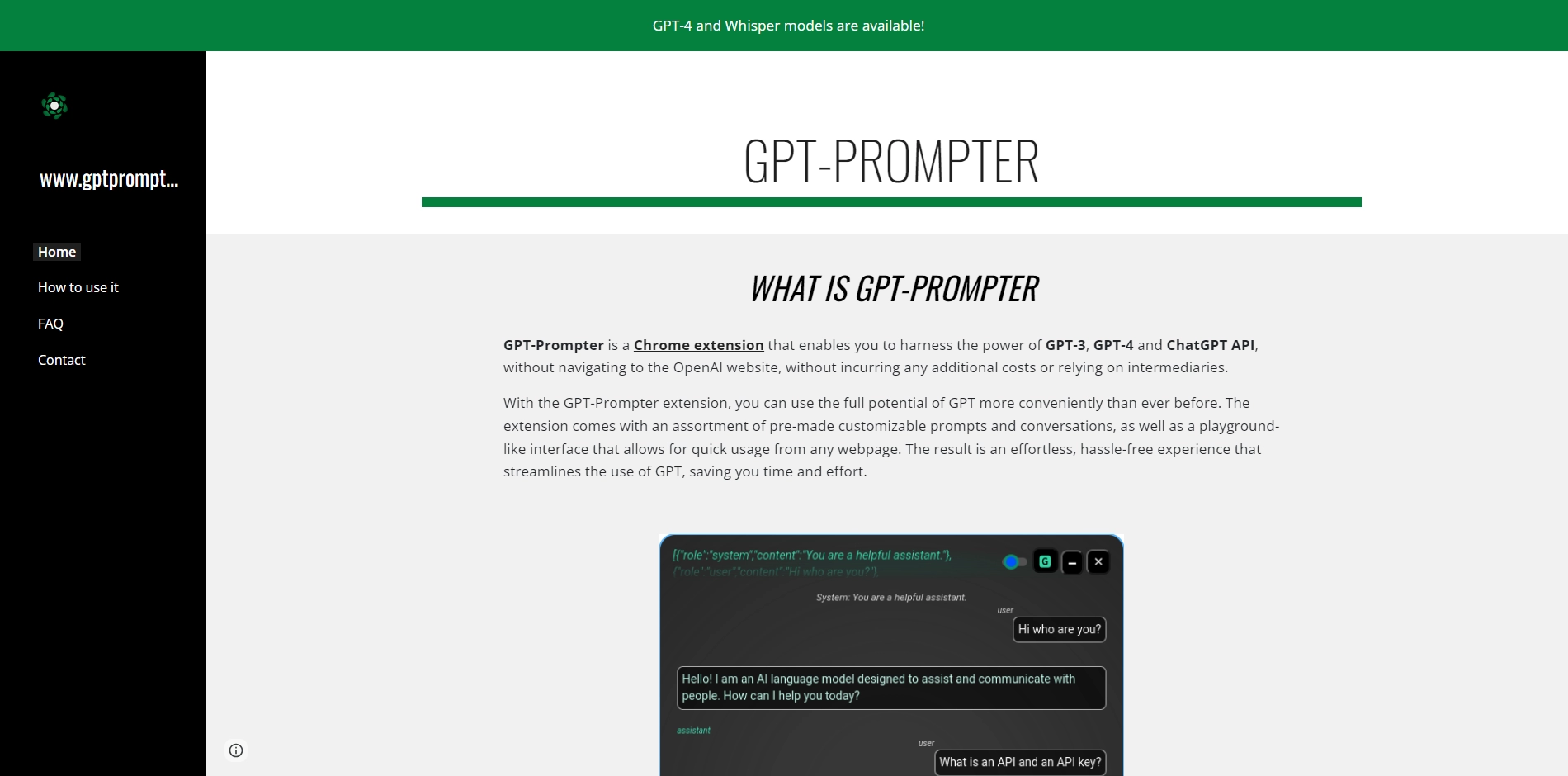
GPT-Prompter is designed to be easy and convenient to use. You don't need to navigate to the OpenAI website, pay any extra fees, or rely on any intermediaries. All you need is your own API key from OpenAI, which you can get at https://beta.openai.com/. Once you have your key, you can enter it in the extension settings and start using GPT-Prompter right away.
 
To use GPT-Prompter, you can either select some text on a webpage and right-click to choose a prompt from the context menu, or click on the extension icon and enter your own prompt in the playground interface. You can also customize the prompts by editing them in the settings. The prompts must contain the keyword #TEXT#, which will be replaced by the selected text or your input. You can also choose the model, temperature, and tokens for each prompt.
 
GPT-Prompter also keeps track of your history and costs, so you can review your previous prompts and save them as a JSON file. You can also access external resources such as the Chrome Web Store page, the GitHub repository, and the official website of GPT-Prompter.
 
GPT-Prompter is an open source project created by giosilvi. You can find more information and tutorials on how to use it at https://www.gptprompter.com/. If you are interested in using GPT-3, GPT-4 and ChatGPT API for various purposes, GPT-Prompter is a handy tool that can help you do that with ease and efficiency.

Key Platforms

Core Service Areas:

icon

Seamless Integration

Access GPT-3, GPT-4, and ChatGPT directly from your browser without needing to switch tabs or applications.
icon

Custom Prompts

Send tailored prompts to the AI, allowing for personalized and specific responses based on your unique needs.
icon

Pre-Made Templates

Utilize a library of predefined prompts and conversations for quick access to various AI use cases and functions.
icon

Popup Responses

Receive AI-generated results in a convenient popup window, ensuring a smooth and efficient workflow.
icon

Content Generation

Easily generate articles, summaries, and rewrites, saving time and enhancing productivity for content creators.
icon

Multi-Use Cases

Support for diverse tasks such as summarizing, rewriting, and generating content tailored to different user requirements.

Pros

  • It allows you to use the power of GPT-3, GPT-4 and ChatGPT API from any webpage without going to the OpenAI website.
  • It has many pre-made customizable prompts and conversations for different purposes.
  • It saves you time and money by querying directly the OpenAI API without intermediaries.
  • It has a history and cost feature that lets you access and search through your previous prompts and save them as JSON file.
  • It has a transcription of voice with Whisper API.

Cons

  • It requires you to have an API key from OpenAI, which may not be easy to get.
  • It may have some bugs or issues with the UI, icons, or content injection.
  • It may not work on some webpages that do not allow running content scripts.

Frequently Asked Questions About GPT-Prompter

01

What is GPT-Prompter?

GPT-Prompter is a Chrome extension that allows you to utilize the capabilities of GPT-3, GPT-4, and ChatGPT API directly from your browser. You can send custom prompts and receive results in a convenient popup window.

02

How do I install GPT-Prompter?

You can install GPT-Prompter by visiting the Chrome Web Store, searching for 'GPT-Prompter', and clicking the 'Add to Chrome' button. Follow the prompts to complete the installation.

03

What types of prompts can I use with GPT-Prompter?

GPT-Prompter allows you to use custom prompts as well as pre-made prompts and conversations for various use cases, including summarizing texts, rewriting content, generating new ideas, and more.

04

Is there a cost associated with using GPT-Prompter?

GPT-Prompter is free to install and use, but please check the specific usage policies or limitations regarding the GPT-3 and GPT-4 APIs, as they may have associated costs based on usage.

05

Can I access GPT-Prompter from any webpage?

Yes, you can access GPT-Prompter from any webpage. The extension works seamlessly, allowing you to send prompts and receive responses without leaving the current site you are on.

Related tools in Summarizer

Compare GPT-Prompter with other Summarizer AI tools in the directory, or start with the alternatives below.

See all GPT-Prompter alternatives compared — side-by-side pricing and what each one does.

  • WriteGPTSummarizerWriteGPT is an AI-powered writing assistant for SEO, sales outreach, social media, and real-time web interactions.
  • Skim ItSummarizerSkimIt.ai: A Fun and Fast Way to Get AI Summaries of Any Article Have you ever come across an interesting article…
  • theGistSummarizerIf you are looking for a way to overcome your Slack and Gmail overload, you might want to check out theGist AI, a tool…
  • Gimme Summary AISummarizerGimme Summary AI: A Free and Privacy-Friendly Chrome Extension for Article Summarization If you are looking for a…
  • PodiumSummarizerHello Podium is a platform that helps you create and share engaging content online. Whether you want to start a blog…
  • Outset AISummarizerDiscover how Outset AI automates research with AI-driven interviews, video, audio, and usability testing. Achieve…

Promote GPT-Prompter

Get GPT-Prompter in front of thousands of buyers actively searching for AI tools. Feature your listing on the homepage and category pages, or add the verified badge to your site.

Copy Embed Code

copy

Unlock the best AI Tools for you!

Login or Approve this tool to continue exploring features and analytics.

By proceeding, you agree to our Terms of use and confirm you have read our Privacy and Cookies Statement.
;

Login to unlock the best AI Tools for you!

By proceeding, you agree to our Terms of use and confirm you have read our Privacy and Cookies Statement.

Subscribe
EmailIconLg

Subscribe Newsletter

Subscribe to our AI Tools Newsletter for exclusive insights, cutting-edge innovations, and the latest AI advancements delivered straight to your inbox!
