


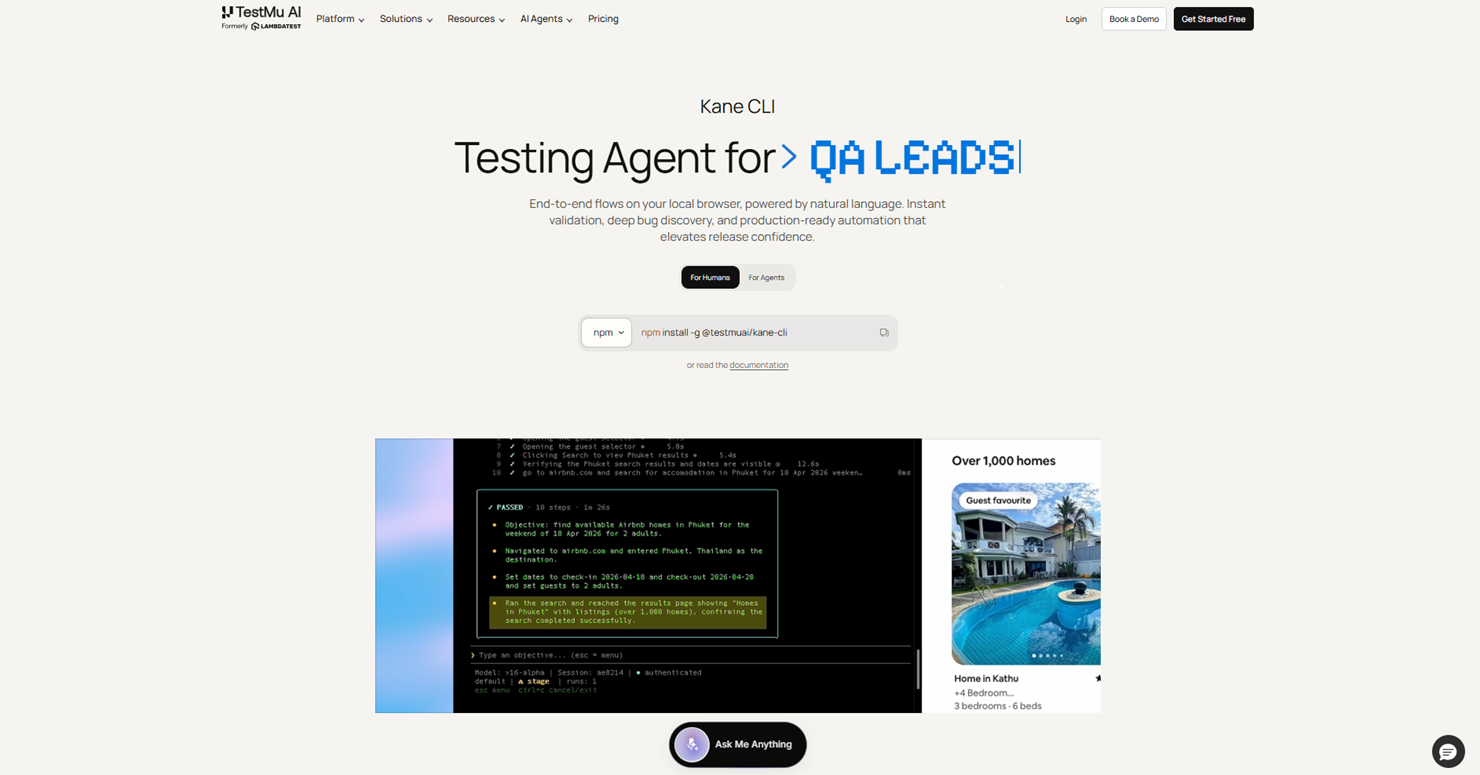
Kane CLI is a browser agent that verifies web apps from plain English. Describe the flow to test, and it drives a real Chrome browser and returns pass or fail with shareable proof. No selectors, no framework, no boilerplate.
What is Kane CLI?
Kane CLI by TestMu AI is an AI browser agent that verifies web applications from natural language. You describe what to test the way you would explain it to a teammate, and Kane CLI carries out the flow in a real Chrome browser, then returns a clear pass or fail with evidence behind it. There are no selectors to write, no test framework to learn and no boilerplate to maintain
Natural language browser testing, without a framework
Write an objective in plain English, for example: log in as a guest, add the first product to the cart, complete checkout with the test card, and assert the page shows Order Confirmed. Kane CLI opens a real Chrome browser, works through the steps, and prints the result. Every run produces a ShareLink, a public URL valid for seven days showing the run summary, screenshots and the full step trace, which anyone can open without project access.
Who Kane CLI is built for
Developers use it to check a change before raising a pull request. QA teams use it to get browser coverage without maintaining a test framework. AI coding agents such as Claude Code, Codex CLI and Gemini CLI use it to verify their own output, so generated code is checked in a real browser before a human ever sees it.
How Kane CLI compares to Playwright and Selenium
Traditional frameworks wait on network idle, DOM ready or selector availability. Kane CLI watches the rendered screen instead, so it works on canvas apps, shadow DOM, Salesforce Lightning components and pages that stream their UI, where those waits break.
Selector maintenance also disappears. When a button gets a new CSS class or a label is reworded, Kane CLI re-resolves the target without a code change, because intent is anchored to the user-facing element. Every match carries a confidence score, and low-confidence matches are rejected rather than clicking the wrong element and passing quietly.
It will not fabricate a pass either. Kane CLI only takes actions a real user could take, so it never injects JavaScript to skip a modal or force-click a hidden element.
Three ways to run Kane CLI: terminal UI, CLI and agent mode
An interactive terminal UI for exploring and building flows. A scriptable CLI that fits into any CI/CD pipeline. And an agent mode that streams structured NDJSON events, so an AI coding agent can run a test and read the result itself.
Kane CLI features
Two-way script migration lets you import existing Playwright or Selenium tests and convert them into natural language flows, or export any run back to native Python Playwright code that still benefits from autoheal. A single objective referencing multiple users or regions branches into parallel browser sessions automatically. Credentials pass in as variables, with secrets never written to logs or screenshots. Save a Chrome profile to log in once and skip authentication on every run after. Tests run against localhost and staging, not just public URLs, or connect to a remote browser endpoint when the CI image has no Chrome.
Getting started with Kane CLI
Install with npm and start free. First result in under five minutes on local Chrome, with no infrastructure to set up.
Key Platforms
Core Service Areas:

Plain English objectives, no selectors
Vision-based waiting
Autoheal with confidence scoring
Shareable proof for every run
Three modes: terminal UI, CLI and agent mode
Two-way Playwright and Selenium migration
Parallel runs from one objective
Human-in-the-loop for OTP and CAPTCHA
Pros
- Tests web applications using natural-language instructions instead of coded test scripts.
- Runs tests in a real Chrome browser to verify actual user-facing behavior.
- Eliminates the need to manually create and maintain CSS or XPath selectors.
- Provides clear pass-or-fail results with screenshots and detailed step traces.
- Generates ShareLinks that make test evidence easy to share with developers and QA teams.
- Supports interactive terminal, scriptable CLI, and AI agent workflows.
- Integrates with AI coding agents such as Claude Code, Codex CLI, and Gemini CLI.
- Can import existing Playwright and Selenium tests into natural-language flows.
- Supports exporting test runs to Python Playwright code.
- Works with complex interfaces including canvas apps, shadow DOM, and dynamically rendered pages.
- Supports localhost, staging environments, remote browsers, and CI/CD workflows.
- Protects credentials by passing secrets as variables without exposing them in logs or screenshots.
Cons
- Primarily designed for developers, QA engineers, and technical teams.
- Requires command-line familiarity for effective use.
- AI-driven element matching may not provide the same deterministic control as manually coded selectors in every testing scenario.
- Complex or highly specialized test scenarios may still require traditional testing frameworks.
- Browser-based testing can take longer than lightweight unit or API tests.
- Requires Chrome or access to a compatible remote browser environment.
- Teams with large existing Playwright or Selenium suites may need time to adapt their testing workflows.
- Natural-language test objectives need to be clear to achieve consistent results.
Frequently Asked Questions About Kane CLI by TestMu AI
01
Do I need to know how to code to use Kane CLI?
No. You describe the flow in plain English, the way you would explain it to a teammate, and Kane CLI carries it out in a real Chrome browser. There are no selectors to write and no test framework to learn.
02
What does the free tier include?
Local Chrome, 100 credits, full natural language objectives, full agent mode and full code export. It is free forever, not a time-limited trial, and credits regenerate based on usage. Paid plans start at $17 per user per month.
03
How is Kane CLI different from Playwright or Selenium?
Playwright and Selenium wait on network idle, DOM ready or selector availability, and they break when a selector changes. Kane CLI watches the rendered screen instead, so it works on canvas apps, shadow DOM and pages that stream their UI. When a label or CSS class changes, it re-resolves the target without a code change.
04
Which browsers and operating systems does Kane CLI support?
Locally it runs on Google Chrome, on macOS (Intel and Apple Silicon), Linux x64 and Windows x64. It needs Node.js 18 or higher. For Firefox, Safari and Edge coverage, point it at the TestMu AI cloud with a remote browser endpoint.
05
Can AI coding agents use Kane CLI?
Yes. Agent mode streams structured NDJSON events, so an agent can run a test and read the result without parsing logs. Skills are available for Claude Code, Codex CLI and Gemini CLI, and Cursor works through the Codex CLI skill.
Promote Kane CLI by TestMu AI
Get Kane CLI by TestMu AI in front of thousands of buyers actively searching for AI tools. Feature your listing on the homepage and category pages, or add the verified badge to your site.
Copy Embed Code

Share on

Related AI Tools
Explore related AI tools for diverse applications and enhanced productivity
Unlock the best AI Tools for you!
Login or Approve this tool to continue exploring features and analytics.

