


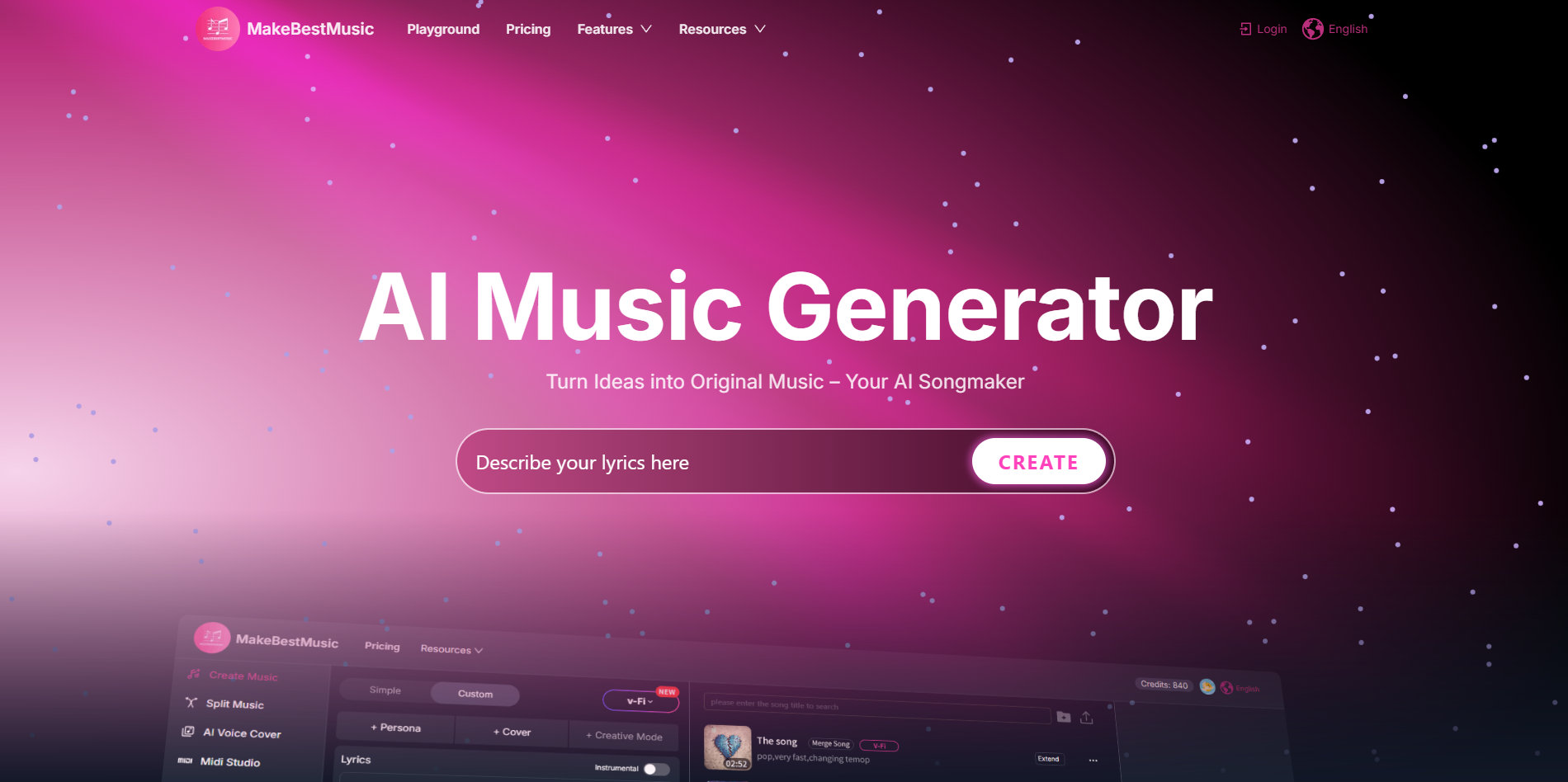
MakeBestMusic is an AI-powered music creation platform that enables anyone to compose high-quality and creative music simply by entering text prompts, describing emotions, or selecting musical styles. No musical instruments or professional production skills are required. Its mission is to lower the barrier to music creation and make it possible for everyone to create music.
What is use of MakeBestMusic?
MakeBestMusic is used to create original music, songs, and instrumentals using text, mood, or lyrics. It helps users make royalty-free music easily without needing music skills or complex software.
What is MakeBestMusic?
MakeBestMusic AI is a powerful AI music generator that helps people create original music in just a few steps. You simply describe the music you want using text, mood, or full lyrics, and the AI turns it into a complete track. This AI music generation process is fast, simple, and does not require any technical knowledge.
With MakeBestMusic AI, users can create instrumental tracks or full songs with vocals. The AI music tool supports many styles like pop, rock, electronic, cinematic, and more. All generated music is royalty free, which means it can be used safely in videos, games, podcasts, or other projects.
MakeBestMusic AI focuses on the music creation experience. It removes the need for traditional music software and allows anyone to explore AI music creation in a clear and friendly way.
What Can You Do With MakeBestMusic?
MakeBestMusic AI allows users to create music in many creative ways. You can generate full songs using lyrics, or create background music by selecting a mood or genre. The text to music AI feature makes music creation simple and fast.
You can also remix existing tracks by changing style, tempo, or feeling. The AI music generator lets you split audio into separate parts, like vocals and instruments, which is useful for editing and remixing. Another helpful option is extracting vocals or specific sounds from a track.
Finished music can be exported in MP3 or WAV format, making it easy to use in videos, games, podcasts, or social content. This makes MakeBestMusic AI a flexible AI music tool for many creative needs.
Key Features of MakeBestMusic
MakeBestMusic AI offers many useful features designed for easy and high-quality music creation:
- AI Music Generator – Create original songs and instrumentals using text or mood prompts
- AI Song Generator – Generate complete songs with vocals and instruments
- Text to Music AI – Turn simple descriptions into music
- Royalty Free Music AI – All tracks are safe for commercial use
- Stem Separation – Split music into vocals and instrument layers
- Music Remixing – Change style or mood of existing tracks
- Voice Cloning – Create unique AI-sung vocal covers
- Multiple Export Formats – Download music in MP3 or WAV
These features make AI music generation simple and flexible for all users.
Benefits of Using MakeBestMusic
MakeBestMusic AI makes music creation easy for everyone. You do not need instruments, recording equipment, or music knowledge. The AI music tool saves time and helps users focus on creativity instead of technical steps.
Another big benefit is royalty-free music. This means creators can use the music safely in videos, games, or marketing content. The simple interface helps beginners, while advanced features like remixing and stem extraction support experienced users.
Overall, MakeBestMusic AI is a helpful solution for fast, clean, and creative AI music creation.
MakeBestMusic Pricing
MakeBestMusic AI offers paid plans that unlock advanced features such as higher-quality audio exports, longer music generation, and more customization options. Pricing may vary based on usage limits and access level. Users should review the pricing page inside the AI tool for the most accurate plan details.
Tips and Best Practices for MakeBestMusic
To get better results with MakeBestMusic AI, write clear and simple prompts. Describe the mood, style, and instruments you want. For example, instead of writing “happy music,” try “happy pop music with soft piano and light drums.”
Use the remix feature to test different styles from the same track. Always export in WAV format for better quality if you plan to edit the music later. These steps help improve results from the AI music generator and make your music sound more professional.
FAQs about MakeBestMusic
1. What is MakeBestMusic AI used for?
MakeBestMusic AI is used to create original music, songs, and instrumentals using AI music generation.
2. Is music created by MakeBestMusic AI royalty free?
Yes, music generated with MakeBestMusic AI is royalty free and safe for commercial use.
3. Can beginners use MakeBestMusic AI?
Yes, the AI music tool is designed to be simple and beginner friendly.
4. Does MakeBestMusic AI support vocal music?
Yes, MakeBestMusic AI can generate songs with AI-powered vocals.
5. What file formats does MakeBestMusic AI provide?
Users can export music in MP3 and WAV formats.
Key Platforms
Core Service Areas:

Text-to-Music
Emotion-Based Creation
Style Selection
User-Friendly Interface
No Instrument Required
High-Quality Output
Pros
- Easy to use AI music tool
- Supports vocals and instrumentals
- Royalty free music AI
- Multiple genres and moods
- Fast AI music generation
Cons
- Limited free usage
- Advanced features require paid plans
- Full control may be less than traditional software
Frequently Asked Questions About makebestmusic
01
What type of music can I create with MakeBestMusic?
With MakeBestMusic, you can create a wide variety of music by entering text prompts, describing emotions, or selecting different musical styles. The platform caters to various genres, making it easy for anyone to compose music that suits their preferences.
02
Do I need any musical skills or instruments to use MakeBestMusic?
No, you do not need any musical skills or instruments to use MakeBestMusic. The platform is designed for everyone, allowing you to create high-quality music simply by typing in your ideas or selecting options that resonate with you.
03
How does MakeBestMusic generate music from my prompts?
MakeBestMusic uses advanced AI algorithms to analyze your text prompts and emotional descriptions. It then composes music that aligns with your input, allowing you to create unique and personalized tracks effortlessly.
04
Can I customize the music created by MakeBestMusic?
Yes, you can customize the music generated by MakeBestMusic. After creating a track, you can make adjustments to suit your style, such as modifying the tempo, instrumentation, or structure of the music.
05
Is there a cost associated with using MakeBestMusic?
MakeBestMusic offers various pricing plans, including free trials and subscription options. You can explore the features and decide which plan best fits your needs for music creation.
Promote makebestmusic
Get makebestmusic in front of thousands of buyers actively searching for AI tools. Feature your listing on the homepage and category pages, or add the verified badge to your site.
Copy Embed Code

Share on

Related AI Tools
Explore related AI tools for diverse applications and enhanced productivity
Unlock the best AI Tools for you!
Login or Approve this tool to continue exploring features and analytics.

