


NoteGPT - Your All-in-One AI Learning Assistant. Summarize, Chat & Write – Fast & Free.
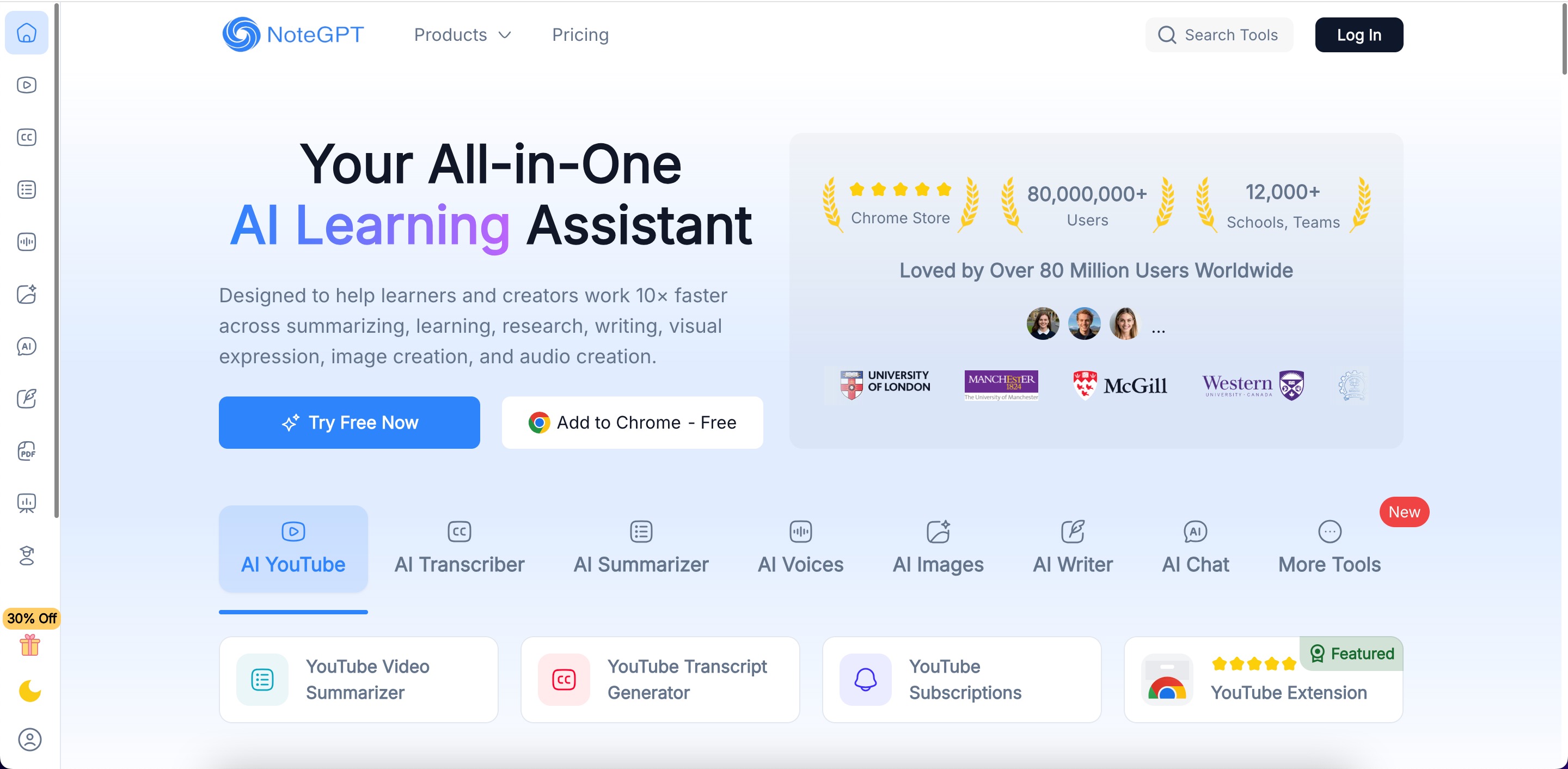
NoteGPT is an all-in-one AI-powered learning and productivity assistant designed to help students, professionals, researchers, and creators transform complex information into actionable knowledge. By analyzing videos, PDFs, audio files, and text content, NoteGPT provides fast, accurate, and structured summaries, enabling users to learn, research, and create more efficiently.
Key Features of NoteGPT
YouTube Video Summarizer: Instantly condenses long lectures, tutorials, and webinars into concise highlights and key takeaways for quick review.
PDF Summarizer: Extracts essential insights from research papers, reports, and documents without the need for manual reading.
Video Summarizer & Transcription: Converts video content into readable text and structured summaries for easier comprehension and note-taking.
Text to Speech: Converts text-based summaries and notes into natural-sounding audio for learning on the go.
AI Image Generator: Transforms ideas, notes, or prompts into high-quality visuals for presentations, reports, or creative projects.
AI-Powered Note Organization: Automatically organizes summaries, transcripts, and content into a searchable personal knowledge library for ongoing learning.
Integrated Writing Assistance & Chat Tools: Provides AI-guided writing suggestions and interactive chat support to help users better understand and apply the summarized material.
Who Should Use NoteGPT
Students: Quickly summarize lectures, YouTube videos, and PDFs to enhance study efficiency and retention.
Researchers & Professionals: Extract insights from long documents, reports, and multimedia content to save time and streamline workflows.
Content Creators & Educators: Generate visual materials, slides, and structured notes from existing content to support teaching, presentations, and projects.
Lifelong Learners: Efficiently capture, organize, and review knowledge from multiple sources for continuous learning.
Why NoteGPT Stands Out
By combining AI summarization, transcription, content generation, and knowledge management in a single platform, NoteGPT helps users process large volumes of information quickly, retain key insights effectively, and transform ideas into actionable knowledge. Whether you’re studying, researching, or creating, NoteGPT streamlines the entire workflow from content consumption to knowledge application, making it an indispensable AI assistant for today’s information-driven world.
Key Platforms
Core Service Areas:

Instant Summarization
Interactive Chat
Effortless Writing
Learning Support
User-Friendly Interface
Free Access
Pros
- Fast Content Summarization : NoteGPT can quickly summarize long videos, PDFs, and articles into short notes, helping users save a lot of study time.
- Supports Multiple Content Formats : The AI tool works with YouTube videos, documents, audio files, and web pages, making it flexible for students, researchers, and content creators.
- Mind Maps and Study Tools : NoteGPT can generate mind maps, flashcards, and structured notes that help users understand complex topics more easily.
- User-Friendly Interface : The platform has a simple and clean interface, so beginners can easily upload content and get summaries without technical knowledge.
- Browser Extension Support : A Chrome extension allows users to summarize videos or web pages directly while browsing.
- Time-Saving Education Assistant : As an Education Assistant, NoteGPT helps learners review lectures, research papers, and study materials much faster.
Cons
- Limited Free Plan: The free version has restricted quotas, which may not be enough for heavy users or researchers.
- Summary Accuracy Can Vary: Sometimes the AI summaries may miss important details or deeper context in complex topics.
- Requires Internet Connection: NoteGPT does not work offline, so users must have an active internet connection to use the AI tool.
- Limited Support for Visual Data: The AI tool may struggle with charts, graphs, or tables inside PDFs or documents.
- No Real-Time Meeting Transcription: Unlike some AI productivity tools, NoteGPT does not support live meeting transcription features.
- Premium Plans Can Be Expensive for Some Users: Paid plans may feel costly for users who only need occasional summaries.
Frequently Asked Questions About NoteGPT
01
What features does NoteGPT offer?
NoteGPT offers summarization, chat capabilities, and writing assistance, making it a comprehensive AI learning assistant.
02
Is NoteGPT free to use?
Yes, NoteGPT is available for free, allowing users to access its features without any cost.
03
How can I use NoteGPT to summarize text?
You can simply input the text you want summarized into NoteGPT, and it will generate a concise summary for you.
04
Can NoteGPT assist with writing tasks?
Absolutely! NoteGPT can help you brainstorm ideas, generate content, and improve your writing efficiency.
05
Is there a limit to how much I can chat with NoteGPT?
There are no strict limits on chatting with NoteGPT; you can engage in conversations as needed to enhance your learning experience.
Promote NoteGPT
Get NoteGPT in front of thousands of buyers actively searching for AI tools. Feature your listing on the homepage and category pages, or add the verified badge to your site.
Copy Embed Code

Share on

Related AI Tools
Explore related AI tools for diverse applications and enhanced productivity
Unlock the best AI Tools for you!
Login or Approve this tool to continue exploring features and analytics.

