

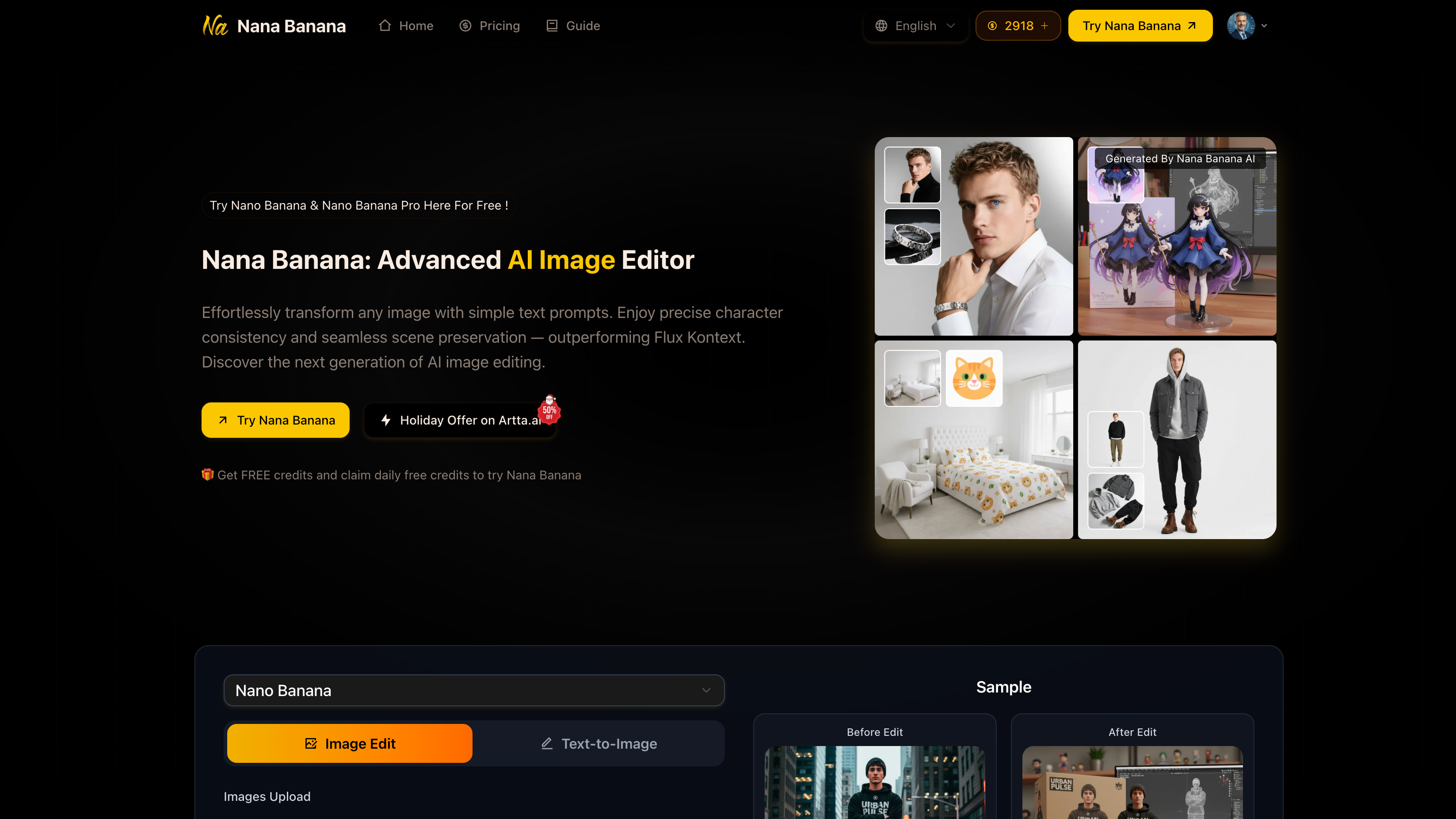
Edit images with AI using simple prompts. Get consistent characters, scene preservation, and high-quality results in seconds.
What is use of Nana Banana?
Nana Banana helps you edit and transform images using AI by typing a simple text prompt. It allows you to change backgrounds, add or remove objects, apply styles, and generate new AI images while keeping character consistency and scene preservation. You can use Nana Banana for content creation, marketing, product images, social media posts, AI influencers, and professional design work.
What is Nana Banana?
Nana Banana is an advanced AI image editor and text-to-image generator designed to create and edit images using simple prompts. Instead of using complex Photoshop tools, you can upload an image and describe what you want to change. Nana Banana AI understands natural language prompts and delivers high-quality edits with strong character consistency and background preservation.
It supports multiple image references, one-shot editing, and professional-quality outputs, making Nana Banana ideal for creators, designers, marketers, and businesses who want fast and accurate AI image generation.
What Can You Do With Nana Banana?
With Nana Banana you can:
- Edit images by typing a prompt and instantly modify objects, backgrounds, and style.
- Turn normal photos into professional AI-generated visuals.
- Maintain consistent characters across multiple images for storytelling or branding.
- Add, remove, or replace objects naturally without ruining the original scene.
- Create AI influencer content and UGC-style images for social media.
- Generate new images from text prompts using advanced AI capabilities.
- Upload multiple reference images for better context and accuracy.
- Upscale images into HD/4K quality for professional use.
- This means you can use Nana Banana for marketing visuals, ecommerce product photos, ads, thumbnails, posters, branding, and creative projects without advanced editing skills.
Key Features of Nana Banana
- AI Image Editor – Edit photos with simple text instructions.
- Text-to-Image Generator – Create new images from scratch using prompts.
- Character Consistency – Keep the same person or character across multiple generations.
- One-Shot Editing Perfection – Achieve accurate results in a single attempt.
- Scene Preservation – Maintain original lighting, background, and realism while editing.
- Multi-Image Context – Upload up to 5 images for stronger editing accuracy.
- Smart Background Generator – Replace or generate backgrounds naturally.
- Advanced Object Editor – Add or remove objects with realistic blending.
- Style Transfer Generator – Apply artistic styles and creative filters.
- HD Upscale – Increase resolution and quality for sharper outputs.
- Pro Mode – Supports 1K/2K/4K image generation with more aspect ratios.
Benefits of Using Nana Banana
- Easy for beginners: No editing skills required, just upload and type.
- Fast results: Generates high-quality images in under 10 seconds.
- High image quality: Supports professional 4K+ output.
- Perfect for creators: Ideal for AI influencer content, UGC, and social media.
- Better scene blending: Strong background preservation compared to normal AI tools.
- Commercial-friendly: Paid plans offer commercial usage rights.
- Affordable: Very low cost per image compared to market pricing.
Nana Banana pricing
Nana Banana offers daily free credits so you can try AI image editing for free. Paid plans provide more credits, faster processing, watermark removal, and commercial usage rights.
Pricing includes plans like:
Basic – 100 credits/month
Pro – 250 credits/month
Max – 750 credits/month
Pro Max – 1500 credits/month
Each plan includes cloud storage, priority speed, and commercial rights.
Tips and Best Practices for Nana Banana
- Be specific with prompts: Mention lighting, style, objects, and background changes clearly.
- Use camera details: Add terms like “studio lighting”, “close-up”, “wide shot”, “cinematic”.
- Upload multiple reference images: Helps maintain better character consistency.
- Describe edits step-by-step: Explain what to keep and what to change.
- Use HD Upscale: Improve final quality for professional publishing.
- Try Pro mode: Best for 2K/4K outputs and sharper image details.
FAQs about Nana Banana
1. What is Nana Banana?
Nana Banana is an AI image editor that edits and generates images using text prompts.
2. Can Nana Banana keep the same character in multiple images?
Yes, Nana Banana offers strong character consistency for repeated image generation.
3. Can Nana Banana handle complex image edits?
Yes, it supports one-shot editing, object removal, and scene preservation.
4. Is Nana Banana suitable for commercial use?
Yes, paid plans include commercial usage rights.
5. What image quality does Nana Banana support?
Nana Banana supports HD and up to 4K+ quality with Pro mode.
Key Platforms
Core Service Areas:

Instant Image Editing
Consistent Characters
Scene Preservation
High-Quality Results
User-Friendly Interface
Versatile Prompting
Pros
- Easy to use with simple text prompts (no editing skills needed)
- Strong character consistency for repeated image generations
- Excellent scene preservation (background + lighting stays natural)
- Supports multi-image upload (up to 5 reference images)
- Fast generation speed (results in under 10 seconds)
- HD Upscale + Pro mode for 1K/2K/4K high-quality output
- Affordable pricing compared to most AI image editing tools
Cons
- Free credits are limited, heavy users need paid plans
- Some complex prompts may require multiple attempts for perfection
- Pro mode features (4K output) are locked behind subscription
- Results can vary depending on image quality and prompt clarity
- Limited manual control compared to Photoshop-style editing
- Output realism may sometimes look slightly AI-generated in details
- Requires good prompt writing for best professional-level results
Frequently Asked Questions About Nana Banana
01
What types of images can I edit using Nana Banana?
You can edit a variety of images, including portraits, landscapes, and illustrations, using simple prompts to achieve desired results.
02
How does Nana Banana ensure consistent characters in my images?
Nana Banana uses advanced AI algorithms to maintain character consistency across edits, allowing for seamless storytelling and visual continuity.
03
Can I preserve the original scene while editing specific elements in my image?
Yes, Nana Banana is designed to preserve the original scene while allowing you to make targeted edits to specific elements, ensuring the overall composition remains intact.
04
How quickly can I expect to see results from my edits?
With Nana Banana, you can expect high-quality results in seconds, making it easy to iterate on your designs efficiently.
05
Do I need any technical skills to use Nana Banana?
No technical skills are required! Nana Banana is user-friendly, allowing anyone to edit images with AI using simple prompts.
Promote Nana Banana
Get Nana Banana in front of thousands of buyers actively searching for AI tools. Feature your listing on the homepage and category pages, or add the verified badge to your site.
Copy Embed Code

Share on

Related AI Tools
Explore related AI tools for diverse applications and enhanced productivity
Unlock the best AI Tools for you!
Login or Approve this tool to continue exploring features and analytics.

