

In Seaart AI, the user gets different types of features using which the user can have conversations with AI ChatBot and apart from this, the user can also generate an image by just giving a prompt, and by using Swift AI the user can also increase the quality of their creativity.
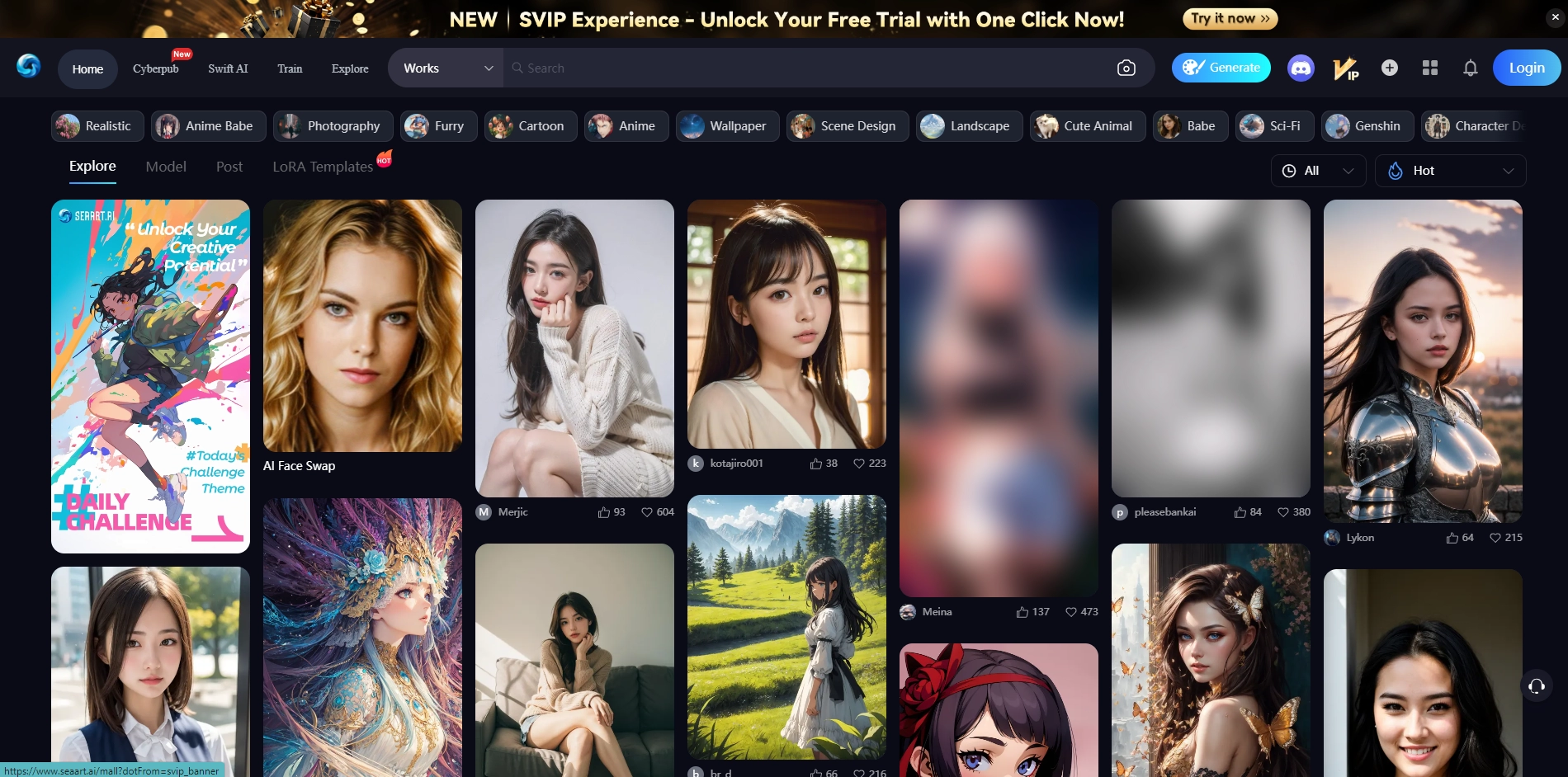
How to use Seaart Ai?
1. Tap on the "Explore Website" option or visit the official website of seaart.ai.
2. Sign up for an account on Seart Ai.
3. Choose Nickname and the character of your interest and tap on start using.
4. Fill Prompt of the image you want to generate in the prompt box. And tap on the Generate option.
5. After that, you can download the image and if you want, you can upscale it by tapping on the creative upscale option.
6. Users can also select the size of the image.
How to use Seaart Cyberpub Feature?
By using the Cyberpub feature in Seaart, users can have conversations with AI chat, to use it follow these steps.
1. Tap on the Cyberpub option.
2. Choose your AI character, you can also use the tags to choose the perfect AI.
3. After coming to the chat, you can have conversations with your AI ChatBot, apart from this you can change the voice of the AI character and chat mode by using chat settings.
How to use Seaart Generate Feature?
By using the Seaart Generate feature anyone can create creative characters by using prompts.
1. First of all give a prompt for your character.
2. In Basic settings, select image quantity, image quality and image size.
3. In Advance configuration give a negative prompt, which should not be there in your character.
4. In Embedding choose character type.
5. In Advance repair select the upscale feature so that image quality will become better.
6. Then tap on the generate option.
What are the features in Seaart Ai?
- Seaart Ai Cyberpub Feature: Cyberpub is a kind of ChatBot feature in Seaart Ai, in which the user can talk to his favourite character and can also listen to his messages in voice.
- Seaart Ai Generate Feature: By using the Generate feature of Seaart Ai, anyone can easily create an Ai character by just giving a prompt and can also use it as a Chatbot if desired.
- Seaart Ai Creative Upscale: Seaart Ai has the Creative Upscale feature in which users can upscale the quality of all available images and any digital art, they generates in Seaart Ai.
What is Swift AI in Seaart Ai?
Swift AI is a unique feature of Seaart AI using which the user can upscale digital art and his creativity and if the user wants, he can also increase the quality of any image significantly.
FAQs
1. Is Seaart AI Face swap works?
Yes, the Seaart Ai Face swap feature works and this tool can swap the faces of existing created digital images well.
2. What is Seaart AI upscale?
Seart Ai provides the feature to upscale digital arts, designs, and images.
3. Is Seaart AI free?
Most of the features of Seaart Ai are free, and users and enterprises can buy its premium plan if they want.
4. Seaart AI alternative?
Artchan image, Artificial Art Image, AI docs, Tensor.art are the alternatives to Seaart AI.
Key Platforms
Core Service Areas:

AI Chatbot Interaction
Image Generation
Creativity Enhancement
User-Friendly Interface
Prompt Flexibility
Multi-Functionality
Frequently Asked Questions About SeaArt.AI
01
What types of conversations can I have with the SeaArt.AI ChatBot?
You can engage in a wide range of conversations with the SeaArt.AI ChatBot, including creative brainstorming, general inquiries, and personalized interactions tailored to your interests.
02
How do I generate images using SeaArt.AI?
To generate images, simply provide a prompt describing the desired image, and SeaArt.AI will create a unique visual representation based on your input.
03
What is Swift AI and how does it enhance creativity?
Swift AI is a feature within SeaArt.AI that allows users to enhance the quality of their creative outputs, making images crisper and more detailed based on the prompts provided.
04
Is there a limit to the number of images I can generate?
Currently, there are no strict limits on the number of images you can generate, but usage may be subject to fair use policies to ensure optimal performance for all users.
05
Can I use SeaArt.AI for commercial purposes?
Yes, you can use images generated by SeaArt.AI for commercial purposes, but it's advisable to review the terms of service for any specific licensing conditions.
Promote SeaArt.AI
Get SeaArt.AI in front of thousands of buyers actively searching for AI tools. Feature your listing on the homepage and category pages, or add the verified badge to your site.
Copy Embed Code

Share on

Related AI Tools
Explore related AI tools for diverse applications and enhanced productivity

Unlock the best AI Tools for you!
Login or Approve this tool to continue exploring features and analytics.

