


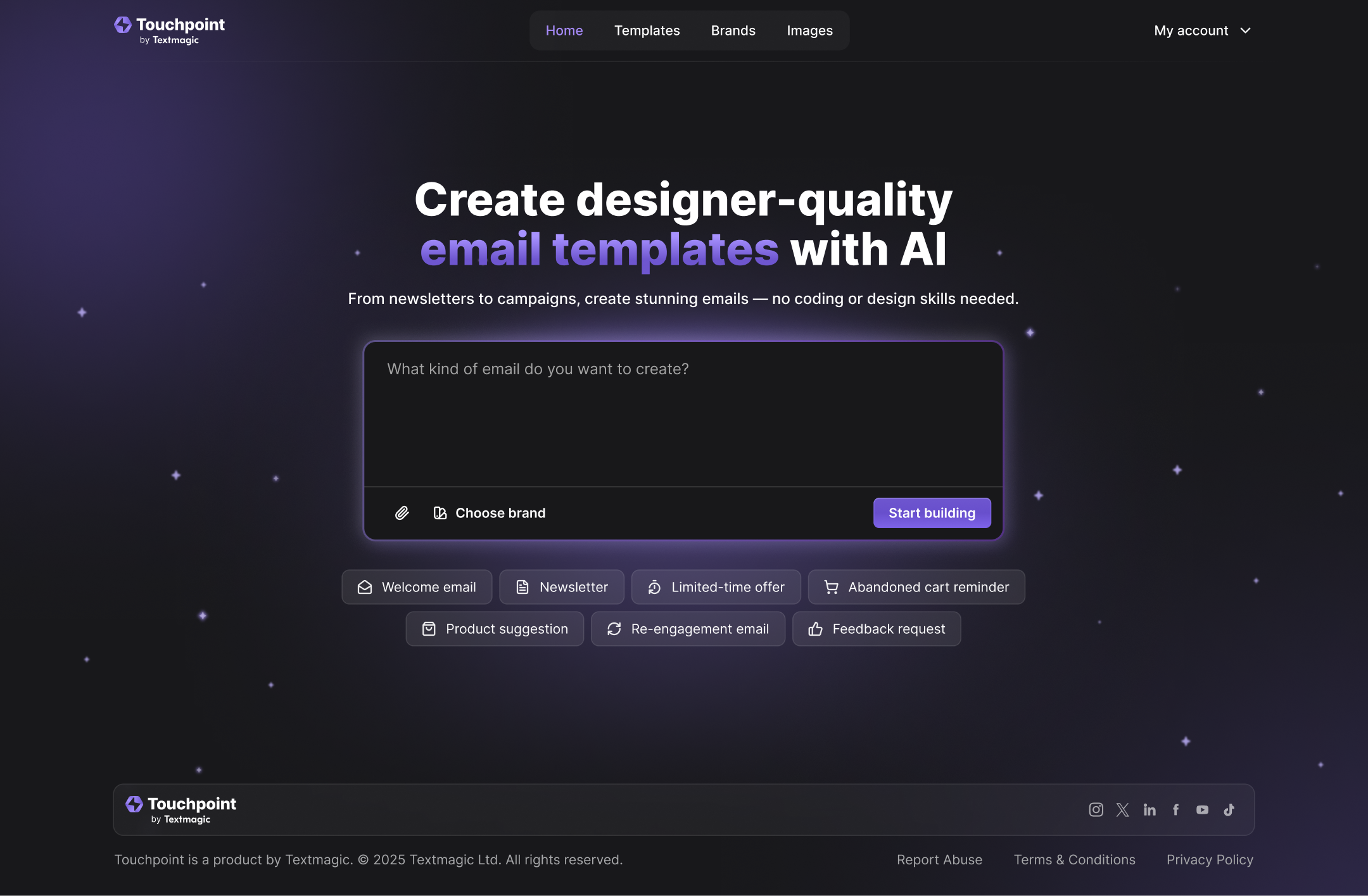
Touchpoint is an AI-powered email template builder that turns rough ideas into designer-quality, on-brand emails in minutes. It combines automatic brand import with an AI assistant to keep every campaign consistent across products, markets, and clients. You do not need coding or design skill -describe the email you want and Touchpoint generates a clean, ready-to-use HTML template for you.
What is use of Touchpoint?
Touchpoint helps people create professional, branded emails quickly using AI. It lets you design email templates without coding, saving time and effort when you need to send emails or newsletters.
What is Touchpoint?
Touchpoint is an AI tool that helps you build email templates for marketing campaigns, newsletters, product launches, or follow-up messages. Instead of writing or designing each email from scratch, Touchpoint uses AI to generate a full email template automatically- matching your brand’s logo, colors, and style. You don’t need design or coding skills. You can start with a blank page or select a ready-made prompt (like a “newsletter,” “product launch,” or “thank you” email), and the AI creates a structured, polished email for you.
What Can You Do With Touchpoint?
- With Touchpoint you can:Draft complete email templates in seconds- just by giving the AI a prompt like “product launch” or “newsletter.” The AI writes the content, designs layout, and applies your brand identity.
- Customize those templates further: change text, swap images, adjust layout- all without coding. If you want, you can also edit the HTML manually.
- Use a ready-made library of templates: choose from many pre-designed templates across different use cases (promotions, customer follow-ups, re-engagement, etc.) to save even more time.
- Export your email template: easily into an email delivery platform (the parent platform supports sending via email and SMS) so you can send your campaign out immediately.
- Maintain brand consistency: Touchpoint automatically pulls your brand logo, colors, and style (if you link your website) so every email matches your brand identity.
Key Features of Touchpoint
- AI-Powered Email Template Generation: Automatically generates content and design of emails based on simple prompts like “newsletter,” “welcome email,” or “product launch.”
- Brand Kit & Automatic Branding: When you link your website, Touchpoint extracts your logo, brand colors, and style so that every email matches your brand.
- Template Gallery: A curated library of ready-made templates for various common scenarios- promotions, newsletters, events, follow-ups, etc.
- Visual Template Editor: Lets you tweak text, images, layout, and styling easily- no coding needed. For advanced users, there is also HTML editing.
- Export & Integration: You can export the final HTML email template and use it in any standard email delivery platform- the service works with a parent delivery platform for sending.
- Flexible Plans with Token-based Limits: Touchpoint uses a token system for email generation and offers plans depending on number of tokens per month.
Benefits of Using Touchpoint
- Saves Time and Effort: Instead of writing and designing every email manually, you get a polished draft within seconds. That saves hours, especially if you send many emails.
- No Design or Coding Skills Needed: Even if you don’t know HTML or design tools, you can create professional-looking emails- great for small businesses or individuals.
- Consistent Branding: Every email follows your brand’s look- colors, logo, style- which helps maintain a professional image.
- Flexibility: You can customize templates, tweak layouts, and edit content to make each email exactly how you want.
- Affordable and Scalable: There are plans for small users and larger teams- you can start small and scale up as your email volume grows.
Touchpoint pricing
- Touchpoint: offers several plans depending on how many tokens you use per month:
- Starter: $20/month- 200,000 tokens per month, 1 brand
- Pro: $40/month- 350,000 tokens per month, 2 brands
- Business: $70/month- 550,000 tokens per month, 3 brands
- Growth: $100/month- 700,000 tokens per month, 5 brands
- Enterprise: Custom pricing - for large organisations with heavy usage
- Each plan: includes 100,000 free test tokens so new users can try before paying.
Tips and Best Practices for Touchpoint
- Always review and edit AI-generated content carefully: AI helps draft the template, but you should check for clarity, tone, and correctness before sending.
- Use the brand kit feature: link your website so Touchpoint can pull accurate branding assets (logo, colors), ensuring consistent professional style.
- Start with simple templates: If you are new, begin with pre-made templates -newsletters or welcome emails- then gradually explore more complex ones like product launch or re-engagement campaigns.
- Customize before sending: Even though AI creates a ready template, small tweaks (images, personalization, custom messages) make a big difference.
Monitor your usage: Keep track of token usage- especially if you send many emails - to choose the right plan and avoid unexpected limits.
FAQs about Touchpoint
1: What is Touchpoint and how does it work?
Touchpoint is an AI tool that builds full email templates for you. Simply give a prompt- for example, “newsletter” or “product launch”- and Touchpoint’s AI writes and designs a ready-to-use email.
2: Do I need coding skills to use Touchpoint?
No. Touchpoint provides a visual editor so you can adjust text, images and layout without needing HTML or coding knowledge.
3: Can I use my own brand style with Touchpoint?
Yes. By linking your website, Touchpoint fetches your brand’s logo, colors, and style so your emails automatically match your brand identity.
4: What if I want to customize the email further?
You’re free to customize the email- edit text, swap pictures, change layout or even edit the HTML code if you want full control.
5: How much does Touchpoint cost?
Touchpoint offers monthly plans starting at $20 for basic usage, scaling up to $100 (or custom pricing for enterprise) depending on how many tokens and brand slots you need.
Key Platforms
Core Service Areas:

AI-Powered Design
Automatic Brand Import
No Coding Required
Customizable Templates
Ready-to-Use HTML
Cross-Client Consistency
Pros
- Saves time & improves productivity- Touchpoint helps you generate complete email templates quickly, cutting down the time needed for writing and designing emails. This means you can send more emails or focus on other tasks.
- Consistent brand identity- Because Touchpoint lets you set up a brand kit (logo, colors, styling), every email you send keeps a unified and professional look- useful when you send many emails or represent a brand.
- No need for coding or design skills- Even if you don’t know HTML or design, Touchpoint’s visual editor and template gallery make it easy to build attractive, well-formatted emails.
- Scalable for different needs- With different plans (Starter, Pro, Business, Growth, Enterprise), Touchpoint can suit small businesses, freelancers or larger teams depending on how many emails/brands you manage.
- Reduces human errors and ensures consistency- Automated generation helps avoid typos, formatting issues or inconsistent styles that arise with manual email creation.
Cons
- Can feel impersonal or lack emotional nuance- Like many AI-powered email assistants, Touchpoint might not fully capture subtle human emotions, tone, or context- so for sensitive communications or building personal rapport, manually refined emails may still work better.
- Generic or templated style if overused - If you rely heavily on default templates without customizing content properly, emails may feel “generic” and may not stand out, harming engagement.
- Risk of miscommunication in complex scenarios - For complicated, nuanced conversations (like customer complaints or emotionally sensitive messages), AI-generated emails may misinterpret tone or context, requiring manual edits.
- Dependence on AI might impair manual writing skills-Over time, if you always rely on AI to craft emails, you or your team may lose proficiency in writing emails from scratch when needed.
- Data privacy and personalization limitations- Some AI-based email helpers might struggle with privacy, handling sensitive data, or personalized details -meaning you need to carefully review what information you feed in, and often manually adjust to avoid mistakes or breach of trust.
Frequently Asked Questions About Touchpoint
01
What is Touchpoint and how does it work?
Touchpoint is an AI-powered email template builder that allows users to create designer-quality, on-brand emails quickly. By simply describing the email you want, Touchpoint generates a clean, ready-to-use HTML template without requiring any coding or design skills.
02
Do I need any design or coding skills to use Touchpoint?
No, you do not need any design or coding skills to use Touchpoint. The tool is designed to be user-friendly, enabling anyone to create professional emails by simply describing their ideas.
03
Can Touchpoint maintain brand consistency across different campaigns?
Yes, Touchpoint combines automatic brand import with an AI assistant to ensure that every email campaign remains consistent across various products, markets, and clients.
04
How long does it take to create an email with Touchpoint?
Touchpoint allows users to turn rough ideas into finished email templates in just minutes, streamlining the email creation process significantly.
05
Is Touchpoint suitable for teams working on multiple email campaigns?
Absolutely! Touchpoint is ideal for teams as it helps maintain brand consistency and allows users to collaborate efficiently on multiple email campaigns across different markets and clients.
Promote Touchpoint
Get Touchpoint in front of thousands of buyers actively searching for AI tools. Feature your listing on the homepage and category pages, or add the verified badge to your site.
Copy Embed Code

Share on

Related AI Tools
Explore related AI tools for diverse applications and enhanced productivity
Unlock the best AI Tools for you!
Login or Approve this tool to continue exploring features and analytics.

