


VoxDeck, the next-gen AI presentation maker, lets you ditch generic slides. Access 3D charts to bring your data to life, motion cover, and presentable avatar via simple dialogue. No design skills required-create engaging, attention-grabbing slides easily.
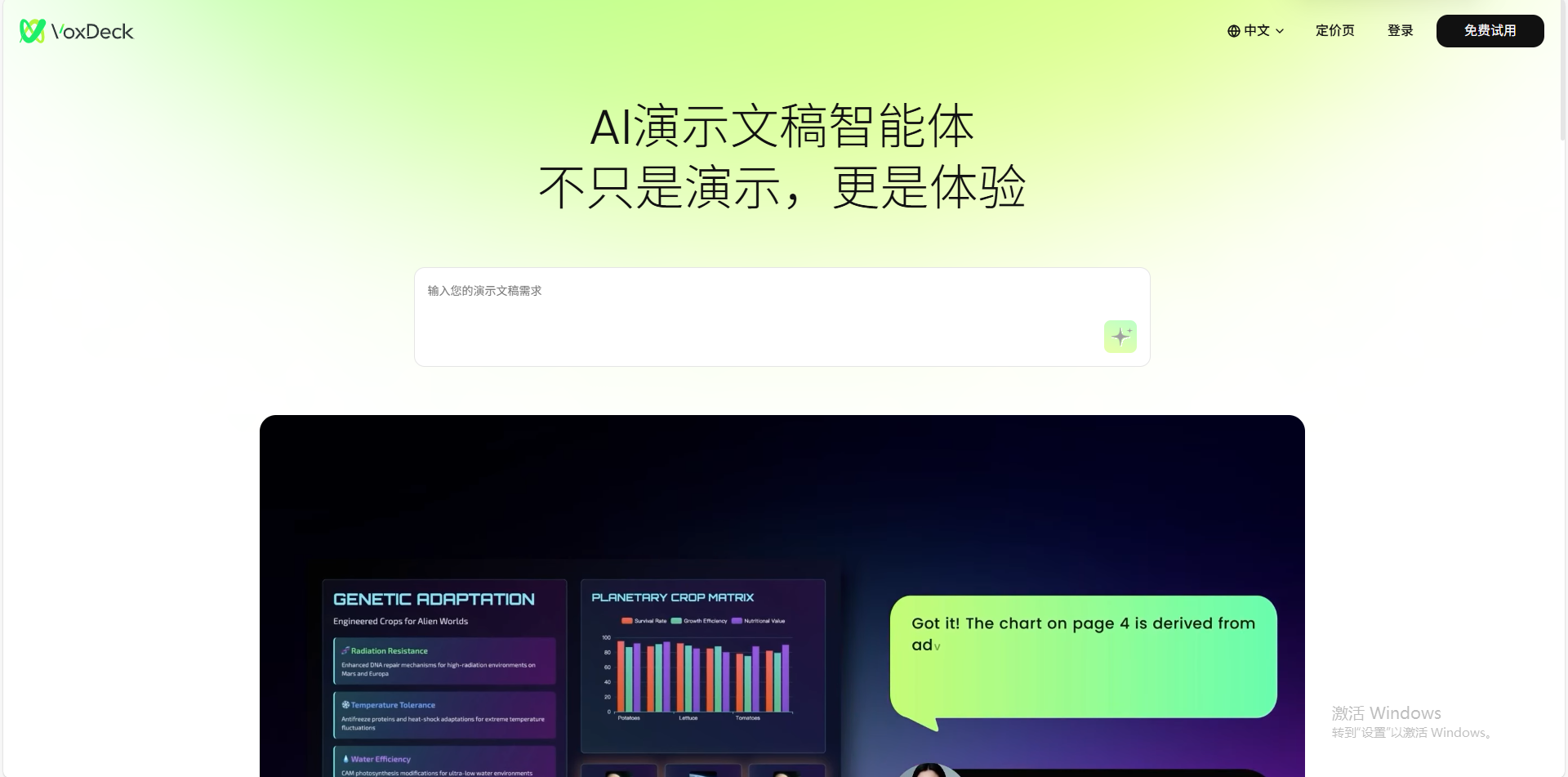
VoxDeck is an AI tool that revolutionizes how presentations are created. By automatically generating dynamic content from your documents or prompts, it produces visually captivating presentations that engage audiences effectively and efficiently.
What is VoxDeck?
VoxDeck is an AI-powered presentation maker designed to simplify and enhance the process of creating presentations. Whether you're preparing for a business pitch, educational lecture, or marketing campaign, VoxDeck can transform your ideas into visually appealing slides in just a few clicks. This innovative tool leverages advanced AI to create interactive presentations with stunning visuals, including 3D charts, motion covers, and digital avatars that narrate the content.
What is VoxDeck?
VoxDeck is an AI-powered presentation maker designed to simplify and enhance the process of creating presentations. Whether you're preparing for a business pitch, educational lecture, or marketing campaign, VoxDeck can transform your ideas into visually appealing slides in just a few clicks. This innovative tool leverages advanced AI to create interactive presentations with stunning visuals, including 3D charts, motion covers, and digital avatars that narrate the content.
What Can You Do With VoxDeck?
With VoxDeck, you can create presentations from scratch or enhance existing content. Whether you're uploading a document, a spreadsheet, or simply describing your needs, VoxDeck's AI can generate professional slides tailored to your objectives. You can easily add engaging elements like 3D charts, motion covers, and avatars that narrate the slides, making it perfect for business reports, educational materials, or creative proposals. The platform also offers real-time collaboration features, allowing multiple users to work on a presentation simultaneously, ensuring seamless teamwork.
Key Features of VoxDeck
- Motion Cover: Automatically inserts a captivating online video as your slide cover, engaging the audience from the start.
- 3D Charts: Instantly converts data into interactive 3D charts, making your presentations visually persuasive and impactful.
- Presentable Avatar: Customizable digital avatars narrate your slides and even field audience questions, taking the stress out of presentation delivery.
- Chat-to-Deck: Easily generate presentations by simply describing your needs or uploading documents. VoxDeck handles the rest, producing professional slides in moments.
- Seamless Presentation Across Mobile and PC: VoxDeck ensures your presentations are responsive and look great on both mobile devices and PCs, allowing for smooth presentation experiences anywhere.
- Multi-Scenario Support: VoxDeck is trusted across various industries like education, marketing, research, and design, for creating market analyses, business reports, research presentations, and more.
- Real-Time Collaboration: Multiple users can work together on the same presentation simultaneously, boosting teamwork and efficiency.
Key Innovation
Motion cover: Auto-match videos for your slide cover
Automatically inserts an online video as your motion cover based on your content, captivating your audience from the start.
3D charts: Data come alive with a click
Turn data into persuasive 3D charts instantly with VoxDeck. One click, endless impact.
Presentable Avatar: No More Worry about Speech
Voxdeck lets you customize digital avatars to narrate slides and even field audience questions-so you’ll never stress over presentation again. Your digital co-presenter handles the delivery, keeping it smooth and flawless.
Chat-to-deck:Presentation Has Never Been Easier
No specialized skills or tedious planning needed-just describe your needs or upload documents, and VoxDeck generates professional, and easy-to-edit presentations in moments.
Seamless Presentation Across Mobile and PC
All presentations from VoxDeck auto-adapt seamlessly to mobile devices-whether in the boardroom or on the go, your slides will captivate audiences anytime, anywhere.
Muti scenarios
Users across education, marketing, research, and creative fields already rely on VoxDeck to craft market analyses, business reports, research presentations, design proposals, and educational demos.
They’ve delivered audiences a next-gen immersive presentation experience-one that outperforms what’s possible with PowerPoint or Gamma.
VoxDeck Pricing
VoxDeck offers a tiered pricing structure to meet the needs of different users:
- Free Plan: Includes 1,200 credits for generating up to 8 slides per presentation.
- Plus Plan: Priced at $16/month with 8,000 credits and support for up to 30 slides per presentation, as well as priority access during peak times and the ability to remove the VoxDeck watermark.
- Additional Credit Packs: Available for purchase at $15.90 for 8,000 credits and $29.90 for 16,000 credits
Unused credits from the monthly plan expire at the end of the billing cycle, but credits from add-on packs are valid for 90 days from purchase.
Tips and Best Practices for VoxDeck
- Clear Input: Provide well-structured and detailed input to ensure the AI generates the best possible presentations.
- Use Professional Templates: Take advantage of VoxDeck's extensive library of templates to ensure your presentation looks polished and consistent.
- Leverage Real-Time Collaboration: Collaborate seamlessly with team members, making the presentation process faster and more efficient.
- Explore Advanced Features: Experiment with 3D charts, motion covers, and digital avatars to create more interactive and engaging presentations.
- Regularly Update: Keep your presentations fresh by updating content and incorporating real-time data.
FAQs
1: What is VoxDeck used for?
VoxDeck is an AI-powered tool that helps create professional presentations quickly and easily, with features like motion covers, 3D charts, and digital avatars.
2: Do I need design skills to use VoxDeck?
No, VoxDeck automates the design process and generates professional-quality presentations without requiring any design skills.
3: Can I collaborate with others on VoxDeck?
Yes, VoxDeck allows for real-time collaboration, enabling multiple users to work on a presentation at the same time.
4: What are credits in VoxDeck?
Credits are used to generate presentations. More complex tasks or larger presentations require more credits.
5: Can I use VoxDeck on mobile devices?
Yes, VoxDeck ensures your presentations are responsive and look great on both mobile devices and desktop computers.
Key Platforms
Core Service Areas:

3D Chart Integration
Dynamic Motion Covers
AI-Powered Avatars
No Design Skills Needed
Interactive Dialogue
Engaging Slide Templates
Pros
- Easy to Use: You don't need to be a tech expert. Just type what you want, and VoxDeck creates the slides for you.
- Cool Visuals: It adds fun animations, 3D charts, and even videos to your slides, making them more interesting.
- No Design Skills Needed: You don't have to worry about making your slides look good-VoxDeck does it for you.
- Saves Time: Instead of spending hours making slides, you can create them in minutes.
- Works on Any Device: Whether you're using a phone, tablet, or computer, your slides will look great.
Cons
- Limited Export Options: You might not be able to download your slides in all formats, like PowerPoint.
- Needs Clear Instructions: If your instructions aren't clear, the slides might not turn out as expected.
- May Require Internet: You might need an internet connection to use all features.
- Could Be Expensive: Some features might require a paid plan.
- Limited Customization: You might not be able to change everything about the slides.
Frequently Asked Questions About Voxdeck
01
What features does Voxdeck offer for creating presentations?
Voxdeck offers 3D charts, motion covers, and presentable avatars, allowing users to create engaging presentations without needing design skills.
02
Do I need any design skills to use Voxdeck?
No, Voxdeck is designed for users without design skills, enabling anyone to create professional and visually appealing presentations easily.
03
Can I customize the 3D charts and motion covers in my presentations?
Yes, Voxdeck allows for customization of 3D charts and motion covers to fit your presentation style and content.
04
Is Voxdeck suitable for both personal and professional presentations?
Absolutely! Voxdeck is designed for a variety of uses, making it suitable for personal, educational, and professional presentations.
05
How does Voxdeck help make my presentations more engaging?
Voxdeck enhances engagement by using dynamic 3D visuals, motion elements, and interactive avatars that capture and maintain audience attention.
Promote Voxdeck
Get Voxdeck in front of thousands of buyers actively searching for AI tools. Feature your listing on the homepage and category pages, or add the verified badge to your site.
Copy Embed Code

Share on

Related AI Tools
Explore related AI tools for diverse applications and enhanced productivity
Unlock the best AI Tools for you!
Login or Approve this tool to continue exploring features and analytics.

