


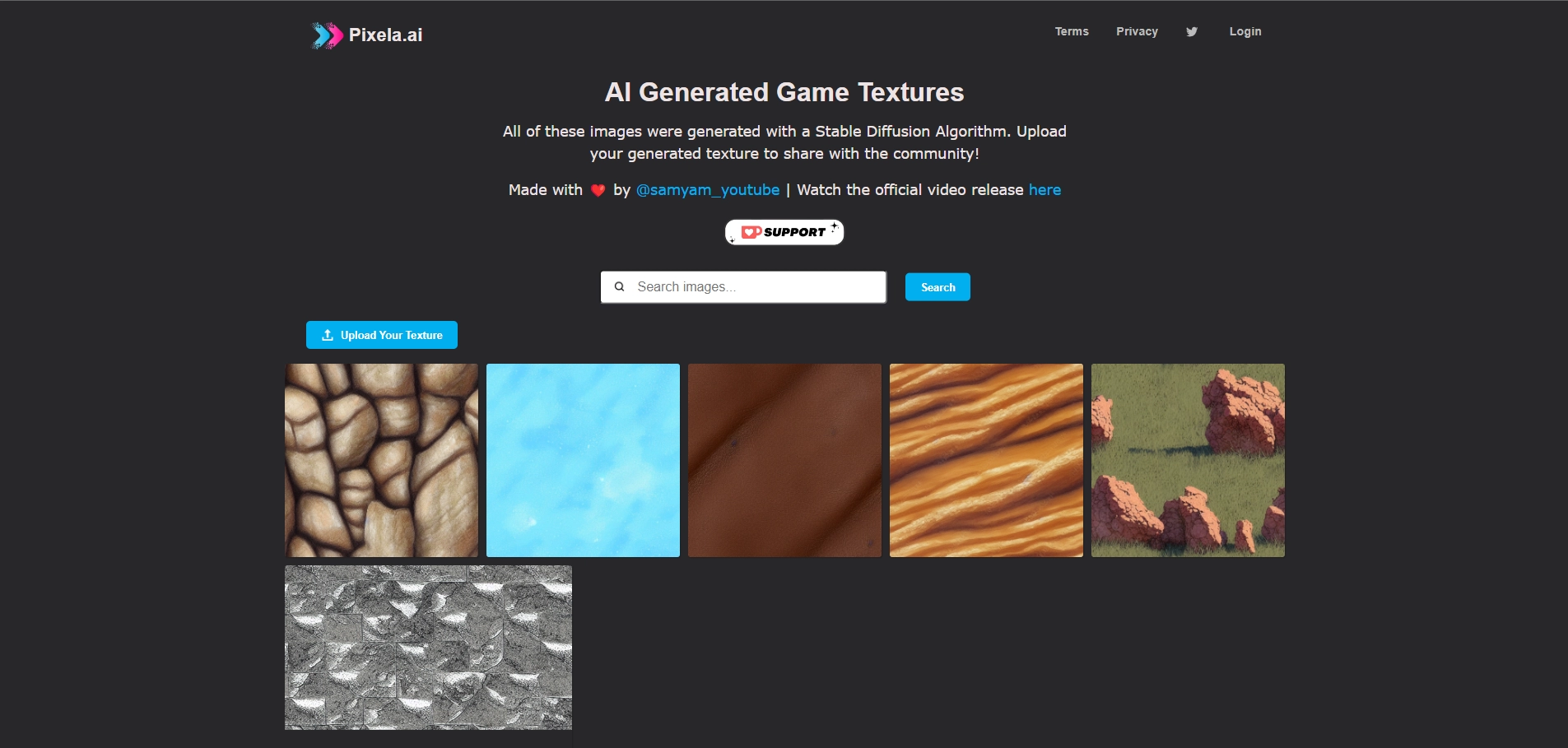
Pixela AI is an AI tool designed to generate game textures using a Stable Diffusion algorithm. Users can upload and share their generated textures with the Pixela AI community, allowing for a collaborative and creative environment. Whether you're a game developer or a hobbyist, Pixela AI makes texture creation easy and accessible.
What is Pixela AI Used For?
Pixela AI is primarily used for generating game textures. By leveraging the power of AI, it creates unique and detailed textures that can be used in various projects, especially in game development. Users can input prompts and create textures that fit their design needs without requiring extensive artistic skills.
How to Use Pixela AI
Using Pixela AI is simple and user-friendly. Here’s how you can get started:
- Visit Pixela AI and create an account or log in.
- Upload your own generated texture or start by creating one using the AI.
- The tool uses a Stable Diffusion algorithm to generate high-quality game textures based on your input.
- Share your texture with the Pixela AI community or download it for personal use.
Key Features of Pixela AI
- AI-Generated Textures: Users can generate unique game textures with AI, making it easier to create assets for game development.
- Stable Diffusion Algorithm: The tool utilizes a Stable Diffusion algorithm to produce high-quality, realistic textures.
- Community Sharing: Upload your textures and share them with the community, fostering collaboration and creativity.
- Free and Paid Tiers: Pixela AI offers a free tier with essential features and a paid tier for more advanced users.
Pricing of Pixela AI
Pixela AI offers different pricing options to cater to various users:
- Free Tier: This tier provides essential features for users to explore and create basic textures, allowing them to get familiar with Pixela AI's capabilities.
- Paid Tiers: Although details on paid tiers weren't provided, advanced features and more extensive texture creation options are likely available under paid plans for professionals.
Benefits of Using Pixela AI
- Simple Interface: It’s easy to upload or generate textures with minimal effort.
- AI-Generated Textures: High-quality textures are created using cutting-edge AI algorithms.
- Community Collaboration: Share your work with others and gain inspiration from fellow users.
- Affordable Entry-Level Option: The free tier is perfect for beginners to explore and learn the tool.
FAQs
- What can I create with Pixela AI?
You can create AI-generated game textures using Pixela AI's Stable Diffusion algorithm. - Is Pixela AI free to use?
Yes, Pixela AI offers a free tier with essential features for basic use. - Can I share my textures with others?
Yes, Pixela AI allows users to upload and share their generated textures with the community. - What algorithm does Pixela AI use?
Pixela AI uses a Stable Diffusion algorithm to create high-quality game textures. - Do I need technical skills to use Pixela AI?
No, Pixela AI is user-friendly and accessible for people of all skill levels, making it easy to use for beginners.
Key Platforms
Core Service Areas:

Texture Generation
Community Sharing
User-Friendly Interface
Customization Options
Real-Time Preview
Cross-Platform Compatibility
Frequently Asked Questions About Pixela AI
01
What types of textures can I create with Pixela AI?
With Pixela AI, you can create a wide variety of game textures, including but not limited to backgrounds, characters, items, and environmental textures. The tool is versatile and supports various styles to suit your game's aesthetic.
02
How do I upload and share my generated textures with the community?
After generating your textures using Pixela AI, you can easily upload them to the community section within the platform. Simply follow the prompts to add a title, description, and any tags to make your textures discoverable by other users.
03
Is there a limit to how many textures I can generate or share?
Currently, there is no strict limit on the number of textures you can generate or share using Pixela AI. However, we encourage users to create quality content and contribute positively to the community.
04
Do I need any prior experience in game development to use Pixela AI?
No prior experience in game development is required to use Pixela AI. The tool is designed to be user-friendly and accessible for both beginners and experienced developers, making texture creation simple and enjoyable.
05
What is the Stable Diffusion algorithm, and how does it work in Pixela AI?
The Stable Diffusion algorithm is a powerful AI technique that generates high-quality textures based on user inputs and parameters. It leverages advanced machine learning to create unique and diverse textures, making it ideal for game design.
Promote Pixela AI
Get Pixela AI in front of thousands of buyers actively searching for AI tools. Feature your listing on the homepage and category pages, or add the verified badge to your site.
Copy Embed Code

Share on

Related AI Tools
Explore related AI tools for diverse applications and enhanced productivity
Unlock the best AI Tools for you!
Login or Approve this tool to continue exploring features and analytics.

